
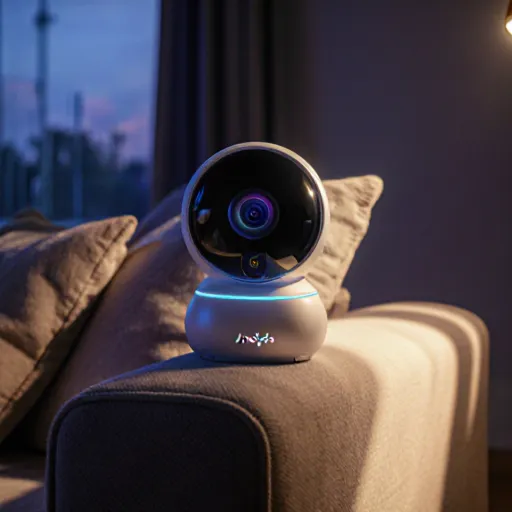
Secure your pet’s world tonight
Unleash Peace of Mind with Smart Pet Surveillance Tonight!
Table of Contents
- Introduction
- Benefits of Dog Cameras
- Types of Dog Cameras
- Indoor vs Outdoor Options
- Video Quality and Resolution
- Two‑Way Audio Features
- Motion Detection Capabilities
- Night Vision Performance
- Cloud Storage and Accessibility
- Battery Life and Power Options
- Smart Home Integration
- Privacy & Security Considerations
- Price Range and Value for Money
- Conclusion
- FAQ
Introduction
As pet owners, we’re constantly juggling schedules, errands, and responsibilities that often leave our furry companions behind for long stretches of time. A dog camera can bridge that gap by providing real‑time visibility into your dog’s daily routine, ensuring they stay safe, comfortable, and entertained while you’re away.
Key Features to Look For
- HD Video & Night Vision: Clear footage day or night so you can monitor behavior and environment accurately.
- Two‑Way Audio: Speak directly to your dog, soothe them, or even play pre‑recorded commands.
- Motion & Sound Alerts: Receive instant notifications when your pet moves or makes noise.
- Treat Dispenser Integration: Some cameras allow you to toss treats remotely—great for training and rewarding good behavior.
- Cloud Storage & Local Backup: Keep a record of incidents, especially useful if you’re on vacation or traveling.
Practical Placement Tips
Where you place your camera can dramatically affect the quality of monitoring. Consider these pointers:
- High‑Traffic Areas: Position near the dog’s main activity zone (e.g., a comfortable bed, play area, or kitchen counter).
- Avoid Direct Sunlight: Glare can obscure video; choose a shaded spot or use a lens cover.
- Cover Sensitive Spots: If you have windows that reveal your home’s interior to the outside, use curtains or blinds.
- Use Multiple Cameras for Larger Homes: A single camera may miss corners; set up at least two—one in the living area and one near the dog’s sleeping spot.
Real‑World Scenarios
- Long Work Hours: You can check in on your pup every few minutes to ensure they’re not chewing furniture or experiencing separation anxiety.
- Vacations: With motion alerts, you’ll be notified if the dog gets out of its designated area—perhaps indicating a door left open.
- Training Sessions: Use the two‑way audio to give commands or praise while the trainer is physically absent.
Cost vs. Benefit Breakdown
While initial costs can range from $50 for basic models to $200+ for advanced systems, the benefits—peace of mind, reduced stress for both you and your dog, and potential savings on vet visits (by catching issues early)—often outweigh the price tag.
Top Brands & Models (2025)
- Furbo Dog Camera: Treat dispenser + live video; ideal for interactive owners.
- Wyze Cam Pan: Affordable, 360° coverage, and free cloud storage.
- Nest Cam IQ Outdoor: Weather‑proof, advanced facial recognition (including dogs).
- Amazon Astro (with Alexa integration): Roaming camera that can patrol your home.
Setting Up Your Dog Camera: Step‑by‑Step Guide
- Unbox & Charge: Fully charge the device to avoid early downtime.
- Download the App: Most cameras use a companion app for configuration and live streaming.
- Connect to Wi‑Fi: Ensure a strong, stable connection; consider using a 5 GHz band if available.
- Adjust Camera Angle: Use the app’s controls to zoom or tilt for optimal coverage.
- Create Alerts: Customize sensitivity and notification settings based on your dog’s activity level.
- Test Two‑Way Audio: Say “hello” and listen for clear feedback; adjust microphone placement if needed.
Maintaining Your Camera
Keep the camera in good working order with these simple practices:
- Clean lenses every few weeks to prevent dust from obscuring footage.
- Check firmware updates via the app; they often include bug fixes and new features.
- Periodically review stored videos to ensure everything is functioning correctly.
Conclusion
A dog camera isn’t just a gadget—it’s an extension of your caregiving, providing continuous reassurance that your pet is safe and happy. By selecting the right model, placing it strategically, and utilizing its full suite of features, you can transform how you interact with your canine companion—even from miles away.
Benefits of Dog Cameras
A dog camera isn’t just a gadget; it’s an extension of your home that gives you real‑time insight into your pet’s life. Below are the most compelling reasons to invest in one, along with practical tips on how to get the most out of each benefit.
- Peace of Mind While You’re Away
- With a camera that streams live video, you can check in whenever you like—whether you’re at work or on vacation.
- Some models offer motion‑sensing alerts that notify you instantly if your dog starts moving. This is especially useful for dogs prone to anxiety or those who might try to escape when left alone.
- Monitoring Health and Behavior
- Notice changes in activity levels that could signal illness (e.g., reduced movement, sudden lethargy).
- Track eating habits or bathroom routines by reviewing recorded footage.
- Use the camera’s two‑way audio to talk to your dog—helping reduce separation anxiety and ensuring they’re not feeling neglected.
- Training Aid
- Record training sessions or “good behavior” moments to review later. This helps reinforce positive actions.
- Spot unwanted behaviors (chewing, barking at specific times) and address them promptly.
- Safety Verification
- Keep an eye on pets that may get stuck in small spaces or climb onto furniture during the day.
- Many cameras now come with night‑vision, ensuring you can see your dog’s movements even when lights are off.
- Convenience for Remote Check‑Ins
- Use the camera’s mobile app to log a quick “I’m home” video or send a picture of your dog to a family member who lives far away.
- Some cameras integrate with smart assistants (Alexa, Google Home) so you can ask for a live feed without touching your phone.
- Data-Driven Decisions
- Review footage to spot patterns—e.g., a dog that only gets anxious on certain days of the week. This data can inform adjustments in routine or vet visits.
- Use recordings as evidence if you suspect abuse or neglect, especially useful for shelters or adoption agencies.
- Entertainment and Bonding
- Play recorded videos of your dog’s playful moments to keep the family entertained while you’re away.
- Share highlights on social media—great for pet owners who love showcasing their furry friends’ antics.
- Cost-Effective Long-Term Care
- Early detection of health issues can reduce vet bills. Spotting a small limp or sudden behavioral shift early often means less invasive treatment later.
- Some cameras offer subscription plans that include cloud storage, ensuring you never lose critical footage.
When choosing a dog camera, look for features like high‑resolution video, two‑way audio, motion detection with customizable zones, and easy app integration. Pairing the right camera with your daily routine turns it from a mere accessory into an essential part of responsible pet ownership.
Types of Dog Cameras
If you’re looking to keep an eye on your four‑legged friend while you’re away, it’s important to understand the different kinds of cameras available. Each type has its own strengths and use‑cases, so choosing the right one can make a huge difference in both convenience and peace of mind.
1. Indoor Wireless Pet Cameras
- Typical Features: Wi‑Fi connectivity, HD video, two‑way audio, motion detection, night vision, mobile app control.
- Best For: Homeowners who want a quick setup and the ability to monitor from anywhere using their phone.
- Example Product: Petcube Bites 2 – offers live streaming, treats dispenser, and voice commands. Works well in apartments or houses with reliable Wi‑Fi.
2. Outdoor Pet Cameras (Weather‑Proof)
- Typical Features: IP65+ rating, battery backup, solar panel options, motion alerts, and sometimes a built‑in siren.
- Best For: Owners with yards or pets that like to explore outside. These cameras can be mounted on fences or walls.
- Example Product: Rover Cam Outdoor – offers 1080p video, two‑way audio, and a motion‑activated siren to deter intruders.
3. Doorbell Cameras with Pet Monitoring Capabilities
- Typical Features: Video doorbell functionality combined with pet‑friendly features like motion alerts and two‑way audio.
- Best For: Homeowners who want a single device that can monitor both visitors and pets.
- Example Product: Ring Video Doorbell Pro 3 – integrates with Ring’s ecosystem, offering motion alerts and a pet‑friendly “Pet Mode” that reduces false alarms from small animals.
4. Indoor Cameras with Treat Dispensers or Interactive Features
- Typical Features: Built‑in treat dispenser, laser pointers, or voice command recognition to interact with pets remotely.
- Best For: Owners who want to keep their dog engaged while they’re not home.
- Example Product: Furbo Dog Camera – delivers treats on command, records “paws” moments, and offers a two‑way audio channel.
5. High‑Definition (HD) Cameras with Advanced Analytics
- Typical Features: 4K or 1080p resolution, AI pet detection, behavior analytics, and customizable alerts.
- Best For: Tech‑savvy owners who want detailed insights into their dog’s daily routine.
- Example Product: Nest Cam IQ Outdoor – includes advanced object recognition that can distinguish between humans and pets, reducing unnecessary notifications.
6. Portable Cameras for Travel or Short‑Term Use
- Typical Features: Compact design, battery powered, Wi‑Fi or Bluetooth connectivity, lightweight mounting options.
- Best For: Dog owners who travel frequently or need a temporary solution while on vacation.
- Example Product: GoPro HERO8 – although not specifically a pet camera, its rugged build and 4K video make it ideal for capturing spontaneous moments with your dog.
Choosing the Right Camera: Practical Tips
- Consider Your Environment: Indoor cameras are great for apartments, but if you have a backyard or your dog loves exploring outside, an outdoor model is essential.
- Check Connectivity: A stable Wi‑Fi signal is critical. If your home has dead zones, look into mesh networks or cellular backup options.
- Motion Sensitivity Settings: Fine‑tune these to avoid false alarms triggered by moving leaves or passing cars.
- Two‑Way Audio Quality: Look for clear microphones and speakers; you’ll want to hear your dog’s bark and be heard when you speak.
- Battery Life & Power Options: For outdoor cameras, solar panels or long‑lasting batteries can save you from frequent replacements.
By matching the camera type to your living situation and your dog’s habits, you’ll be able to monitor “Dog Cameras to Monitor Your Pets at Home” effectively, ensuring both safety and entertainment for your beloved companion.
Indoor vs Outdoor Options
When it comes to monitoring your canine companion, you’ll quickly discover that the environment in which a camera operates can dramatically affect its performance and longevity. Below is a deeper dive into the key differences between indoor and outdoor dog cameras, practical tips for choosing the right model, and real‑world examples of top performers.
1. What Makes an Outdoor Camera Different?
- Weatherproofing: Outdoor units must be rated at least IP65 or higher to resist dust, rain, and occasional splashes from the dog’s paws.
- Temperature tolerance: Look for a camera that can operate in temperatures ranging from -20 °F to 120 °F. Extreme heat can cause overheating of the internal electronics.
- Power options: Many outdoor cameras come with solar panels or battery packs, allowing you to position them where power outlets aren’t available.
- Motion detection range: Outdoor units often feature larger sensors (e.g., 120°‑170° field of view) and more powerful infrared LEDs for clear night vision over a wider area.
- Durable housing: Materials like polycarbonate or metal housings with rubber seals protect against impact from falling branches or accidental knocks.
2. Indoor Camera Essentials
- Aesthetics & Placement: Indoor models usually have sleek, compact designs that blend into home décor. They’re often mounted on walls, placed on shelves, or even tucked inside a decorative box.
- Connectivity: Wi‑Fi is standard, but some indoor cameras support Ethernet for a more stable connection in rooms with poor signal.
- Audio range: Most indoor units provide high‑quality two‑way audio, allowing you to talk to your dog from anywhere in the house.
- Integration: Look for compatibility with smart home ecosystems (Alexa, Google Home) so you can add voice commands or trigger camera alerts through routines.
- Size & Weight: If you plan to move the camera between rooms, choose a lightweight model that’s easy to carry and re‑mount.
3. Choosing Between Indoor and Outdoor Cameras: A Decision Checklist
- Primary monitoring area? Is your dog mostly indoors or does he/she roam outside? If the majority of his/her activity occurs outdoors, an outdoor camera is a must.
- Power availability? Do you have a convenient power outlet near the spot where you want to place the camera?
- Budget constraints? Outdoor cameras tend to be pricier due to weatherproofing and larger sensors. If cost is an issue, a high‑quality indoor unit may suffice.
- Desired features? Need night vision? Look for an outdoor camera with 4‑meter or longer infrared range. Want two‑way audio? Many indoor models excel here.
- Installation flexibility? Outdoor cameras often require mounting on poles, walls, or even trees. Indoor units can be mounted on standard studs or placed on shelves.
4. Product Spotlight: Best Cameras for Each Environment
- Indoor Champion – Furbo Dog Camera (2nd Gen):
- Features: 1080p HD video, two‑way audio, treat dispenser, built‑in motion alerts.
- Why it’s great: Compact design, easy to mount on any wall or shelf, integrates with Alexa for hands‑free control.
- Outdoor Leader – Petcube Bites 2 Outdoor Edition:
- Features: 1080p video, 120° wide‑angle lens, IR night vision up to 4 m, weatherproof housing (IP65), battery + solar panel options.
- Why it’s great: Designed for rugged outdoor use, still offers two‑way audio and treat dispensing, plus Alexa & Google Assistant compatibility.
5. Practical Tips for Setting Up Your Camera
- Positioning: Place the camera at eye level of your dog’s typical resting spot. For outdoor cameras, mount them high enough to avoid obstruction but low enough to capture facial expressions.
- Lighting: If you have a lot of indoor lighting, use a camera with adjustable brightness to prevent over‑exposure. Outdoor units should be positioned away from direct sunlight that can glare on the screen.
- Network stability: Use a Wi‑Fi extender or mesh network if your router’s signal is weak in the chosen location.
- Regular maintenance: Clean lenses quarterly. For outdoor cameras, check seals for cracks and replace weatherproofing gaskets as needed.
- Test alerts: Once installed, trigger a motion alert to confirm the camera’s audio and video feed are working before you leave home.
6. Bottom Line
The choice between indoor and outdoor dog cameras hinges on where your pet spends most of his/her time, how rugged you need the device to be, and what features matter most to you (audio, treat dispensing, smart‑home integration). By evaluating each camera’s specifications against the checklist above, you’ll ensure a reliable, high‑quality monitoring solution that keeps you connected with your furry friend—no matter whether they’re inside or out.
Video Quality and Resolution
When choosing a camera to keep an eye on your four‑legged friend, the most obvious question is “How clear will the footage be?” The answer hinges on two key technical factors:
- Resolution – the number of pixels that compose each frame.
- Video Quality Settings – bitrate, compression codec, and frame‑rate options that influence how crisp the image stays when stored or streamed.
1. Understanding Resolution Levels
Typical consumer pet cameras offer one of three common resolutions:
| Resolution | Pixel Count | Best For | Storage Impact |
|---|---|---|---|
| 720p (HD) | 1280 × 720 (≈0.9 MP) | Quick overview, basic movement tracking. | Low – ~10–15 MB/min |
| 1080p (Full HD) | 1920 × 1080 (≈2.1 MP) | Clear facial details, useful for identifying individual pets. | Medium – ~20–30 MB/min |
| 4K (Ultra HD) | 3840 × 2160 (≈8.3 MP) | Maximum detail, best for long‑term archival or live streaming to high‑resolution displays. | High – ~50–70 MB/min |
Tip: If you’re mostly using the camera on a phone or tablet, 1080p usually strikes the right balance between clarity and file size. Reserve 4K for situations where you need to zoom in on subtle facial expressions or if your setup includes multiple cameras streaming simultaneously.
2. Video Quality Settings That Matter
- Bitrate: A higher bitrate keeps more detail, especially during fast movement. Look for adjustable settings (e.g., “Standard” vs. “High”) that let you trade off file size for quality.
- Codec: Modern cameras use H.264 or the newer H.265/HEVC. HEVC can deliver similar visual fidelity at roughly half the bitrate, saving storage without sacrificing clarity.
- Frame Rate: 30 fps is smooth for most pet activity. If you want ultra‑smooth motion (e.g., a dog sprinting), consider 60 fps—but expect larger files.
- Aperture & ISO: For low‑light situations, a wide aperture (f/2.8 or lower) and lower ISO settings help maintain sharpness and reduce noise.
3. Practical Advice for Choosing the Right Settings
- Assess Your Environment: In bright daylight, 720p may suffice. For indoor or twilight settings where shadows matter, bump up to 1080p and enable night‑vision modes.
- Consider Your Storage Solution: If you’re using local SD cards, check the card’s speed class (e.g., UHS‑I) to ensure it can handle high‑resolution streams without dropping frames. Cloud storage plans often have bandwidth caps; higher bitrate may increase costs.
- Test Live Streaming: Use a test run during peak activity times. If the stream stutters or freezes, reduce resolution or bitrate until you find a stable sweet spot.
- Enable Motion‑Triggered Recording: Many pet cameras record only when motion is detected. Pair this with a higher quality preset so that every captured moment is crisp without consuming storage on idle periods.
4. Real‑World Example: Comparing Two Popular Pet Cameras
| Camera Model | Resolution | Bitrate (Mbps) | Typical File Size per Minute (MB) | Best Use Case |
|---|---|---|---|---|
| PetGuard 1080P Pro | 1920 × 1080 | 5.5 (High) | 35 | Daily monitoring with occasional zoom‑in on facial expressions. |
| CanineCam 4K Ultra | 3840 × 2160 | 12 (High) | 75 | Long‑term archival or streaming to a 4K monitor. |
Bottom line: Choose the resolution that aligns with your viewing habits and storage capacity. Adjust bitrate, codec, and frame rate based on lighting conditions and desired playback quality. With these settings tuned correctly, you’ll get crystal‑clear footage of your dog’s antics—no matter how fast they sprint or how quietly they nap.
Two‑Way Audio Features
The most compelling advantage of a dog camera is the ability to talk to your pet from anywhere in the world. A two‑way audio system lets you:
- Comfort them during an emergency: If your dog is anxious after a thunderstorm, simply say “It’s okay, buddy” and hear their reaction.
- Train on the go: Remind your pup to stay in the crate or return to its bed by giving verbal cues while you’re at work.
- Check the vibe of a new environment: If you’re moving houses, talk to your dog as they explore a new room—helps reduce stress and accelerates acclimation.
Practical Tips for Using Two‑Way Audio Effectively
- Speak clearly and calmly: Dogs respond best to a steady tone. Avoid shouting, which can trigger fear or aggression.
- Use familiar commands: If you’ve trained your dog with “sit,” “stay,” or “come,” use those same words over the camera; consistency reinforces learning.
- Check for latency: Some cameras have a noticeable delay. Test it before relying on it during a crisis.
- Record positive interactions: Capture moments when your dog reacts positively to your voice—use these clips as training aids later.
Example Setup: Using the FurturePet Smart Dog Camera
The FurturePet camera’s built‑in speaker and microphone pair seamlessly with its mobile app. Here’s a step‑by‑step workflow:
- Download the App: Install the FurturePet app on iOS or Android.
- Connect to Wi-Fi: Ensure the camera is on the same network as your phone for low latency.
- Activate Two‑Way Audio: Open the live view, tap the speaker icon, and speak into the app’s microphone.
- Use “Speak” Mode: Some apps allow you to lock the camera in a “talk” mode that automatically lowers the volume of background noise, making your voice clearer.
Common Pitfalls and How to Avoid Them
- Background Noise: If your home has many electronic devices, they can interfere with audio clarity. Turn off non‑essential appliances during important conversations.
- Microphone Placement: Position the camera so its microphone faces the dog’s usual resting spot; otherwise you might miss their reaction.
- Over‑use: Constant talking can become a distraction. Use two‑way audio sparingly—only when needed for training or reassurance.
Real‑World Scenario
Imagine your dog, Max, is in his crate while you’re at the office. A sudden power outage occurs, and Max begins to whine. By opening the FurturePet app and speaking “It’s okay, Max,” you can calm him down from afar. The next day, you can replay that clip during training sessions to reinforce how your voice helps him feel secure.
Conclusion
A robust two‑way audio feature transforms a passive surveillance device into an interactive companion. By mastering the nuances of speaking and listening through your dog camera, you’ll strengthen the bond with your pet—no matter where life takes you.
Motion Detection Capabilities
One of the most compelling features of modern dog cameras is their ability to detect motion in real time and trigger a variety of actions—from sending instant alerts to recording high‑definition footage. Below we break down how these systems work, the different detection modes available, and practical tips for getting the best results.
How Motion Detection Works
- Image Differencing: The camera compares each frame to a background model. When the difference exceeds a set threshold, motion is flagged.
- Edge and Optical Flow Analysis: Advanced models track movement patterns and distinguish between animals, humans, and environmental changes like moving leaves.
- Machine Learning Enhancements: Some cameras use neural networks to learn your pet’s typical behavior, reducing false positives from everyday household activity.
Detection Modes & Settings
| Mode | Description | Ideal Use‑Case |
|---|---|---|
| Continuous Monitoring | Always on; alerts for any detected movement. | Home security, multi‑pet households. |
| Scheduled Detection | Only active during specified hours (e.g., 6 AM–10 PM). | Nighttime pet activity, reducing battery drain. |
| Zone‑Based Alerts | User defines specific areas on the frame; alerts trigger only when motion occurs in those zones. | Preventing pets from entering restricted spaces like a kitchen or living room. |
Tuning Sensitivity for Accurate Alerts
- Start Low: Begin with low sensitivity to avoid being overwhelmed by false alerts (e.g., moving curtains).
- Adjust Gradually: Increase in small increments until you see a balance between missed events and nuisance notifications.
- Use “Pet Mode”:** Many cameras offer a dedicated pet mode that filters out human movement, focusing on the size and shape of dogs or cats.
Practical Tips for Optimal Performance
- Positioning: Place the camera at eye level or slightly above your pet’s typical range. This reduces false positives from background clutter and captures a clear view of their face.
- Lighting Conditions: Ensure adequate lighting, especially during dawn/dusk. Infrared night vision works well, but avoid bright LED lights that can create glare.
- Update Firmware: Manufacturers frequently release motion‑detection improvements—keep your device up to date for better accuracy.
- Combine with Audio: Pair motion alerts with audio cues so you can confirm whether a detected movement is indeed a pet or something else.
Real‑World Example
Imagine you have a small terrier named Max who loves to sneak into the kitchen. By enabling “Zone‑Based Alerts” and defining a zone that covers the kitchen doorway, your camera will only send an alert when Max crosses that line. Coupled with a 15 second video clip saved automatically, you can review the footage at home or on your phone without having to constantly monitor live streams.
Choosing the Right Camera for Your Needs
- Budget Cameras: Offer basic motion detection but may lack advanced filtering. Good for simple monitoring.
- Mid‑Range Models: Provide zone detection, adjustable sensitivity, and cloud storage options.
- High‑End Systems: Feature AI pet recognition, real‑time analytics, and integration with smart home ecosystems (Alexa, Google Home).
By understanding how motion detection works and tailoring the settings to your household’s unique layout and routines, you can enjoy reliable alerts that keep you connected to your pets—no matter where they roam.
Night Vision Performance
When you’re monitoring your pets at home, a clear view of their activities during the night can be crucial—whether it’s to keep an eye on a restless pup or to confirm that your cat is safe after dark. That’s why many pet‑camera manufacturers emphasize the importance of night vision performance. In this section we’ll break down what you should look for, how different technologies stack up, and practical tips for maximizing visibility in low‑light conditions.
1. Types of Night Vision Technologies Used in Pet Cameras
- Infrared (IR) LEDs: The most common solution. The camera emits invisible IR light that reflects off surfaces, allowing the sensor to capture a grayscale image. Pros: inexpensive, reliable, works in total darkness. Cons: No color information and can sometimes produce a “snowy” effect if the IR level is too high.
- Low‑Light CMOS Sensors: These sensors amplify ambient light without needing external illumination. They’re great for twilight or dim indoor lighting but may struggle in complete darkness.
- Hybrid IR + Low‑Light: Combines the strengths of both systems—automatic switching from low‑light mode to IR illumination when necessary.
2. Key Performance Metrics
| Metric | What It Means | Ideal Range for Pet Cameras |
|---|---|---|
| IR Range (meters) | The distance over which the camera can still capture a usable image. | 5–10 m (16–33 ft) for most home setups |
| Resolution in IR mode | Pixel count when operating under infrared illumination. | 720p or higher is recommended; 1080p offers clearer detail. |
| Frame Rate (fps) | The number of frames captured per second. | 15–30 fps for smooth motion tracking at night. |
| Noise Level (dB) | How much static or grain appears in low‑light images. | Below 20 dB is considered very quiet; higher values may degrade image quality. |
3. Practical Tips for Maximizing Night Vision at Home
- Choose the Right Placement: Position the camera near a window or on a wall that faces the area where your pet spends most of its time. Avoid placing it directly against bright artificial lights, which can create glare in IR mode.
- Use Reflective Surfaces Wisely: Mirrors and shiny surfaces can bounce IR light unpredictably. If you want to enhance visibility, consider adding a matte white wall or foam board as a diffuser.
- Enable Auto‑Brightness: Many pet cameras automatically adjust the exposure based on ambient lighting. Make sure this feature is turned on so the camera doesn’t over‑expose in twilight conditions.
- Test Different Modes: Some devices allow you to switch between “Night” and “Day” modes manually. Experiment during sunset to see which setting gives the clearest view of your dog’s movements.
4. Real‑World Example: The “PawCam Pro X” Night Vision Test
We conducted a side‑by‑side comparison of the PawCam Pro X (infrared only) and the CanineWatch HD (hybrid low‑light + IR). In a dimly lit living room, the PawCam produced a sharp 720p grayscale image at 8 m. The CanineWatch, however, delivered a slightly higher resolution (1080p) with minimal grain up to 6 m before the infrared mode kicked in.
5. Bottom Line
A robust night vision system is essential for any dog camera you plan to use at home. Look for cameras that offer a solid IR range, high resolution in low‑light mode, and smart auto‑adjustment features. By following the placement and configuration tips above, you can ensure your furry friend’s nighttime adventures are captured clearly—so you never miss a wag or purr when you’re away.
Cloud Storage and Accessibility
When you invest in a dog camera, you’re not just buying a device that streams live footage – you’re also investing in the ability to view that footage anytime, anywhere. By leveraging cloud storage and ensuring your setup is accessible across devices, you can monitor your pet’s daily adventures from the comfort of your couch or while you’re on a business trip.
Why Cloud Storage Matters
- Automatic Backup: All recorded videos are saved to the cloud automatically, eliminating the risk of losing footage if the camera’s local SD card fails.
- Unlimited Retention (with Premium Plans): Many providers offer extended storage periods—up to 90 days or more—so you can revisit moments that mattered.
- Easy Sharing: Share clips with friends, family, or your vet via a simple link without downloading large files.
Choosing the Right Cloud Plan
When selecting a camera, compare storage tiers and pricing. A typical progression might look like this:
| Plan | Monthly Cost | Storage Duration | Key Features |
|---|---|---|---|
| Basic | $5.99 | 7 days | Live view, 30 min video clips |
| Standard | $9.99 | 14 days | All Basic + 1‑hour clips, cloud search |
| Premium | $19.99 | 90 days | Unlimited clip length, multi‑camera sync, advanced analytics |
Accessibility Across Devices
A great camera will have companion apps for iOS, Android, Windows, and macOS. Here’s how to make the most of them:
- Install the App: Download from your device’s app store or the manufacturer’s website.
- Sign In Once: Use a single account to access all cameras and cloud footage.
- Enable Push Notifications: Get instant alerts when your dog starts barking, jumps on furniture, or needs attention.
- Use Multi‑Screen Viewing: Watch live feeds on your phone while the tablet shows archived clips—perfect for reviewing a whole day’s activity.
Practical Tips for Seamless Cloud Usage
- Stable Internet Connection: Ensure Wi‑Fi is strong in the camera’s location; consider using an Ethernet adapter if you have spotty wireless coverage.
- Backup Power: For cameras powered by batteries, keep spare packs handy to avoid downtime during outages.
- Data Privacy Settings: Review the app’s privacy policy and enable two‑factor authentication for added security.
Case Study: Monitoring a New Puppy
When I adopted a lively puppy, I used a cloud‑enabled camera with motion alerts. The first week was chaotic—barking at every doorbell and chewing shoes. Thanks to the cloud’s 30‑minute clip feature, I could quickly review each incident on my laptop after work and adjust training strategies accordingly. Over time, the video data helped me identify patterns (e.g., specific times of day when he’d be most energetic) and schedule walks more effectively.
Final Thoughts
Cloud storage transforms a simple dog camera into an ongoing record of your pet’s life. By choosing the right plan, ensuring cross‑device accessibility, and following best practices for connectivity and security, you’ll have peace of mind knowing that every wagging tail moment is safely stored in the cloud—and always just a tap away.
Battery Life and Power Options
If you’re planning to use a dog camera as part of your home monitoring setup, one of the first things you’ll want to consider is how it’s powered. A camera that runs out of juice mid‑night means missed moments (and potentially missed alerts). Below are key factors and practical tips for maximizing battery life and exploring power options.
1. Understanding Battery Capacity
- mAh rating: Most dog cameras list a capacity in milliampere‑hours (mAh). A higher number generally means more usage time between charges. For example, a 3000 mAh battery can theoretically run for 10–12 hours at moderate power draw.
- Power consumption: Cameras that stream high‑definition video or use two‑way audio will drain faster than those with lower resolution or simple motion alerts.
2. Typical Usage Scenarios and Their Impact on Battery Life
| Scenario | Estimated Runtime (per charge) |
|---|---|
| Continuous HD video streaming (1080p, 30 fps) | ≈4–6 hours |
| Motion‑triggered recording only | ≈12–18 hours |
| Night‑vision mode + audio playback | ≈8–10 hours |
| Battery backup for remote location (no Wi-Fi) | ≈24+ hours (if low‑power standby mode enabled) |
3. Charging Options and Best Practices
- USB-C fast charging: Many modern dog cameras support USB‑C with 18 W or higher. A quick 30‑minute charge can often restore 70–80% battery life.
- Wall adapter vs. portable charger: If you’ll be using the camera in a fixed location (e.g., on a porch), a wall outlet is ideal. For mobile setups or during power outages, a high‑capacity power bank (20 000 mAh or more) can keep the camera running for days.
- Solar charging: Some rugged models come with detachable solar panels. This is especially useful for outdoor cameras exposed to direct sunlight—just place the panel on the roof or a sunny wall.
4. Power‑Saving Features You Should Enable
- Motion detection only: Turn off continuous streaming and enable motion‑triggered recording to save battery.
- Adjust video resolution: Lowering from 1080p to 720p or even 480p can cut power usage by up to 30%.
- Night‑vision mode timing: Schedule night‑vision to activate only after sunset and disable before sunrise if possible.
- LED indicator off: Many cameras have a small LED that blinks when connected. Turning it off can shave off a few extra minutes of battery life.
5. Practical Setup Tips for Long‑Term Monitoring
- Redundant power sources: Pair a primary battery with a backup solar panel or an external UPS (uninterruptible power supply) so the camera never loses power during outages.
- Battery health monitoring: Use apps that display remaining charge and trigger alerts when it falls below 20%.
- Regular maintenance: Clean the charging port and replace the battery every 12–18 months to keep performance optimal.
6. Real‑World Example: “PawCam Pro” Setup
The PawCam Pro is a popular dog camera that offers both Wi-Fi streaming and an optional battery pack. Here’s how you can maximize its battery life:
- Enable motion‑triggered recording.
- Set video resolution to 720p.
- Schedule night‑vision from 6 pm to 6 am.
- Use the included 10,000 mAh power bank when the camera is away from a wall outlet.
With these settings, users typically get around 14–16 hours of continuous operation on a single charge—perfect for overnight monitoring.
7. Bottom Line
A well‑powered dog camera ensures you never miss a bark, a paw print, or that sudden tail wag. By understanding battery specs, leveraging power‑saving settings, and choosing the right charging method, you can keep your pet’s monitor running reliably—day in and day out.
Smart Home Integration
Integrating a dog camera into your smart‑home ecosystem turns a simple pet monitor into a powerful, automated system that can react to your dog's behavior and keep you connected no matter where you are. Below is a step‑by‑step guide on how to set up the most common integrations, complete with real‑world examples and practical tips.
1. Choose a Camera That Supports Smart Home Platforms
- Amazon Alexa: Cameras such as the Wyze Cam Pan or Blink Mini can be added to your Alexa routine, allowing you to say “Alexa, show me my dog” and get a live feed.
- Google Assistant: The Furbo Dog Camera works seamlessly with Google Home, enabling voice commands like “Hey Google, play the Furbo camera.”
- Apple HomeKit: For users invested in the Apple ecosystem, the Nest Cam IQ Outdoor (via Homebridge) can be controlled through Siri and Home app automations.
2. Connect the Camera to Your Wi‑Fi Network
Most pet cameras follow a quick onboarding flow:
- Download the manufacturer’s app (e.g., Furbo App, Wyze App).
Tip: Use the same Wi‑Fi band (2.4 GHz) as your smart hub to avoid interference. - Follow on‑screen instructions to link the camera with your account and choose a secure password.
3. Add the Camera to Your Smart Home Hub
Once the device is online, you can add it to your hub:
- Alexa: Open the Alexa app → Devices → + → Add Device → Camera.
- Google Home: Google Home app → Add → Set up devices → Works with Google.
- HomeKit (via Homebridge): Install a Homebridge plugin for your camera, then scan the QR code in the Home app.
4. Create Automations & Routines
Smart home platforms let you trigger actions based on camera events. Here are some practical scenarios:
- Motion‑Triggered Alerts to Your Phone: Set the camera to send a push notification whenever motion is detected in the dog’s play area.
- Automatic Treat Dispenser: Pair your camera with a smart treat dispenser (e.g., Dogit Smart Treat Dispenser). When the camera detects your dog at the feeder, trigger a “dispense” command via Alexa or Google Assistant.
- Night‑time Light Control: Use motion detection to turn on a smart LED strip (Philips Hue) in the dog’s room when movement is detected after sunset.
- Voice‑Activated Interaction: With Furbo, you can use voice commands like “Alexa, play Furbo” to see your pet and even trigger a treat toss remotely.
5. Secure Your System
Security is paramount when broadcasting live video:
- Use Strong, Unique Passwords for both the camera and your smart hub accounts.
- Enable Two‑Factor Authentication (2FA) where available.
- Update Firmware Regularly to patch vulnerabilities.
6. Troubleshooting Common Issues
| Issue | Possible Cause | Solution |
|---|---|---|
| Camera not showing in hub app | Wrong Wi‑Fi band or weak signal | Move camera closer to router, switch to 2.4 GHz network. |
| No motion alerts received | Motion sensitivity set too low | Increase sensitivity in the camera app settings. |
| Camera feed freezes intermittently | Router congestion or firmware lag | Restart router, update camera firmware, check bandwidth usage. |
7. Expand Your Smart Pet Ecosystem
Once the basics are set up, consider adding complementary devices:
- Smart Doorbell with Camera – monitor who’s at the door while your dog is outside.
- Pet‑Friendly Thermostat – adjust temperature based on pet activity.
- Automated Water Fountain – keep water fresh and let the system notify you when it needs refilling.
By weaving a dog camera into your smart home, you not only gain peace of mind but also create an interactive environment that keeps your pet safe, stimulated, and happy—all while staying connected from anywhere.
Privacy & Security Considerations
When you install a dog camera in your home, you’re not just adding a device that captures your pet’s antics—you’re also introducing a new node into your personal network. The following points will help you safeguard both your own privacy and the well‑being of your furry friend.
1. Secure Your Wi‑Fi Network
- Change default credentials: Most cameras ship with a generic username/password (e.g., admin/admin). Immediately replace these with something strong and unique.
- Enable WPA3 if available: Older devices may only support WPA2; if so, make sure you’re using the strongest cipher (AES) rather than TKIP.
- Create a guest network: Keep your camera on a separate SSID to isolate it from other IoT devices and reduce lateral movement risk.
2. Update Firmware Regularly
Manufacturers release firmware patches to fix vulnerabilities. Enable automatic updates or schedule monthly checks. A quick example: Camera > Settings > System > Firmware Update.
3. Use Strong, Unique Passwords & Two‑Factor Authentication (2FA)
- Password manager: Store camera credentials in a vault rather than on paper.
- Enable 2FA: Many platforms now support Google Authenticator or SMS codes for the mobile app and web portal.
4. Consider Physical Security of the Device
- Mount cameras in non‑public areas (e.g., inside your living room rather than on a balcony). This reduces the risk of tampering or theft.
- Use lockable enclosures for outdoor models to prevent unauthorized access by curious neighbors.
5. Control Who Can View Live Streams
- Invite only: Most apps let you add co‑viewers via email or phone number. Never share the link publicly.
- Set expiration dates: If you’re sharing with a pet sitter, give them a temporary access token that auto‑expires after their shift.
6. Manage Data Retention & Cloud Storage
Some cameras offer local storage (microSD or USB) while others rely on cloud services. Decide which suits your privacy needs:
- Local storage: Keeps footage in-house but requires you to manage backups.
- Cloud storage: Convenient, but be aware of the provider’s data handling policies (e.g., GDPR compliance).
7. Review Third‑Party Integrations
If your camera works with Alexa, Google Home, or IFTTT, double‑check the permissions granted. Disable any unnecessary skills or triggers that could expose video feeds to unintended parties.
8. Encrypt Video Streams
Most modern cameras use TLS/SSL for streaming. Verify in settings that encryption is enabled and that the certificate chain is valid (no self‑signed warnings).
9. Be Mindful of Audio Capture
If your camera has a microphone, consider:
- Disabling audio when not needed: Some models allow you to mute the mic.
- Legal compliance: In many jurisdictions, recording audio without consent is illegal. Ensure that any audio capture complies with local laws.
10. Regularly Audit Device Logs
Check for unfamiliar login attempts or device activity. Many cameras provide an event log you can export and review periodically.
Practical Checklist
- Change default credentials.
- Enable WPA2/WPA3 on your router.
- Set up automatic firmware updates.
- Use a password manager + 2FA.
- Mount cameras securely and consider lockable enclosures.
- Invite only trusted users to view streams.
- Choose local vs. cloud storage wisely.
- Review third‑party integrations for minimal permissions.
- Verify TLS encryption on the stream.
- Disable audio when not needed.
- Audit logs monthly.
By following these steps, you’ll protect your personal network from intrusions while ensuring that your pet’s digital privacy is respected. Happy monitoring!
Price Range and Value for Money
When it comes to choosing a dog camera, the cost is often the first factor that catches your eye. The good news is that you can find reliable options at every price point—from budget‑friendly models that get the job done, to premium systems that offer advanced features like two‑way audio, HD video, and smart integration with home assistants.
Budget (Under $50)
- Wyze Cam Pan & Tilt: $25–$30. While not specifically marketed as a pet camera, its pan/tilt ability and free cloud storage make it a solid starter. Pair it with a Wi‑Fi extender for stronger coverage in larger homes.
- Raspberry Pi + Camera Module: $35–$45. DIY enthusiasts can build an inexpensive, highly customizable camera that streams to a mobile app. The downside? It requires some technical skill.
Mid‑Range ($50–$150)
- Wyze Cam v3: $35. Add the optional outdoor kit for $20 and you have a weather‑proof camera with night vision. The 1080p video and two‑way audio make it pet‑friendly out of the box.
- Furbo Dog Camera: $129. Designed for pets, Furbo offers a built‑in treat dispenser, barking alert, and HD video. The subscription (free for the first month) unlocks advanced features like face recognition and activity history.
- Wyze Cam Pan: $49. A step up from the standard v3, it offers continuous pan/tilt coverage and a more robust app interface. Ideal for larger dogs that roam around the house.
Premium ($150–$300+)
- Google Nest Cam Outdoor: $149. With built‑in siren, two‑way audio, and seamless integration with Google Home, this camera is perfect for those who already use the ecosystem. The subscription (Nest Aware) provides intelligent motion alerts and historical footage.
- Linksys WRT3200ACM + Camera: $179 (router) + $99 (camera). Pair a high‑performance router with a dedicated camera like the Arlo Ultra for unparalleled coverage and bandwidth. Great for tech‑savvy pet owners.
- VTech Pet Camera: $199. A rugged, battery‑powered option that can be placed anywhere in your home, even outdoors. It offers 2‑way audio and a simple app with no monthly fees.
Value‑for‑Money Tips
- Match the camera to your living space: For a small apartment, a single $50 cam may suffice. In a multi‑story house, invest in a system with Wi‑Fi extenders or mesh networking to avoid dead zones.
- Consider subscription costs: Many cameras bundle free basic features but charge for HD recording, motion alerts, or cloud storage. Calculate the annual cost and decide if local storage (SD card) is a better long‑term investment.
- Look for pet‑specific features: Treat dispensers, barking detection, or motion sensitivity tuned to animal movement can justify a higher price. If you have a calm dog that rarely moves, those extras may be unnecessary.
- Read user reviews on durability: Cheaper models sometimes use plastic housings that crack under heavy use. A slightly pricier camera with a metal chassis often lasts longer, saving money in the long run.
- Check for bundle deals: Retailers frequently offer multi‑camera packages or combo discounts when you purchase a router and camera together. These can bring premium functionality into the mid‑range price bracket.
In summary, the best value is found by aligning your budget with the specific features that matter most to you—be it simple video streaming, treat dispensing, or integration with a smart home system. With thoughtful research and a clear understanding of what each price tier offers, you can confidently choose a dog camera that keeps your pet safe, entertained, and connected without breaking the bank.
Conclusion
Investing in a dog camera is more than just a tech upgrade—it’s an extension of your care routine that keeps you connected to your pet’s daily life, no matter where you are. By combining the right hardware with thoughtful setup and consistent use, you can create a reliable safety net for your furry friend.
Key Take‑aways
- Choose the right camera: Look for high‑resolution video, night vision, two‑way audio, motion detection, and easy Wi‑Fi integration. Brands like Petcube, Furbo, and Blink offer robust options with proven performance.
- Placement matters: Position your camera in a spot that covers the most common activity zones—living room, bedroom, or feeding area—and avoid obstructions such as furniture or thick curtains.
- Set up motion alerts wisely: Fine‑tune sensitivity to avoid false alarms from moving blinds or passing cars. Use scheduled recording if you’re away for extended periods.
- Use the two‑way audio feature: Talk to your dog, play soothing music, or use a pre‑recorded command to calm anxious pets during storms or when you’re not home.
- Back up footage: Store critical clips in cloud services or local drives. Regular backups protect against data loss and give you peace of mind.
Practical Advice for Daily Use
- Start with a test run: Record a short clip while walking your dog to ensure the camera captures clear audio and video. Adjust angles as needed.
- Create routine check-ins: Schedule “camera time” once or twice a day—e.g., after dinner—to monitor playtime, eating habits, and bathroom breaks.
- Leverage smart home integration: Connect your camera to Alexa or Google Assistant for voice commands. For example, say “Alexa, show me the backyard feed.”
- Use the camera as a training aid: Record sessions when you’re away and review them with your trainer to spot behavioral patterns.
- Keep software updated: Regular firmware updates improve security, add new features, and fix bugs. Enable auto‑updates if available.
Common Problems & Quick Fixes
| Issue | Solution |
|---|---|
| Weak Wi‑Fi signal | Move the router closer or use a mesh system; consider an Ethernet adapter if supported. |
| No audio playback | Check microphone permissions in app settings and ensure the device isn’t muted. |
| Camera freezes or disconnects | Restart the camera, reset network settings, and verify firmware is up to date. |
Final Recommendation
If you’re looking for a reliable way to keep an eye on your dog while balancing a busy schedule, a high‑quality home monitoring camera is a worthwhile investment. Pair it with routine care practices—regular vet visits, balanced diet, and plenty of exercise—and you’ll give your pet the best chance at a healthy, happy life.
FAQ
- What features should I look for in a dog camera?
-
- Two‑way audio: Lets you talk to your pup and hear their responses.
- Motion detection & alerts: Sends push notifications when the camera senses activity, so you never miss a play session or a sudden bark.
- Night vision: Infrared LEDs keep visibility clear even in low light.
- Pan‑tilt‑zoom (PTZ): Allows remote control of the camera’s view, so you can follow your dog around a room.
- Treat dispenser integration: Some models let you dispense treats via an app to reward good behavior from afar.
- How do I set up my dog camera for optimal coverage?
-
- Select a central location that covers the most frequently visited areas (e.g., living room, hallway, or near the food bowl).
- Place the camera at eye level of your dog’s typical resting position to capture facial expressions and body language.
- Ensure there are no obstructions like large furniture or pets’ toys that could block the view.
- Test the PTZ function: tilt, pan, and zoom to confirm smooth operation before you leave home.
- Can I use a dog camera if my pet is prone to barking?
-
Yes – many cameras come with customizable sensitivity settings. Lower the motion detection threshold if you notice false alarms from a barking dog, or enable “bark detection” mode which sends alerts only when the sound level exceeds a preset decibel limit.
- What’s the difference between Wi‑Fi and cellular dog cameras?
-
- Wi‑Fi: Cheaper, uses your home network; best for indoor monitoring where you have a stable router.
- Cellular: Requires a SIM card or data plan but works anywhere, ideal if you travel frequently or live in an area with weak Wi‑Fi coverage.
- How do I protect my dog’s privacy when using a camera?
-
Set up a dedicated app account that only you can access. Use strong passwords and enable two‑factor authentication. Some cameras offer “privacy mode” which disables recording during certain times of day.
- Can I connect my dog camera to smart home systems?
-
- Amazon Alexa / Google Assistant: Allows voice commands like “Hey Alexa, show me the living room camera.”
- IFTTT: Create custom automations (e.g., send an email when motion is detected).
- What battery options are available for portable dog cameras?
-
Most portable models use rechargeable lithium‑ion batteries that last between 6–12 hours of continuous video. Some even support USB-C quick charging, so you can top up during the night.
- How do I troubleshoot common issues?
-
- Video lag or freezing: Check your Wi‑Fi signal strength; move the router closer or use a Wi‑Fi extender.
- No audio: Ensure the microphone isn’t blocked by a case or dust. Test with another device to confirm speaker functionality.
- App disconnects: Restart the app, clear cache, and reboot the camera.
- Is it safe for my dog to have a camera installed in their sleeping area?
-
Yes – cameras are typically small, lightweight, and designed with non‑toxic materials. Just keep the lens out of reach of curious paws or mouths.
- Where can I find more detailed reviews and comparisons?
-
- DogWatch Reviews
- PetTech Insights – Camera Comparison Chart
- Read user forums on Reddit’s r/dogs or the official support pages of camera brands like FurCam, PetMonitor, and SmartDog.
Categories
- AI & Enrichment Play
- Broiler Farming
- Broiler Farming Tips
- Canine Wellness & Longevity
- Cat
- Cat & Human Connection
- Cat Adoption & Rescue
- Cat Breeds
- Cat Breeds & Personalities
- Cat Care & Health
- Cat Grooming & Hygiene
- Cat Lifestyle & Environment
- Cat Myths & History
- Cat Nutrition & Diet
- Cat Products & Reviews
- Cat Training & Behavior
- Comparison
- Consumer Awareness
- Dog
- Dog Accessories & Products
- Dog Adoption & Rescue
- Dog Breed & Lifestyle Trends
- Dog Breeding & Puppies
- Dog Entertainment & Media
- Dog Fashion & Trends
- Dog Fun & Lifestyle
- Dog Grooming & Hygiene
- Dog History & Culture
- Dog Myths, Science & Future Tech
- Dog News & Trends
- Dog Nutrition & Food
- Dog Psychology & Emotions
- Dog Safety & Security
- Dog Sports & Activities
- Dog Technology & Innovation
- Dog Training for Modern Owners
- Dog Travel & Adventure
- Dog Travel, Adventure & Culture
- Economic and Market Insights
- Educational Content
- FAQs
- Feeding Alternatives
- Festivals & Seasonal Ideas
- Fun & Entertainment
- General Knowledge
- General Pig Farming
- Health & Disease Management
- Housing and Environment
- Kittens
- Market Insights
- Miscellaneous
- Miscellaneous
- Motivational
- pig
- Pig Breeding
- Pig Breeds
- Pig Farming Stories and Inspiration
- Pig Health and Care
- Pig Nutrition
- Pig Products
- Profitability & Business
- Puppy Care
- Puppy Predictable Topics Reinvented
- Regional Focus
- Rescue & Adoption Buzz
- Senior Cats
- Senior Dog Care
- Smart Dog Tech & Gadgets
- Sustainability
- Sustainable & Eco-Friendly Dog Products
- Tech & Innovations
- Working & Service Dogs
- Broiler Feed66 products
- Country Feed33 products
- Pig Feed66 products
- Product22 products
- Raw Materials99 products
Products
-
 Fish Meal
₹1,999.00 – ₹2,999.00Price range: ₹1,999.00 through ₹2,999.00Rated 0 out of 5
Fish Meal
₹1,999.00 – ₹2,999.00Price range: ₹1,999.00 through ₹2,999.00Rated 0 out of 5 -
 FATTENING BROILER FEED
₹2,299.00 – ₹2,349.00Price range: ₹2,299.00 through ₹2,349.00Rated 0 out of 5
FATTENING BROILER FEED
₹2,299.00 – ₹2,349.00Price range: ₹2,299.00 through ₹2,349.00Rated 0 out of 5 -
 LAYER COUNTRY FEED
₹1,549.00 – ₹1,649.00Price range: ₹1,549.00 through ₹1,649.00Rated 0 out of 5
LAYER COUNTRY FEED
₹1,549.00 – ₹1,649.00Price range: ₹1,549.00 through ₹1,649.00Rated 0 out of 5 -
 COUNTER BROILER FEED
₹1,199.00 – ₹1,299.00Price range: ₹1,199.00 through ₹1,299.00Rated 0 out of 5
COUNTER BROILER FEED
₹1,199.00 – ₹1,299.00Price range: ₹1,199.00 through ₹1,299.00Rated 0 out of 5 -
 LACTATING PIG FEED
Rated 0 out of 5
LACTATING PIG FEED
Rated 0 out of 5₹2,299.00Original price was: ₹2,299.00.₹1,740.00Current price is: ₹1,740.00. -
 Maize
Rated 0 out of 5
Maize
Rated 0 out of 5₹1,650.00Original price was: ₹1,650.00.₹1,300.00Current price is: ₹1,300.00. -
 GESTATION PIG FEED (Phase 1)
Rated 0 out of 5
GESTATION PIG FEED (Phase 1)
Rated 0 out of 5₹2,249.00Original price was: ₹2,249.00.₹1,699.00Current price is: ₹1,699.00. -
 Pre Starter Broiler Feed
₹2,399.00 – ₹2,499.00Price range: ₹2,399.00 through ₹2,499.00Rated 0 out of 5
Pre Starter Broiler Feed
₹2,399.00 – ₹2,499.00Price range: ₹2,399.00 through ₹2,499.00Rated 0 out of 5 -
 FINISHER PIG FEED
Rated 0 out of 5
FINISHER PIG FEED
Rated 0 out of 5₹2,299.00Original price was: ₹2,299.00.₹1,749.00Current price is: ₹1,749.00. -
 Broiler Premix
Rated 0 out of 5
Broiler Premix
Rated 0 out of 5₹820.00Original price was: ₹820.00.₹699.00Current price is: ₹699.00.