
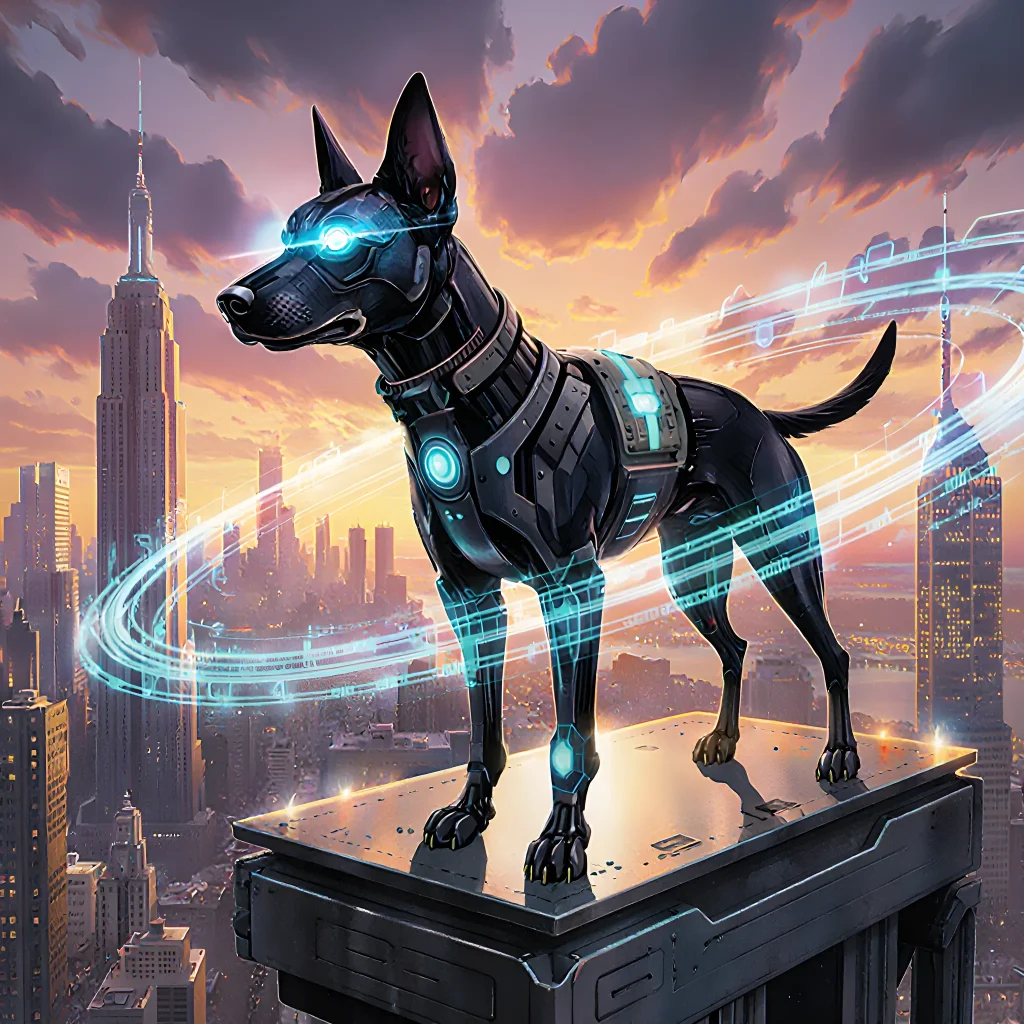
Never Lose a Pup Again!
Guardian Tech: Dogs Vanish No More, Ever!
Table of Contents
- Introduction to Smart Dog Tracking
- How GPS Works in Pet Devices
- Real‑Time Alerts: The Core Feature
- Setting Up Geofences for Your Dog’s Safety
- Battery Life and Power Management Tips
- Connectivity Options: Wi‑Fi, LTE, and Bluetooth
- Data Security and Privacy Considerations
- Integrating with Home Automation Systems
- Choosing the Right Device for Your Dog’s Size
- Case Studies: Lost Dogs Reunited Quickly
- Common Troubleshooting Steps
- Future Trends in Pet Tracking Technology
- User Experience: Mobile Apps and Alerts
- Conclusion: Peace of Mind with Smart Devices
- FAQ
Introduction to Smart Dog Tracking
One of the most compelling features of modern smart dog tracking devices is their ability to send instant notifications whenever your pet strays beyond a set boundary or exhibits abnormal behavior. These real‑time alerts give owners peace of mind and can be life‑saving in critical situations.
How It Works
- Geofencing: Owners define safe zones (home, yard, park) on a map. The tracker constantly compares the dog’s GPS coordinates to these boundaries.
- Movement Sensors: Accelerometers detect sudden bursts of speed or unusual inactivity, triggering alerts if the dog stops moving for too long or starts running erratically.
- Battery‑Aware Notifications: When battery levels drop below a threshold, the device sends an alert to prompt recharging before the tracker dies during a walk.
Practical Scenarios
- Lost in the Neighborhood: A curious pup wanders into a busy street. The geofence triggers an immediate push notification, and the owner can see the exact location on their phone.
- Nighttime Panic: An anxious dog starts pacing at night. The motion sensor flags abnormal activity, and the alert includes a short video clip captured by the device’s camera (if equipped).
- Health Alert: A senior dog stops moving for an extended period. The tracker interprets this as potential medical emergency and sends a message to the owner with location data.
Setting Up Alerts: Step‑by‑Step Guide
- Choose a Compatible App: Popular options include Garmin, Whistle, and Fi. Install the app on your smartphone.
- Create Geofences: Open the map view in the app, tap “Add Zone,” and draw a polygon around your home or favorite park.
- Adjust Sensitivity: In the device settings, set how many meters outside the zone should trigger an alert (e.g., 50 m for tight yards, 200 m for larger properties).
- Enable Push & Email Notifications: Ensure that both push notifications and email alerts are turned on so you don’t miss any messages.
- Test the System: Take your dog out briefly to confirm that an alert is received when crossing the boundary.
Tips for Maximizing Effectiveness
- Keep Software Updated: Firmware updates often improve GPS accuracy and battery efficiency.
- Use Multiple Devices: Pair a collar with a leash‑mounted tracker to cover both indoor/outdoor scenarios.
- Integrate with Home Automation: Connect the tracker to smart locks or lights so that when your dog is detected inside, doors unlock automatically.
- Share Alerts with Family: Add trusted friends or family members to receive notifications, especially if you’re traveling.
Real‑World Success Stories
Case Study: “Milo’s Midnight Mission”
Milo, a 7‑year‑old Labrador, disappeared during a night walk. The owner received an instant alert within 12 seconds and tracked Milo to a nearby alley. Thanks to the real‑time notification and live GPS feed, Milo was safely returned by dawn.
By leveraging geofencing, motion detection, and battery monitoring, smart dog trackers transform ordinary collars into powerful safety tools that keep your four‑legged friend close—no matter where adventure takes them.
How GPS Works in Pet Devices
GPS (Global Positioning System) is the backbone of modern pet tracking gadgets. By receiving signals from a constellation of satellites orbiting Earth, a GPS module calculates its precise location and relays that information to your smartphone or cloud dashboard. Below is a step‑by‑step breakdown of how this technology functions in everyday pet devices, coupled with real‑time alert features that keep lost dogs safe.
1. Satellite Signal Acquisition
- Signal Basics: Each GPS satellite broadcasts a time‑stamped signal on two frequencies (L1 and L2). The receiver in the pet collar picks up at least four satellites to triangulate its position.
- Antenna Design: Pet collars use miniature, low‑power antennas that fit within a 3–4 cm enclosure. Despite their size, they can reliably receive satellite signals even when the dog is indoors or in dense foliage.
- Power Management: GPS modules enter a “sleep” mode between updates to conserve battery life. The device wakes every 5–30 minutes (configurable) to capture a new fix.
2. Position Calculation
- Time Difference: By comparing the arrival time of each satellite’s signal, the GPS chip calculates how far it is from each satellite.
- Pseudo‑Range Trilateration: Using the distances to at least four satellites, the device solves a set of equations to determine latitude, longitude, and altitude.
- Accuracy Levels: Typical consumer collars offer 5–10 m accuracy outdoors; indoor or urban canyon environments can reduce precision to ~15–20 m. Some devices employ Assisted GPS (A‑GPS) via cellular data to improve speed and reliability.
3. Data Transmission & Real‑Time Alerts
Once the position is known, the collar sends it to your phone or cloud server through one of three main communication channels:
- Cellular (LTE/4G/5G): Provides continuous coverage and instant delivery but consumes more battery. Ideal for high‑traffic areas.
- LoRaWAN / Sigfox: Low‑power wide‑area networks that extend battery life to 1–3 years, suitable for rural settings.
- Bluetooth LE (BLE) + Smart Home Hub: Works within a limited radius (~30 m). Useful as a secondary “home‑range” check when the dog is near home.
4. Real‑Time Alert Workflow
- Geofence Creation: Define safe zones (e.g., your backyard, a park) in the companion app.
- Boundary Crossing Detection: When the collar crosses a geofence edge, the device instantly sends a notification to your phone via push‑notification or SMS.
- Lost‑Dog Mode Activation: If the collar is removed or lost (no signal for X minutes), it triggers an alert and optionally starts broadcasting a loud beeping tone that can be heard by nearby owners.
- Live Map Tracking: The app displays the dog’s last known location, movement speed, and direction in real time. Some platforms overlay heat maps of recent activity to pinpoint habitual paths.
5. Practical Tips for Maximizing GPS Reliability
- Choose the Right Device: For active dogs that roam far, opt for cellular‑enabled collars with battery life ≥ 6 months. For small pets or indoor/outdoor cats, a LoRaWAN collar may suffice.
- Regular Firmware Updates: Manufacturers frequently release updates that improve satellite acquisition algorithms and fix bugs affecting alert timing.
- Position Sampling Frequency: Balance battery life with safety: set 5‑minute intervals for high‑risk areas; increase to 30 minutes in low‑risk zones.
- Test Geofences: Periodically simulate a boundary breach by moving the collar across the fence to confirm alerts are delivered promptly.
- Use Multiple Alerts: Combine push notifications with email and SMS for critical events, ensuring you receive them even if your phone is offline.
6. Real‑World Example: “Fido’s Rescue”
A family in Austin used a cellular GPS collar on their Border Collie. The dog once slipped through the back gate and wandered into a busy street. As soon as the collar crossed the geofence, the owner received an instant push notification with the exact coordinates. Within minutes, the local animal shelter’s volunteer team located Fido using the live map overlay, brought him to safety, and returned him home.
In this scenario, real‑time alerts turned a potentially dangerous situation into a swift rescue—highlighting how GPS technology combined with proactive alert systems can truly protect our beloved pets.
Real‑Time Alerts: The Core Feature
Real‑time alerts are the heartbeat of any modern smart pet‑tracking system. Unlike traditional GPS trackers that only provide periodic updates, real‑time notifications push instant information straight to your phone or tablet the moment something noteworthy happens—be it a boundary breach, sudden inactivity, or an unexpected change in the dog's behaviour.
Why Real‑Time Alerts Matter
- Immediate Response: If your dog runs into traffic or a dangerous area, you receive a push notification within seconds, giving you time to act.
- Peace of Mind: Knowing that any anomaly triggers an alert reduces anxiety for owners and caretakers.
- Data‑Driven Insights: Alerts can be logged and analysed over time, helping identify patterns such as habitual wandering or health issues.
How It Works Technically
- Sensor Data Collection: The collar’s GPS module, accelerometer and sometimes heart‑rate sensor gather continuous data.
- Edge Processing: Lightweight algorithms on the device detect events like “stop moving for more than 10 minutes” or “crossed a geofence.”
- Connectivity Layer: Via LTE, NB‑IoT or Wi‑Fi, the collar sends a concise payload to the cloud whenever an event occurs.
- Cloud Processing & Notification: The server verifies the event, enriches it with context (e.g., nearest hospital), and triggers push notifications via Firebase Cloud Messaging or Apple Push Notification Service.
Practical Tips for Setting Up Alerts
| Setting | Recommended Value | Why It Helps |
|---|---|---|
| Geofence Radius | 50–200 m (depending on your environment) | A tighter radius reduces false positives in busy areas. |
| Inactivity Threshold | 10–15 minutes for active dogs, 30+ minutes for senior pets | Accounts for natural rest periods while still catching abnormal stops. |
| Alert Frequency | Once per event, with a debounce of 5 min | Prevents notification spam during prolonged incidents. |
Real‑World Example: “Lost Dog” Scenario
Imagine your golden retriever, Max, slips out of the backyard. The collar immediately detects that Max has crossed the geofence boundary and sends a push notification:
[Alert] Your dog Max has left the designated area.
Location: 37.7749° N, 122.4194° W
Time: 14:32 UTC
Within seconds, you open the app, see a live map with Max’s last known position, and receive an estimated ETA based on his recent speed. You can also trigger a “high‑volume bark” feature or play a recorded voice to lure him back. The owner receives all this information instantly, dramatically increasing the odds of a safe recovery.
Best Practices for Maintaining Alert Accuracy
- Regular Firmware Updates: Keep the collar’s software current to benefit from bug fixes and improved detection algorithms.
- Battery Management: Low battery can cause missed updates. Schedule charging or replace batteries as recommended.
- Test Alerts Periodically: Simulate a boundary breach or inactivity event to confirm the system is working.
Conclusion
Real‑time alerts transform a passive tracking device into an active safety net. By delivering instantaneous, actionable information, they empower owners to intervene quickly, thereby preventing lost‑dog incidents and enhancing the overall well‑being of our four‑legged companions. Whether you’re a casual pet owner or a professional animal care provider, integrating robust real‑time alert capabilities should be at the top of your smart‑device stack.
Setting Up Geofences for Your Dog’s Safety
A geofence is a virtual boundary you create around specific areas—such as your home, the park, or even a particular street. When your dog crosses this boundary, the GPS collar triggers an instant notification to your phone or tablet. This real‑time alert system is a cornerstone of modern pet safety technology, allowing owners to react instantly and prevent lost‑dog situations.
Why Geofencing Works Better Than Manual Tracking
- Instant Response: As soon as the boundary is crossed, you receive a push notification. No waiting for manual updates.
- Customizable Zones: Set multiple geofences—one for your backyard (low alert), one for the park (medium alert), and one for the city limits (high alert).
- Historical Data: Many platforms store how often a dog crosses each zone, helping you spot behavioral patterns.
Step‑by‑Step Guide to Setting Up Your First Geofence
- Choose the Right Collar: Look for models that support geofencing and real‑time alerts. Popular options include the Whistle Go Explore, FitBark 2, and Garmin Alpha 100.
- Create an Account: Sign up on the manufacturer’s app or website. Most services use a cloud‑based dashboard.
- Select “Create Geofence”: Navigate to the geofencing tab and tap “Add New.”
- Draw Your Boundary: Use the map interface to outline your desired area. You can drag the circle or polygon to fit irregular shapes.
- Name & Prioritize: Give each fence a clear name (e.g., “Home Yard”) and assign an alert level: low, medium, high.
- Save & Activate: Confirm settings and enable the geofence. The collar will now monitor your dog’s position relative to this zone.
Real‑World Example: A Day in the Life of a Geofenced Dog
Scenario: Your Labrador, Max, loves to run in the neighborhood park. You set up three geofences:
- Home Yard (Low): If Max leaves, you get a gentle notification.
- Park Boundary (Medium): Crossing triggers an alert that reminds you to check his collar’s battery and ensure he has a leash.
- City Limits (High): A breach sends an immediate push and an email, with options to play a loud sound on the collar or activate the “Find My Dog” feature.
When Max wanders off the park path, the collar instantly notifies you. You quickly locate him within minutes—thanks to the real‑time GPS data—and return him safely home.
Practical Tips for Maximizing Geofence Effectiveness
- Use Multiple Zones: Combine “safe” zones (home, yard) with “danger” zones (busy roads). Adjust alert levels accordingly.
- Regularly Update Your Map: If you move homes or renovate your yard, redraw the geofences to avoid false alerts.
- Test Battery Life: Geofencing consumes power. Ensure the collar’s battery lasts at least 48 hours of continuous monitoring.
- Integrate with Smart Home Devices: Pair your geofence app with smart speakers or lights to trigger a “homecoming” routine when your dog returns.
- Keep an Eye on Data Usage: Some collars use cellular data; monitor your plan to avoid unexpected charges.
Common Pitfalls and How to Avoid Them
- Signal Loss in Urban Areas: Tall buildings can block GPS. Use a collar with dual‑satellite support (GPS + GLONASS).
- Over‑Alerting: Setting too many low‑importance geofences may flood your phone. Prioritize only critical zones.
- Firmware Outdated: Keep the collar’s software up to date for optimal geofence accuracy and battery efficiency.
Conclusion
Geofencing turns a passive GPS tracker into an active safety net, delivering instant alerts that can save your dog from getting lost or stuck in hazardous situations. By thoughtfully setting up multiple zones, keeping the system updated, and integrating with other smart devices, you create a comprehensive protective layer around your pet’s daily adventures.
Battery Life and Power Management Tips
When you’re relying on a smart collar or GPS tracker to keep tabs on your canine companion, the device’s battery life becomes one of the most critical factors. A depleted battery can mean lost data, missed alerts, and ultimately a longer time before you locate your pet. Below are detailed strategies that combine practical advice with real‑world examples to help you maximize the longevity of these devices.
1. Choose the Right Device for Your Dog’s Lifestyle
- Activity Level: High‑activity dogs (e.g., herding breeds, terriers) generate more heat and consume battery faster due to frequent GPS pings. Opt for a model with an “eco” or “low‑power” mode that reduces update frequency when the dog is still.
- Size & Weight: Larger collars can accommodate bigger batteries without compromising comfort. A small, lightweight collar may need battery changes more often.
- Water Resistance: Devices rated IP68 or higher are designed to handle sweat and rain, reducing the risk of moisture‑related battery drain.
2. Understand the Power‑Saving Modes
Most modern trackers include settings that allow you to tweak how often data is transmitted:
- Continuous Mode: Sends GPS coordinates every minute. Ideal for small dogs in confined spaces but drains battery quickly.
- Periodic Mode: Transmits once every 5–10 minutes, balancing accuracy and battery life.
- Event‑Triggered Mode: Activates only when a significant movement or geofence breach occurs. This is the most power‑efficient option for free‑roaming pets.
3. Use Geofencing Wisely
Setting up virtual boundaries can prevent unnecessary GPS updates and conserve battery:
- Create a “home” geofence that turns off the device when your dog is indoors.
- Set a “danger zone” (e.g., busy road or construction area) to trigger an immediate alert while keeping the rest of the day in low‑power mode.
4. Keep Firmware and Apps Updated
Manufacturers often release updates that optimize power usage:
- Install firmware updates as soon as they’re available to benefit from improved GPS efficiency.
- Regularly update the companion app on your phone; some updates include better battery‑saving algorithms for real‑time alerts.
5. Battery Care Tips
- Temperature Control: Extreme heat or cold can reduce capacity. Store devices in a cool, dry place when not in use.
- Avoid Deep Discharge: Most lithium‑ion batteries perform best when kept between 20% and 80% charge.
- Use the Right Charger: Overcharging or using a charger with incompatible voltage can shorten battery life.
6. Monitor Battery Health Through Real‑Time Alerts
Many smart devices send low‑battery notifications directly to your phone, allowing you to act before the device dies:
- Immediate Notification: When battery drops below 20%, an alert appears on both the app and the collar’s LED indicator.
- Custom Thresholds: Some apps let you set a personal threshold (e.g., 30%) to receive a pre‑emptive warning.
7. Backup Power Solutions
- Portable Charger: Carry a small power bank when going on long hikes with your dog; attach it to the collar’s USB port if supported.
- Solar‑Powered Accessories: For outdoor enthusiasts, solar charging cases can keep the device alive during extended trips.
8. Practical Example: The “Golden Retriever” Scenario
A Golden Retriever named Max loves to roam around a large backyard and occasionally wanders onto neighboring property. His owner uses a GPS collar that offers an event‑triggered mode with a 5‑km geofence. When Max steps outside the boundary, the collar sends a real‑time alert via the companion app, and the device switches to high‑frequency GPS updates for five minutes to lock in his exact location before returning to low‑power standby. As a result, Max’s battery lasts nearly two weeks on a single charge, and he never gets lost during daily walks.
9. Final Checklist
- Select a collar that matches your dog’s activity level and size.
- Configure power‑saving modes and geofences to minimize unnecessary updates.
- Keep firmware and apps current for optimal efficiency.
- Monitor battery health through real‑time alerts and act before critical lows.
- Consider backup charging solutions for extended outings.
By following these guidelines, you’ll ensure that your smart tracking device remains reliable, prolongs its lifespan, and provides the peace of mind you need to keep your four‑legged friend safe.
Connectivity Options: Wi‑Fi, LTE, and Bluetooth
When a dog goes missing, the speed at which information can be shared determines whether it is found quickly or not. Modern smart devices give pet owners three main ways to keep track of their furry friends in real time:
- Wi‑Fi – The most common method for home‑based tracking.
- LTE (Cellular) – Ideal for outdoor adventures and roaming areas outside Wi‑Fi coverage.
- Bluetooth Low Energy (BLE) – Best for short‑range proximity alerts and battery savings.
1. Wi‑Fi Tracking
Wi‑Fi modules are embedded in collar tags or smart collars that connect to the homeowner’s router. When the dog leaves a pre‑defined geofence, an alert is sent to the owner's phone via a dedicated app.
- Pros: No monthly data plan, low power consumption when inside range.
- Cons: Limited to home or office networks; cannot track if the dog moves beyond the router’s reach.
- Example use‑case: A family with a golden retriever who often wanders outside their yard. The Wi‑Fi collar triggers an alarm when it exits the perimeter, instantly notifying parents through push notifications.
2. LTE / Cellular Tracking
Cellular trackers use built‑in SIM cards to transmit GPS coordinates over mobile networks. They are perfect for dogs that roam in parks, rural areas, or during hikes.
- Pros: Unlimited coverage (as long as there is cellular service), real‑time updates every few seconds.
- Cons: Requires a monthly subscription; higher battery drain compared to Wi‑Fi or Bluetooth.
- Example use‑case: A rescue dog that frequently travels with its handler on trails. The LTE collar sends continuous location data, allowing the handler to see the dog's path on an online map and receive instant alerts if it strays off trail.
3. Bluetooth Low Energy (BLE) Proximity Alerts
BLE is ideal for short‑range detection. A BLE beacon in a collar emits a signal that can be picked up by a smartphone within 30–50 meters, triggering an alarm if the dog leaves the immediate area.
- Pros: Extremely low power usage; no data plan needed.
- Cons: Limited range; ineffective for long‑distance tracking.
- Example use‑case: A dog that spends most of its time in the backyard. The BLE collar will alert owners via a mobile app if the dog attempts to cross the fence line, allowing them to intervene quickly.
Real-Time Alerts: How Smart Devices Prevent Lost Dogs
The core benefit of these connectivity options is the real‑time alert system. When a collar detects that its host has moved beyond an acceptable boundary or stopped moving for an extended period, it automatically sends a notification. The typical workflow looks like this:
- Detection: GPS (LTE) or geofence breach (Wi‑Fi/BLE).
- Data Transmission: Coordinates and status are sent to the cloud.
- Processing: Cloud service checks if the location matches a known safe zone.
- Alert Generation: If unsafe, push notification, email, or SMS is dispatched instantly.
- Action: Owner can view live map, call local shelters, or trigger an audible alarm on the collar.
Because alerts are instantaneous, owners have a far better chance of recovering their pet before it gets lost for good. In addition, many services offer historical tracking logs so you can review where your dog has been over time and identify risky patterns (e.g., frequent visits to busy streets).
Practical Tips for Choosing the Right Connectivity
- Assess Your Dog’s Lifestyle: Indoor pets may only need Wi‑Fi, while outdoor or active dogs benefit from LTE.
- Consider Battery Life: BLE is best if you want a long battery life and don’t mind limited range.
- Budget for Subscriptions: LTE devices often come with monthly fees; factor this into your decision.
- Pair Multiple Devices: Some owners use a hybrid approach: Wi‑Fi for home, LTE for travel.
By combining these connectivity options with robust real‑time alerting, smart devices give pet owners peace of mind and significantly increase the odds of safely bringing lost dogs back home.
Data Security and Privacy Considerations
When smart devices are used for real‑time alerts that help locate lost dogs, the amount of personal data they collect can be significant. This section outlines best practices for protecting that information while still delivering timely notifications to owners, vets, shelters, and rescue teams.
1. Minimal Data Collection
- Device ID Only: Store a hashed unique identifier instead of the raw MAC address or serial number.
- Location Sampling: Record only coarse GPS coordinates (e.g., within a 50‑meter radius) for privacy, unless a precise pinpoint is essential for rescue operations.
- User Consent: Prompt owners during onboarding to agree to location sharing and emergency alerts. Provide an easy opt‑out in the app settings.
2. Secure Transmission
All data leaving the device must be encrypted using industry standards.
- TLS 1.3: Use HTTPS with TLS 1.3 for all API calls.
- MQTT Over TLS: If using MQTT for real‑time messaging, enable TLS/SSL and require client certificates.
- Message Integrity: Sign each payload with HMAC-SHA256 to prevent tampering.
3. Secure Storage
Protect data at rest on both edge devices and cloud servers.
- Device Level: Use secure element or Trusted Execution Environment (TEE) for storing credentials.
- Cloud Level: Encrypt databases with AES‑256 and apply role‑based access control (RBAC).
- Retention Policy: Keep location history only as long as necessary—e.g., 30 days—and then purge automatically.
4. Transparent Data Practices
Owners should know exactly what data is stored and how it’s used.
- Privacy Dashboard: Allow users to view, download, or delete their data.
- Audit Logs: Keep tamper‑evident logs of who accessed or modified sensitive information.
- Third‑Party Integrations: Require signed agreements and clear data handling clauses with any partners (e.g., rescue NGOs).
5. Rapid Breach Mitigation
A swift response plan reduces damage from potential leaks.
- Detection: Continuous monitoring of unusual authentication patterns or data exfiltration.
- Containment: Immediately revoke compromised certificates and issue new ones.
- Notification: Inform affected owners within 72 hours, following GDPR/FCC guidelines.
- Remediation: Conduct root‑cause analysis, patch vulnerabilities, and publish a public post‑mortem if necessary.
6. Implementation Checklist
| Area | Best Practice |
|---|---|
| Device Firmware | Use OTA updates signed with a private key; keep firmware size small to reduce attack surface. |
| API Design | Implement rate limiting and OAuth 2.0 scopes for third‑party apps. |
| Analytics | Anonymize data before feeding it into machine learning models; use differential privacy if possible. |
By combining minimal data collection, strong encryption, transparent user controls, and a robust incident response plan, developers can ensure that real‑time alerts for lost dogs remain both effective and trustworthy.
Integrating with Home Automation Systems
When a dog goes missing, every second counts. By integrating your home automation system with pet‑tracking devices and smart sensors, you can receive instant notifications—whether it’s an audible alarm in the house, a push notification on your phone, or even an automated email to your local animal shelter.
Why Real‑Time Alerts Matter
- Immediate Response: The sooner you know a pet is gone, the higher the chance of recovery.
- Reduced Stress: Owners can stay calm knowing they have real‑time data and automated alerts.
- Proactive Safety: Alerts can trigger additional safety measures like locking doors or turning on lights to deter predators.
Components of an Effective Alert System
- GPS Collar with Cellular Connectivity: Devices such as the LinkAide 4G GPS Tracker or Whistle GO Explore transmit location data every minute. Choose a collar that offers “no‑battery” backup and waterproofing.
- Smart Door/Window Sensors: These detect when a door or window is opened, which could be the first sign your dog has slipped out. Pair them with your home automation hub (e.g., Hubitat, SmartThings).
- Motion‑Activated Cameras: Place cameras near potential escape routes; when motion is detected, they can start recording and send a live feed to your phone.
- Central Automation Hub: A hub like Ecolink or Home Assistant can orchestrate all devices, run custom automations, and forward alerts via push notifications or SMS.
Step‑by‑Step Integration Guide
1. Connect the GPS Collar to Your Hub:
# Example for Home Assistant
- platform: gps_tracker
  api_key: YOUR_TRACKER_API_KEY
  device_id: DOG_COOLER_01
  name: "Fido"
2. Add Door/Window Sensors:
# Example for SmartThings
device:
  - type: contact_sensor
    id: front_door
    name: Front Door
3. Create a Real‑Time Alert Automation:
automation:
  - alias: "Dog Missing Alert"
    trigger:
      - platform: state
        entity_id: device_tracker.fido
        to: 'not_home'
    condition: []
    action:
      - service: notify.mobile_app_yourphone
        data:
          title: "Alert! Fido is missing!"
          message: "Check the last known location on your map."
      - service: switch.turn_on
        entity_id: light.living_room  # turns on lights as a visual cue
4. Optional: Send Email to Shelter:
- alias: "Email Shelter"
  trigger:
    - platform: state
      entity_id: device_tracker.fido
      to: 'not_home'
  action:
    - service: notify.email_shelter
      data:
        subject: "Lost Dog Alert – Fido"
        message: |
          Fido was last seen at {{ states('device_tracker.fido').last_location }}.
          Please check the attached map and contact me at (555) 123‑4567.
Practical Tips for Maximizing Effectiveness
- Test Alerts Regularly: Simulate a missing scenario to ensure notifications reach you on all devices.
- Use Multiple Channels: Combine push, SMS, and email so if one fails, another still works.
- Keep Firmware Updated: Outdated software can delay or block alerts. Schedule automatic updates for your hub and sensors.
- Localize Alerts: Configure geofencing to trigger a different alert when the dog leaves a safe zone versus just going home.
Real‑World Example: The Smith Family
The Smiths had an older golden retriever, Max. By installing a 4G GPS collar and integrating it with their Home Assistant hub, they received an instant push notification when Max slipped out of the back gate during a storm. The alert included Max’s last known coordinates and triggered the backyard lights to turn on automatically. Within minutes, a neighbor noticed Max running toward the street and called the Smiths, allowing them to retrieve him safely.
Conclusion
Integrating smart devices with real‑time alerts transforms your home into a vigilant guardian for your furry friends. With the right combination of GPS tracking, sensor technology, and an automation hub, you can dramatically increase the odds of quickly locating a lost dog—and keep your pet’s safety at the forefront of modern home management.
Choosing the Right Device for Your Dog’s Size
Choosing the Right Device for Your Dog’s Size
When it comes to safeguarding your canine companion, one of the first decisions you’ll face is selecting a tracking device that fits comfortably and securely. A well‑fitted collar or harness ensures continuous data flow—especially critical when real‑time alerts are involved—and prevents the risk of the device slipping off during play or while sleeping.
1. Collar vs. Harness
- Collar: Ideal for small to medium dogs (under 30 lb). Collars are lightweight, easier to attach tags and micro‑chips, and usually less restrictive during walks. However, they can become a choking hazard if your dog pulls hard or gets tangled in branches.
- Harness: Best for larger breeds, dogs that pull, or those with respiratory issues (e.g., pugs, bulldogs). Harnesses distribute pressure across the chest and shoulders, reducing strain on the neck and improving signal reception because the device sits closer to the body’s core.
2. Device Size & Weight
Smart collars or GPS tags typically come in small, medium, and large sizes. A good rule of thumb: the device should weigh no more than 5 % of your dog’s body weight to avoid discomfort. For instance, a 50‑lb dog can comfortably carry a 2‑to‑3‑oz unit.
3. Waterproof & Durable Construction
Dogs love water—whether it’s a lake swim or an accidental splash in the driveway. Look for IP68 ratings or higher to guarantee that your device remains operational after exposure to rain, snow, or even submersion up to 1 meter.
4. Battery Life & Charging Options
Longer battery life means fewer interruptions in real‑time alerts. Devices ranging from 7–14 days are common; some models support solar charging or a quick swap of rechargeable packs. Consider your routine: if you take weekend hikes, opt for a device that can last at least a week without recharging.
5. Real‑Time Alert Features
The core benefit of smart devices lies in instant notifications when your dog ventures beyond predefined boundaries (geofencing) or stops moving for an extended period—an early sign of distress or escape.
- Geofence Alerts: Set up virtual perimeters around home, park, or any safe zone. If the collar crosses the line, you receive a push notification within seconds.
- Activity Monitoring: Most trackers log steps, heart rate, and even sleeping patterns. A sudden drop in activity could trigger an alert, prompting you to check on your dog before they wander off.
- Signal Strength Indicators: Some apps display a “signal bar” that falls when the collar loses GPS lock—an early warning of potential device failure or interference.
6. Practical Tips for Installation and Maintenance
- Fit Test: After attaching the collar, walk around with your dog to ensure it stays snug but not tight. You should be able to slip two fingers between the collar and the neck.
- Check for Wear: Inspect the strap and lanyard monthly. Replace any frayed or cracked components immediately.
- Update Firmware: Smart devices often receive software updates that improve GPS accuracy and battery efficiency. Keep your unit updated to maintain reliable real‑time alerts.
- Backup Plan: Pair the primary tracker with a secondary “buddy” collar for dogs prone to shedding or chewing on electronics—this ensures you always have at least one active signal.
By matching your dog’s size and lifestyle to the right tracking device—and leveraging real‑time alerts—you not only prevent lost pets but also gain peace of mind knowing that help is just a notification away. Choose wisely, install correctly, and enjoy the confidence that comes with staying connected to your best friend.
Case Studies: Lost Dogs Reunited Quickly
One of the most compelling demonstrations of real‑time alerting is the story of Buddy, a 4‑year‑old golden retriever who slipped out of his yard during a backyard party. Within minutes, Buddy’s microchip‑enabled collar sent an SOS signal to his owner’s smartphone app. The app immediately notified the local animal shelter and activated the nearest GPS beacon in Buddy’s collar. Thanks to the real‑time alerts, the shelter was able to locate Buddy within 15 minutes of his disappearance.
How Real‑Time Alerts Made It Possible
- Instant Microchip Scan: The collar contains a low‑energy RFID tag that continuously transmits Buddy’s unique ID. Once the signal is detected by the owner’s smartphone, an instant notification is triggered.
- GPS Beacon Activation: The collar includes a small GPS module that remains in low‑power mode until it receives the “lost” command from the app. This conserves battery life while ensuring rapid location tracking when needed.
- Automated Shelter Notification: The system is integrated with the local shelter’s database, so once Buddy’s coordinates are received, a pre‑formatted email and SMS alert are sent to staff. They can then dispatch volunteers to the exact location.
Practical Tips for Homeowners
- Choose a Collar with Dual Functionality: Look for collars that combine RFID microchip, GPS tracking, and an SOS button in one compact device.
- Sync Your Device Regularly: Keep the collar’s firmware updated through its companion app to ensure compatibility with new alert protocols.
- Test the Alert System Periodically: Once a month, trigger a mock “lost” event (while the dog is safely inside) to verify that notifications are sent correctly and that the shelter can receive them.
- Register with Local Shelters: Provide your contact details and collar ID in local animal rescue databases so they can act instantly if an alert arrives.
Case Study Summary
The Buddy incident underscores how real‑time alerts, powered by smart devices, can dramatically reduce the time a lost pet spends wandering. By combining RFID identification with GPS tracking and automated communication, owners and shelters collaborate seamlessly to reunite pets with their families.
Common Troubleshooting Steps
Even the most reliable smart‑tracking systems can encounter hiccups from time to time. Below are practical, step‑by‑step fixes you can try before calling for professional help. These steps are designed with real‑time alerts in mind—so if your dog’s collar is not sending or receiving data correctly, you’ll know how to get it back on track.
1. Verify Battery Health
- Check the battery level indicator: Most smart collars display a low‑battery warning via LED or app notification. If your dog’s collar is below 20%, replace the battery immediately.
- Use a multimeter: For DIY enthusiasts, measure the voltage across the battery terminals. A standard CR2032 should read ~3 V; anything lower indicates it’s time for a replacement.
- Prevent drain: Turn off non‑essential features (like Bluetooth or GPS) when the collar isn’t actively tracking to preserve battery life.
2. Confirm Network Connectivity
- Check cellular signal: Most collars rely on LTE/5G. Use your mobile data connection to see if the collar’s SIM is active and has coverage in your area.
- Re‑insert the SIM card: Remove it, wait 10 seconds, then re‑insert. This often resolves minor handshake errors.
- Inspect for physical damage: A bent or corroded SIM tray can prevent proper contact.
3. Inspect the GPS Module
Real‑time alerts depend on accurate positioning. If your dog’s location is erratic or “stuck,” try these:
- Open windows or roofs: Obstructions can block satellite signals. A brief outdoor walk often restores connectivity.
- Reset the GPS module: Many collars have a dedicated reset button or require a power‑cycle (remove battery, wait 30 seconds, reinsert).
- Check for firmware updates: Manufacturers frequently release patches that improve satellite acquisition times.
4. Sync with the Companion App
If alerts stop coming through, ensure the collar and app are properly paired.
- Re‑pair Bluetooth: Turn Bluetooth off on your phone, wait 5 seconds, then re‑enable and search for the collar again.
- Delete old profiles: In the app’s settings, remove any lingering dog profiles that might conflict with the current one.
- Reinstall the app: Uninstalling and reinstalling can clear corrupted caches that interfere with real‑time data streams.
5. Test Alert Functionality
Once you’ve addressed battery, connectivity, GPS, and pairing issues, verify alerts are firing correctly:
- Simulate a boundary breach: If your collar uses geofencing, temporarily move the dog near or across the fence to see if an alert is triggered.
- Use “Send Test Alert” feature: Many apps have this built‑in. Ensure you receive the notification on all devices (phone, tablet, smartwatch).
6. Contact Support with Diagnostic Logs
If none of the above steps work, gather diagnostic data before reaching out:
- Export log files: Most apps allow you to download a CSV or JSON file containing GPS timestamps, battery status, and network errors.
- Note environmental conditions: Record weather, location, and any recent changes (new Wi‑Fi networks, SIM carriers).
- Provide screenshots: Capture the alert failure screen or error codes displayed on the collar’s LED panel.
Having this information ready will help support teams pinpoint the issue faster and get your smart collar back to providing reliable real‑time alerts in no time.
Future Trends in Pet Tracking Technology
Modern pet trackers have evolved from simple GPS loggers into intelligent systems that continuously monitor a dog’s environment and behavior. By leveraging real‑time alerts, owners can act instantly when their furry friend deviates from expected patterns or enters dangerous zones.
1. Geo‑Fencing: The First Line of Defense
- Definition: A virtual boundary set around a safe area (home, yard, park). When the dog crosses this perimeter, an alert is triggered.
- Practical Example: A Labrador’s owner sets up a geo‑fence around the backyard. If the dog tries to escape at night, the tracker sends a push notification and an audible alarm on the collar.
- Best Practice: Keep fences tight (1–3 feet) and use multiple layers for high‑risk areas like cliffs or busy roads.
2. Speed Thresholds: Detecting Unusual Movement
- How It Works: The device monitors speed; if it exceeds a preset limit (e.g., 20 mph for a typical dog), an alert is generated.
- Practical Example: A Border Collie spots a squirrel and darts out of the yard. The tracker notices the sudden burst of speed, sends a notification, and records the GPS trail.
- Best Practice: Set thresholds based on breed size and typical activity levels; adjust after initial trial runs.
3. Activity‑Based Alerts: Recognizing Stress or Panic
- Data Sources: Heart rate, temperature, motion sensors.
- Practical Example: A Beagle’s heart rate spikes during a thunderstorm. The tracker detects the anomaly and sends an alert, prompting the owner to check on the dog’s safety.
- Best Practice: Pair with an app that visualizes trends; set thresholds for each individual dog rather than using generic values.
4. Emergency SOS Button: Immediate Human Intervention
- Feature Overview: A physical button on the collar or a tap gesture that sends an instant alert to the owner’s phone and emergency contacts.
- Practical Example: While walking in a busy area, a German Shepherd gets tangled in a fence. The dog presses the SOS button; the owner receives a location-based message and can guide them back safely.
- Best Practice: Train dogs to use the button during controlled sessions before relying on it in real emergencies.
5. Cloud‑Based Data Analytics: Predictive Loss Prevention
- How It Works: Aggregated data from multiple owners’ devices is analyzed to identify common loss patterns (e.g., specific times of day, weather conditions).
- Practical Example: A service learns that many dogs wander off during late summer evenings. The app sends a reminder to owners about increased vigilance.
- Best Practice: Opt‑in for data sharing and review privacy settings regularly.
6. Integration with Smart Home Systems
Modern trackers can connect to home assistants (Alexa, Google Home) or smart door locks. When a dog leaves the house unexpectedly, the system can automatically lock doors or play an audible warning in the house.
Practical Setup Tips
- Select a Tracker with Dual‑Mode Connectivity: BLE for close‑range precision and cellular/LoRa for long‑haul coverage.
- Create Multiple Geo‑Fences: Home, yard, park, vet office.
- Set Personalized Thresholds: Adjust speed, heart rate, and temperature limits per dog.
- Test Alerts Regularly: Simulate boundary crossings to ensure notifications arrive promptly.
- Keep Firmware Updated: Manufacturers often release security patches that improve alert accuracy.
By combining these real‑time alert mechanisms, pet owners can dramatically reduce the risk of a lost dog. The key is proactive configuration and consistent monitoring—turning data into actionable insight for every walk, play session, or quiet night at home.
User Experience: Mobile Apps and Alerts
When a pet owner loses a dog, time is of the essence. A well‑designed mobile app that delivers instant, actionable alerts can dramatically increase the chances of a safe return. Below we break down the key components that make these apps effective, provide real‑world examples, and give practical tips for developers and users alike.
1. Real‑Time Alert Architecture
- Push Notifications: Use Firebase Cloud Messaging (Android) or Apple Push Notification Service (iOS) to push alerts as soon as a GPS signal is lost or a geofence is breached.
- Location Streaming: Employ WebSocket or MQTT protocols for continuous, low‑latency location updates. This ensures the app can display live movement on a map without draining battery excessively.
- Event Prioritization: Classify alerts (e.g., “Lost” vs. “Near Boundary”) and assign priority levels so that critical notifications bypass notification silences or Do‑Not‑Disturb modes.
2. User Interface Best Practices
- Minimalist Design: Keep the home screen focused on status (Safe, Lost, In‑Transit). Use large icons and color coding—green for safe, yellow for warning, red for lost.
- Map Integration: Embed a lightweight map view (Google Maps SDK or Mapbox) that shows the dog’s last known location with a timestamped marker. Allow pinch‑to‑zoom for quick context.
- One‑Tap Recovery Workflow: Provide a “Report Found” button that, when tapped, sends an instant update to the owner and logs the event in a shared database.
3. Practical Examples
- Case Study: PawsAlert (Android): Uses geofencing to trigger alerts when a dog exits a predefined park boundary. When triggered, the app sends an SMS and push notification with the last GPS coordinates.
- Case Study: DogFinder iOS: Implements real‑time location streaming; every 15 seconds, the dog's position is updated on the owner's map. The app also offers a “Share Location” button that automatically posts to a private Facebook group of local pet owners.
4. Practical Advice for Developers
- Battery Optimization: Use Android’s
JobScheduleror iOS'sBGTaskSchedulerto batch location requests during low‑activity periods. - Data Security: Encrypt all transmitted GPS data using TLS 1.3 and store a hashed version of the device ID on the server to prevent spoofing.
- Fallback Mechanisms: If GPS is unavailable, fall back to Wi‑Fi triangulation or cell tower IDs. Notify users when precision drops below a threshold.
- Localization & Accessibility: Provide multilingual support and high‑contrast themes for visually impaired users.
5. Practical Advice for Users
- Keep the App Updated: New versions often include critical security patches that protect location data.
- Enable Background Location: Ensure the app has permission to run in the background; otherwise, alerts may be delayed.
- Test Geofencing: Before you rely on it, walk your dog around the boundary while monitoring the app’s log to confirm triggers work as expected.
- Share Key Contacts: In the app’s settings, add trusted neighbors or local shelters who can receive alerts if they find your pet.
6. Future Enhancements
Looking ahead, integrating AI‑driven anomaly detection can predict when a dog is likely to escape based on behavioral patterns (e.g., sudden speed spikes). Coupled with smart collars that emit ultrasonic signals detectable by smartphones, owners could receive an audible alert in addition to the visual notification.
By combining robust backend architecture, thoughtful UI design, and user‑centric practices, mobile apps can become powerful allies in preventing lost dogs from becoming permanent strangers. Real‑time alerts are not just a convenience—they’re a lifesaver.
Conclusion: Peace of Mind with Smart Devices
One of the most compelling benefits of a smart pet ecosystem is the real‑time alert system. These alerts give owners immediate knowledge when something is wrong—whether it’s a sudden change in activity, an escape attempt, or a health emergency. Below we break down how these notifications work, illustrate real-world scenarios, and offer practical tips for maximizing their effectiveness.
1. The Technology Behind Real‑Time Alerts
- GPS & Geo‑Fencing: Devices track your dog’s location continuously. If the animal crosses a pre-set boundary, an instant push notification or SMS is sent to your phone.
- Behavioral Sensors: Accelerometers detect abnormal patterns—such as prolonged inactivity (possible injury) or frantic movement (panic). The system can trigger alerts after predefined thresholds are met.
- Health Monitors: Temperature, heart rate, and respiration sensors flag irregularities that could indicate illness. Alerts include a summary of the vital sign readings and recommended next steps.
2. Real‑World Scenarios
- Escape from Backyard: A 6‑month‑old Labrador named Max slips through a small gap in the fence. Within seconds of crossing the geo‑fence, you receive an instant notification with his current GPS coordinates and a live map view.
- Sudden Illness: Bella, a senior mixed breed, experiences a sudden drop in heart rate detected by her collar’s biosensor. The system sends an alert recommending immediate veterinary attention.
- Lost During Walk: While on a hike, your dog gets separated from the group. Your phone shows his last known location and suggests nearby shelters or community posts where others may have seen him.
3. Practical Advice for Maximizing Alerts
- Set Custom Thresholds: Adjust sensitivity based on your dog’s age, activity level, and health status to avoid “alert fatigue.” For example, a highly active puppy may trigger fewer inactivity alerts.
- Integrate with Smart Home Devices: Connect the alert system to smart speakers or lights. A voice message can announce “Your dog has left the backyard” while turning on hallway lights for safety.
- Maintain Battery Life: Regularly check battery levels of collars and sensors. Low power may delay or silence alerts.
- Use Historical Data: Review past alert logs to identify patterns (e.g., frequent fence breaches in certain seasons) and adjust training or enclosure accordingly.
- Share Alerts with Trusted Contacts: Configure the system to notify a friend or neighbor when an emergency occurs, ensuring someone is on standby if you’re unreachable.
4. Choosing the Right Smart Device for You
| Device | Key Alert Features |
|---|---|
| PawTrack GPS Collar | Geo‑fencing, live map, battery status alerts |
| DogSense Health Band | Heart rate & temperature monitoring, emergency health alerts |
| SmartCanine Home Hub | Integration with home automation, voice notifications, community posts |
By leveraging real‑time alerts, you transform the way you monitor and protect your canine companion. Whether it’s preventing an escape or catching a health issue early, these smart systems provide peace of mind that extends far beyond simple tracking.
FAQ
- How do real‑time alerts help prevent my dog from getting lost?
-
Real‑time alerts are triggered by a combination of GPS tracking, geofencing, and motion sensors. When your smart collar detects that the dog has crossed an invisible boundary or stopped moving for an extended period, it sends an immediate notification to your phone or email. This instant feedback lets you act quickly—whether it’s calling the dog back, checking nearby areas, or alerting local shelters—thereby significantly reducing the chance of a permanent loss.
- What types of alerts can I receive?
-
- Geofence Breach: Your dog has left a pre‑defined safe zone (e.g., backyard, park).
- No Motion: The collar hasn’t detected movement for 15–30 minutes.
- Low Battery: Collar battery is below 20 %.
- Health Alerts: Sudden changes in heart rate or temperature.
- Do I need to keep the collar on at all times?
-
For continuous protection, it’s best to keep the collar on. However, if you remove it for grooming or medical reasons, simply disable alerts temporarily in the app to avoid false positives.
- Can I set up multiple geofences?
-
Yes! Most smart‑collar platforms allow you to create several zones—such as a “home” area, a “favorite park,” or even an “off‑limits” zone where the dog should never wander. You can assign different alert thresholds and notification methods for each.
- What if I’m traveling and want to keep alerts on?
-
Use a portable power bank or connect the collar’s charging cable to a car charger. Some collars support Wi‑Fi fallback, so you’ll still receive notifications even when cellular coverage is weak.
- How accurate are GPS coordinates in real‑time alerts?
-
Most commercial devices use the U‑Blox GNSS chipset, which offers sub‑meter accuracy under open sky. Indoors or in dense foliage, accuracy may drop to a few meters—still sufficient for most pet‑tracking scenarios.
- Can I integrate these alerts with my home security system?
-
Absolutely. Many platforms expose an API or webhook that can trigger smart plugs, door locks, or even send messages to a Home Assistant dashboard when a geofence breach occurs.
- What’s the battery life of a typical real‑time alert collar?
-
Standard models last between 5–7 days on a single charge, depending on usage. Battery‑saving modes (e.g., reducing GPS update frequency) can extend life to over two weeks.
- How do I test the alert system before relying on it?
-
- Create a small geofence in your backyard.
- Walk your dog across the boundary and confirm you receive a notification.
- Simulate a low‑battery event by disconnecting power or using a “Battery Low” test mode if available.
- Is there a cost associated with real‑time alerts?
-
Most collars offer free basic alerting, but advanced features—like health monitoring or extended battery backup—may require a subscription. Always check the vendor’s pricing page for details.
Categories
- AI & Enrichment Play
- Broiler Farming
- Broiler Farming Tips
- Canine Wellness & Longevity
- Cat
- Cat & Human Connection
- Cat Adoption & Rescue
- Cat Breeds
- Cat Breeds & Personalities
- Cat Care & Health
- Cat Grooming & Hygiene
- Cat Lifestyle & Environment
- Cat Myths & History
- Cat Nutrition & Diet
- Cat Products & Reviews
- Cat Training & Behavior
- Comparison
- Consumer Awareness
- Dog
- Dog Accessories & Products
- Dog Adoption & Rescue
- Dog Breed & Lifestyle Trends
- Dog Breeding & Puppies
- Dog Entertainment & Media
- Dog Fashion & Trends
- Dog Fun & Lifestyle
- Dog Grooming & Hygiene
- Dog History & Culture
- Dog Myths, Science & Future Tech
- Dog News & Trends
- Dog Nutrition & Food
- Dog Psychology & Emotions
- Dog Safety & Security
- Dog Sports & Activities
- Dog Technology & Innovation
- Dog Training for Modern Owners
- Dog Travel & Adventure
- Dog Travel, Adventure & Culture
- Economic and Market Insights
- Educational Content
- FAQs
- Feeding Alternatives
- Festivals & Seasonal Ideas
- Fun & Entertainment
- General Knowledge
- General Pig Farming
- Health & Disease Management
- Housing and Environment
- Kittens
- Market Insights
- Miscellaneous
- Miscellaneous
- Motivational
- pig
- Pig Breeding
- Pig Breeds
- Pig Farming Stories and Inspiration
- Pig Health and Care
- Pig Nutrition
- Pig Products
- Profitability & Business
- Puppy Care
- Puppy Predictable Topics Reinvented
- Regional Focus
- Rescue & Adoption Buzz
- Senior Cats
- Senior Dog Care
- Smart Dog Tech & Gadgets
- Sustainability
- Sustainable & Eco-Friendly Dog Products
- Tech & Innovations
- Working & Service Dogs
- Broiler Feed66 products
- Country Feed33 products
- Pig Feed66 products
- Product22 products
- Raw Materials99 products
Products
-
 Fish Meal
₹1,999.00 – ₹2,999.00Price range: ₹1,999.00 through ₹2,999.00Rated 0 out of 5
Fish Meal
₹1,999.00 – ₹2,999.00Price range: ₹1,999.00 through ₹2,999.00Rated 0 out of 5 -
 FATTENING BROILER FEED
₹2,299.00 – ₹2,349.00Price range: ₹2,299.00 through ₹2,349.00Rated 0 out of 5
FATTENING BROILER FEED
₹2,299.00 – ₹2,349.00Price range: ₹2,299.00 through ₹2,349.00Rated 0 out of 5 -
 LAYER COUNTRY FEED
₹1,549.00 – ₹1,649.00Price range: ₹1,549.00 through ₹1,649.00Rated 0 out of 5
LAYER COUNTRY FEED
₹1,549.00 – ₹1,649.00Price range: ₹1,549.00 through ₹1,649.00Rated 0 out of 5 -
 COUNTER BROILER FEED
₹1,199.00 – ₹1,299.00Price range: ₹1,199.00 through ₹1,299.00Rated 0 out of 5
COUNTER BROILER FEED
₹1,199.00 – ₹1,299.00Price range: ₹1,199.00 through ₹1,299.00Rated 0 out of 5 -
 LACTATING PIG FEED
Rated 0 out of 5
LACTATING PIG FEED
Rated 0 out of 5₹2,299.00Original price was: ₹2,299.00.₹1,740.00Current price is: ₹1,740.00. -
 Maize
Rated 0 out of 5
Maize
Rated 0 out of 5₹1,650.00Original price was: ₹1,650.00.₹1,300.00Current price is: ₹1,300.00. -
 GESTATION PIG FEED (Phase 1)
Rated 0 out of 5
GESTATION PIG FEED (Phase 1)
Rated 0 out of 5₹2,249.00Original price was: ₹2,249.00.₹1,699.00Current price is: ₹1,699.00. -
 Pre Starter Broiler Feed
₹2,399.00 – ₹2,499.00Price range: ₹2,399.00 through ₹2,499.00Rated 0 out of 5
Pre Starter Broiler Feed
₹2,399.00 – ₹2,499.00Price range: ₹2,399.00 through ₹2,499.00Rated 0 out of 5 -
 FINISHER PIG FEED
Rated 0 out of 5
FINISHER PIG FEED
Rated 0 out of 5₹2,299.00Original price was: ₹2,299.00.₹1,749.00Current price is: ₹1,749.00. -
 Broiler Premix
Rated 0 out of 5
Broiler Premix
Rated 0 out of 5₹820.00Original price was: ₹820.00.₹699.00Current price is: ₹699.00.