
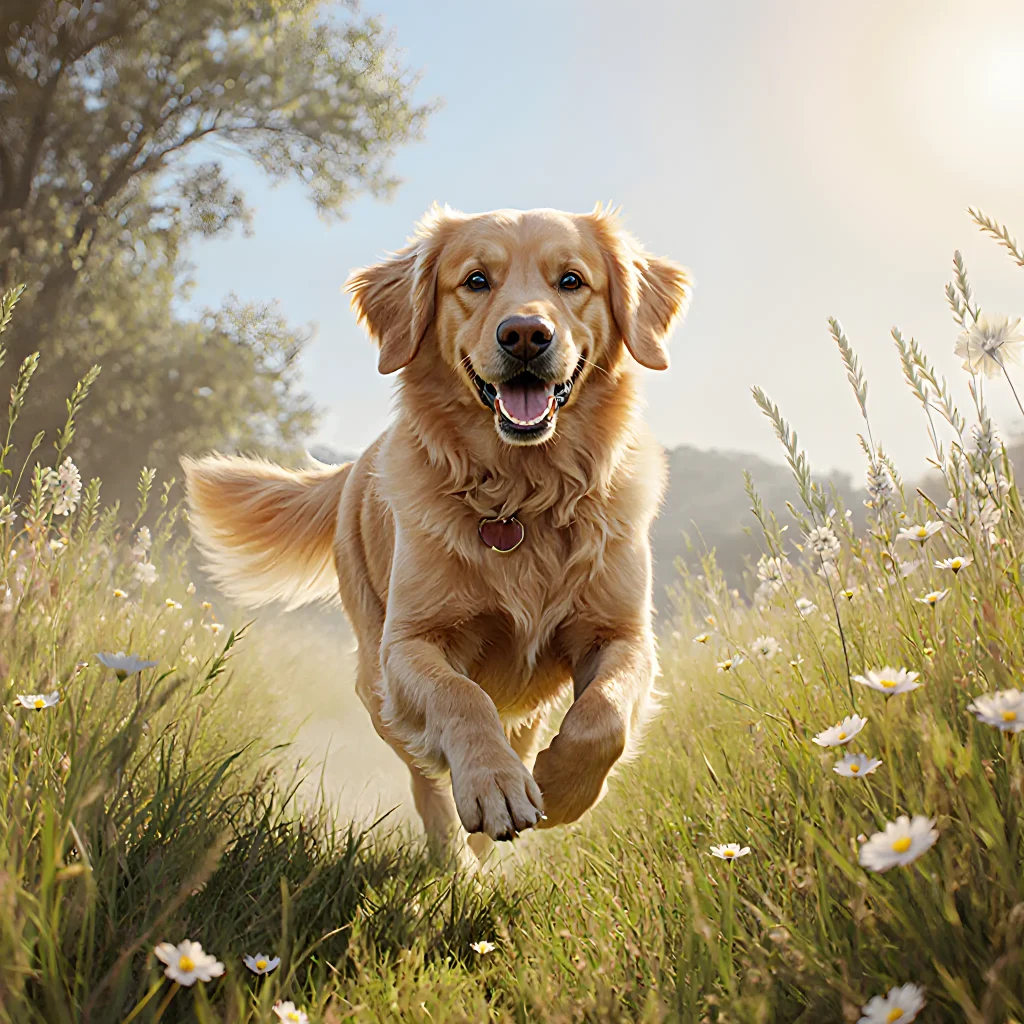
Unleash Smart Memory—Train Your Dog With AI Recall!
Revolutionary AI Recall Training: Let Your Dog Roam
Table of Contents
- Introduction to Tech-Aided Recall Training
- Benefits of Off‑Leash Freedom for Dogs and Owners
- Choosing the Right GPS Tracking Device
- Smart Collars vs. Traditional Training Aids
- Setting Up Your Dog’s Profile in the App
- Creating Safe Zones and Geofencing Alerts
- Training Protocols: From Basic Recall to Advanced Commands
- Using Audio and Visual Cues Effectively
- Integrating Wearable Tech with Home Automation Systems
- Monitoring Health Metrics During Off‑Leash Sessions
- Data Analytics: Tracking Progress Over Time
- Safety Precautions and Emergency Protocols
- Legal Considerations and Responsible Ownership
- Conclusion
- FAQ
Introduction to Tech-Aided Recall Training
Tech‑aided recall training harnesses modern gadgets—such as GPS collars, smart treat dispensers, and mobile apps—to reinforce the “come” command while your dog enjoys off‑leash freedom. The goal is to create a reliable, positive association between the verbal cue and the reward, even in high‑stimulus environments.
Key Components
- Smart Collars: Many collars now feature an adjustable “recall” mode that emits a gentle vibration or audible tone when your dog strays beyond a set boundary.
- Treat Dispensers: Remote dispensers can be triggered from a smartphone app, delivering a high‑value treat as soon as the dog returns to you.
- Training Apps: Apps log distance, time, and success rates. Some even offer guided audio cues that sync with your collar’s vibration for multi‑sensory reinforcement.
Step‑by‑Step Implementation
- Choose the Right Device: For beginners, a basic GPS collar with a recall button is sufficient. Advanced users may add an audible tone or treat dispenser for added motivation.
- Set Up a Safe Training Area: Start in your backyard or a fenced park. Gradually increase distance while keeping the dog within sight.
- Introduce the Recall Cue: Say “Come” in an upbeat tone, then activate the collar’s recall mode (vibration/tone). When the dog approaches, immediately reward with praise and a treat from the dispenser.
- Use Positive Reinforcement: Pair the cue with high‑value treats or favorite toys. Avoid punishment; if the dog ignores the cue, gently guide them back and try again.
- Track Progress: Log each session in your training app. Note distance, duration, and success rate to identify patterns and adjust difficulty.
- Scale Up: Once reliable at short distances, add distractions (other dogs, traffic). Keep sessions brief (<10 minutes) to maintain focus.
Practical Tips & Common Pitfalls
- Consistency is Key: Use the same cue word and reward every time. Switching between “Come,” “Here,” or different treats confuses the dog.
- Don’t Over‑Reward Too Soon: If you give a treat before the dog fully returns, they may learn to wait for the reward instead of coming immediately.
- Battery Management: Check device batteries before each session. A dead collar or dispenser mid‑exercise can break the training loop.
- Avoid Negative Associations: Never use a tech device as a punishment. If the dog resists, remove the cue and try again later.
- Gradual Desensitization: Introduce new environments slowly—first a quiet park, then a busy trail—to prevent overwhelm.
Real‑World Example
Sarah’s Border Collie, Max, was prone to chasing squirrels during off‑leash walks. She installed a GPS collar with a recall vibration and paired it with her phone app. Every time Max strayed 30 feet from her, the collar vibrated. Sarah then used the app to dispense a small piece of chicken treat right at his location. Over four weeks, Max’s return time dropped from 45 seconds to under 5 seconds, even when squirrels darted across the field.
Next Steps
Once you’re comfortable with basic recall, experiment with advanced features: multi‑cue recognition, automatic boundary alerts, or integration with a virtual leash app. The ultimate aim is to give your dog the freedom to explore while keeping them safe and responsive.
Resources
Benefits of Off‑Leash Freedom for Dogs and Owners
When a dog is safely trained to respond reliably to recall commands, the leash can be removed without sacrificing control. This “off‑leash freedom” offers advantages that touch every aspect of a dog's life – from mental stimulation and physical health to social bonding and safety.
1. Enhanced Physical Fitness
- Longer, more varied walks: Off‑leash sessions allow dogs to explore beyond the confines of a yard or park path, encouraging spontaneous bursts of running, jumping, and lunging.
- Improved cardiovascular health: The increased distance covered during off‑leash play boosts heart rate and stamina, which is especially beneficial for breeds prone to joint issues.
2. Mental Stimulation & Cognitive Enrichment
A dog’s mind thrives on novelty. Off‑leash freedom introduces unpredictable stimuli—new smells, sounds, and visual patterns—that challenge problem‑solving skills.
- Puzzle games in the wild: A sudden rustle may lead a dog to investigate a buried object, encouraging investigative behavior.
- Adaptive learning: Responding to recall in variable environments forces the dog to refine attentional focus and memory retention.
3. Strengthened Owner‑Dog Bond
The trust required for a reliable off‑leash recall is reciprocal: owners learn to read their dog’s body language, while dogs learn to seek guidance from their human companion.
- Positive reinforcement during free play: Rewarding successful recalls with high‑value treats or enthusiastic praise reinforces the bond.
- Shared confidence: Knowing that a dog will return in time reduces anxiety for owners, making outdoor adventures more enjoyable.
4. Socialization Opportunities
Off‑leash freedom opens doors to community parks and dog-friendly events where pets can meet peers under controlled conditions.
- Structured playdates: Organize small group sessions with other trained dogs, allowing for natural social interactions while maintaining safety.
- Behavioral observations: Owners can monitor how their dog behaves around unfamiliar animals and people, adjusting training as needed.
5. Safety in Hazardous Environments
While a leash offers physical restraint, an off‑leash recall system—especially one augmented by technology—provides rapid retrieval even when distance or obstacles are involved.
- GPS‑enabled collars: Real‑time location tracking helps owners locate their dog in dense woods or across a busy trail.
- Instant recall triggers: A small button on the collar can send an audible cue to the dog, prompting immediate return regardless of distractions.
6. Encouraging Autonomy & Confidence
Dogs that practice recall in varied settings develop a sense of agency—knowing they can choose to stay or come back at will.
- Choice training: Offer the dog two options: “stay” or “come,” rewarding whichever is chosen, thereby reinforcing decision‑making skills.
- Confidence building: Successful recalls in challenging environments translate to improved self‑assurance during everyday tasks.
7. Cost‑Effective Exercise
Unlike structured doggy daycares or expensive agility courses, off‑leash freedom relies on the natural environment and a reliable recall system—minimal cost for maximum benefit.
Practical Advice for Maximizing Off‑Leash Freedom
- Start in low‑distraction areas: Gradually increase complexity as recall reliability improves.
- Use tech‑aided tools wisely: Combine GPS collars, vibration or sound alerts, and smartphone apps that log recall attempts for data‑driven adjustments.
- Consistent cues: Keep the recall command (e.g., “Come” or a unique verbal cue) identical in tone and body language across all training sessions.
- Reward appropriately: Use high‑value treats or favorite toys immediately upon return to strengthen positive associations.
- Monitor limits: Never push the dog beyond its comfort zone; watch for signs of fatigue, stress, or fear.
By integrating tech‑aided recall training with thoughtful practice, owners can unlock a world of freedom for their dogs—promoting health, happiness, and an unbreakable bond that thrives both on and off the leash.
Choosing the Right GPS Tracking Device
If you’re investing in a GPS tracking device to support your dog’s off‑leash training, it’s crucial to pick one that aligns with your specific needs and training goals. Below are key considerations, real‑world examples, and actionable tips that tie directly into the Tech‑Aided Recall Training for Off‑Leash Freedom methodology.
1. Battery Life & Rechargeability
- Why it matters: Long battery life ensures continuous monitoring during extended training sessions or hikes without frequent recharging interruptions.
- Example: The Garmin Alpha 100 offers up to 8 hours of use on a single charge, ideal for multi‑day outdoor adventures.
- Practical tip: Pair the device with a portable power bank or solar charger if you plan extended excursions. Check the manufacturer’s recommended charging schedule and test it in a dry run before your first training session.
2. Accuracy & Real‑Time Data Transmission
- Why it matters: Precise location data reduces the chance of misidentifying a dog’s position during recall drills, especially in dense foliage or urban canyons.
- Example: The Spot On GPS Tracker boasts sub‑meter accuracy and offers real‑time telemetry via a dedicated mobile app.
- Practical tip: Conduct a “range test” by walking your dog at various distances while monitoring the app’s latency. Aim for less than 2 seconds lag to maintain a seamless recall experience.
3. Durability & Waterproofing
- Why it matters: Off‑leash training often involves water bodies, muddy trails, or extreme weather conditions that can damage fragile devices.
- Example: The Tractive GPS Tracker is rated IP68 waterproof and built to withstand drops from up to 1.8 meters.
- Practical tip: Verify the device’s IP rating and test it in a controlled environment before relying on it during critical recall moments.
4. Integration with Training Software & Alerts
- Why it matters: Seamless integration allows you to trigger audible alerts or visual cues when your dog deviates from the designated area, reinforcing recall signals.
- Example: The Link GPS System can push a “return home” notification to your phone and even activate an external speaker on the collar if connected via Bluetooth.
- Practical tip: Test the integration with your chosen training software (e.g., Trainer’s Toolkit Pro) by simulating a boundary breach and observing the device’s response time.
5. Comfort & Size for Your Dog
- Why it matters: A bulky or heavy collar can hinder natural movement, affecting recall performance.
- Example: The VigilDog GPS Collar weighs only 12 grams and has a flexible silicone strap that conforms to the dog’s neck.
- Practical tip: Measure your dog’s neck circumference, compare it with the collar’s adjustable range, and ensure there is no chafing or discomfort after a full day of wear.
6. Cost vs. Feature Trade‑Offs
- Why it matters: Budget constraints may force compromises on features like battery life or real‑time alerts.
- Example: The Dogtra GPS Tracker offers a mid‑range price point with essential GPS and SOS functions but lacks advanced boundary alerts.
- Practical tip: Prioritize features that directly support your training goals. If recall accuracy is paramount, invest in higher accuracy; if you’re mainly monitoring location after a session, a basic tracker may suffice.
7. Data Privacy & Subscription Models
- Why it matters: Many GPS trackers require subscription plans for data access and cloud storage.
- Example: The Whistle GO Explore offers a free basic plan but charges $10/month for full real‑time tracking.
- Practical tip: Review the privacy policy, understand how your dog’s location data is stored, and choose a provider that aligns with your comfort level regarding data sharing.
8. Field Testing & Calibration
- Why it matters: Even the best device can underperform if not properly calibrated to your training environment.
- Example: During a test run, you noticed that the GPS signal lagged by 4 seconds in a dense forest. Switching to the CanineGPS Pro, which supports GLONASS satellites, reduced latency to 1 second.
- Practical tip: Perform calibration drills in varied terrains (urban, suburban, wilderness) and document any discrepancies. Adjust your training boundaries or device settings accordingly.
By evaluating these factors—battery life, accuracy, durability, integration capabilities, comfort, cost, privacy, and field testing—you can select a GPS tracking device that enhances the effectiveness of your Tech‑Aided Recall Training for Off‑Leash Freedom program. A well-chosen tracker not only boosts safety but also empowers you to conduct more confident, data-driven recall drills.
Smart Collars vs. Traditional Training Aids
Traditional training aids—such as wooden clickers, treat pouches, and basic rubber leashes—have served dog owners for decades. They rely on manual cues, visual signals, and the owner’s physical presence to shape behavior. While effective in many scenarios, they have limitations when it comes to off‑leash recall, especially in high‑stimulus environments.
Key Differences
- Signal Consistency: Traditional aids depend on the owner’s timing and consistency. Human error or distraction can weaken the signal.
- Range: A clicker or treat pouch works best within a few meters; beyond that, the dog may not associate the cue with the reward.
- Environmental Flexibility: In busy parks, festivals, or crowded streets, the owner’s voice and gestures can be drowned out by noise and visual clutter.
- Data Tracking: Smart collars collect real‑time data (location, heart rate, proximity) that can inform training plans; traditional aids provide no objective metrics.
Practical Examples
- Clicker Training at Home: You use a clicker to reinforce “sit.” The dog hears the click, receives a treat, and learns the association. However, if you leave the house for an hour, that behavior may not hold in a park.
- Smart Collar Recall Drill: Your collar’s proximity sensor triggers a gentle vibration when the dog steps beyond 30 ft from you. The built‑in speaker plays a short tone, and the owner receives a notification on their phone. The dog learns to return quickly because the stimulus is consistent and immediate.
- Leash Training vs. Remote Trigger: With a leash, you can guide the dog back manually. A smart collar’s remote trigger allows you to call your dog from 100 ft away, useful in large open fields or during hiking trips.
Practical Advice for Owners
- Start with Basics: Use a clicker or treat pouch to teach foundational commands (“sit,” “stay,” “come”) before integrating the smart collar. This builds a reliable baseline.
- Gradual Distance Increase: With the collar, begin recall drills at 10 ft, then progressively extend to 30 ft, 50 ft, and beyond. Pair each distance with a high‑value reward.
- Use Dual Cues: Combine auditory cues (e.g., “come”) with the collar’s vibration or tone. The redundancy reinforces learning.
- Monitor Health Data: Review heart rate and activity logs to ensure your dog isn’t becoming overly stressed during recall drills.
- Practice in Distractions: Once confident, test recall in environments with varied stimuli—busy streets, parks, or hiking trails—to cement off‑leash freedom.
When Traditional Aids Still Shine
For some breeds or training objectives (e.g., agility courses, obedience competitions), a combination of clicker work and high‑quality leashes can suffice. Smart collars are most beneficial when the goal is consistent recall across unpredictable outdoor settings.
Bottom line: Traditional aids provide foundational skills; smart collars elevate those skills to reliable off‑leash performance, backed by data-driven insights.
Setting Up Your Dog’s Profile in the App
Before you can start using Tech‑Aided Recall Training for Off‑Leash Freedom, you’ll need to create a detailed profile for your dog within the companion mobile app. This profile acts as the foundation for all training sessions, GPS tracking, and data analytics. Follow these step‑by‑step instructions to ensure a smooth setup.
1. Download & Install the App
- iOS: Visit the App Store, search “Off‑Leash Freedom,” and tap Get.
- Android: Open Google Play, find the app, and hit Install.
2. Create an Account or Sign In
If you already have a user account from a previous version of the software, simply sign in. Otherwise, click Create New Account, fill out your email, choose a strong password, and verify via the confirmation link sent to your inbox.
3. Add Your Dog’s Profile
- Name & Nickname: Enter your dog’s official name and any affectionate nickname you use at home.
- Breed & Size: Selecting the correct breed helps the algorithm recommend suitable recall distances. For mixed breeds, choose the dominant size category (Small, Medium, Large).
- Age & Weight: Accurate age and weight data allow the app to calculate safe training loads and adjust reward frequency.
- Health Status: Mark any medical conditions (e.g., hip dysplasia, heart issues) that might affect outdoor activity. The app will flag high‑risk zones accordingly.
- Photo Upload: Attach a clear front‑on photo for easy identification during group sessions or emergency alerts.
4. Configure GPS Collar Compatibility
The app works seamlessly with the FreedomTrack GPS collar. Follow these steps to pair:
- Activate Bluetooth on your phone.
- Place the collar within 5 cm of the phone; a blue light will flash on the collar.
- In the app, tap Pair Collar and select the device from the list.
- Once paired, you’ll see real‑time location data appear in the dashboard.
5. Set Training Preferences
The algorithm tailors recall routines based on your dog’s behavior profile. Adjust these settings to match your training philosophy:
- Recall Distance Threshold: Choose from Short (10 m), Medium (30 m), or Long (50 m). The app will automatically increase the distance as proficiency improves.
- Reward Type: Select whether you prefer food treats, clicker sounds, or verbal praise. The system logs reward frequency for later analysis.
- Session Frequency: Set daily or weekly training intervals; the app will send reminders accordingly.
6. Integrate With Your Calendar & Smart Devices
Sync the app with Google Calendar, Apple Calendar, or your smart speaker to receive audible reminders and schedule “Practice Time” alerts. Example: “Hey Alexa, remind me to practice recall at 5 pm.”
7. Review & Save Your Profile
After filling in all fields, review the summary page for accuracy. Click Save Profile. A confirmation banner will appear, and your dog’s profile is now ready for training.
Practical Tips for a Smooth Setup
- Double‑check GPS settings: Ensure the collar’s firmware is up to date before pairing.
- Keep your phone charged: Training sessions last 30–45 minutes; low battery can interrupt data logging.
- Use a dedicated training location: A consistent area (e.g., backyard or local park) helps the algorithm learn environmental cues faster.
- Document milestones: Take screenshots of your dog’s progress after each session and attach them to the profile for future reference.
With a complete and accurate profile, you’re now set to launch the first training session. In the next section, we’ll walk through the initial “Recall Warm‑Up” routine that establishes trust and focus between you and your canine companion.
Creating Safe Zones and Geofencing Alerts
The heart of Tech‑Aided Recall Training lies in the ability to define virtual boundaries that your dog can trust and respond to. By combining GPS tracking with a well‑designed geofence, you give both you and your pet a safety net that encourages freedom while preventing unwanted wanderings.
1. Choosing the Right Hardware
- GPS Smart Collars: Look for collars that offer real‑time location tracking with battery life of at least 48 hours and an integrated Bluetooth beacon for indoor proximity alerts.
- Mobile App Integration: The app should sync seamlessly with the collar, provide a map view, allow zone creation, and send push notifications when thresholds are crossed.
- Battery Management: Some collars come with solar panels or replaceable battery packs—great for long hikes.
2. Defining Your Safe Zone
- Start Small: Create a radius of 50 ft around your home yard. This gives the dog an easy-to‑master boundary before expanding outward.
- Layered Zones: Use concentric circles (e.g., 100 ft, 200 ft) to provide graduated alert levels. The collar can emit a gentle vibration at the first ring and a stronger tone at the second.
- Custom Shapes: If your property is irregular, most apps let you draw polygons. This ensures the dog stays within actual fence lines rather than arbitrary circles.
3. Setting Up Alerts
The alert system can be configured on three levels:
- Visual Indicator: A flashing LED on the collar when the dog approaches a boundary.
- Aural Cue: A short chirp or whistle tone that increases in volume as the dog nears the limit.
- Mobile Notification: Push alerts to your phone for every breach, with GPS coordinates and a photo of the location.
4. Training Protocols Within Geofences
- Recall Drill at the Edge: Place a treat just inside the boundary, call the dog’s name, and reward once it crosses back over. Repeat until the dog consistently returns before touching the perimeter.
- Distance Gradation: Slowly increase the radius by 20 ft each week while keeping the same recall drill. This builds confidence without exposing the dog to too large a risk area.
- Negative Reinforcement for Breach: If the dog crosses, immediately use a short “no” command and redirect it back with a treat. The goal is to associate boundary crossing with loss of reward.
5. Real‑World Example: Backyard Freedom
Scenario: A 4‑year‑old Labrador mix named Buddy loves running in the backyard but often darts out when you’re on a walk. By setting a 75 ft radius geofence and using a collar that vibrates at 50 ft, Buddy learns to stay within bounds. After three weeks of consistent training, he no longer crosses the boundary even when distracted by squirrels.
6. Troubleshooting Common Issues
- Signal Loss: Ensure the collar’s GPS antenna is unobstructed; avoid metal fences that can block signals.
- False Positives: If alerts trigger too often, check for software updates or recalibrate the boundary to account for terrain changes.
- Battery Drain: Turn off non‑essential features like continuous live tracking when you’re indoors; use “sleep mode” during nighttime.
7. Advanced Tips
- Multi‑Dog Management: Some apps support simultaneous tracking of up to five collars, each with its own zone settings.
- Integration with Home Automation: Pair the collar’s geofence alerts with smart locks or lights to lock doors automatically when a dog exits the safe area.
- Data Logging: Review weekly reports that show distance traveled, time spent outside zones, and frequency of boundary breaches—use this data to adjust training intensity.
By systematically creating safe zones, configuring precise alerts, and reinforcing recall through consistent drills, you can grant your dog the freedom it craves while keeping them secure. The blend of technology and positive training creates a harmonious environment where both owner and pet thrive.
Training Protocols: From Basic Recall to Advanced Commands
Building a reliable recall is the cornerstone of any successful off‑leash program. A structured training protocol that moves from simple “come” cues to complex, multi‑step commands can give you and your dog confidence in any environment.
1. Establishing a Strong Foundation
- Short Leash Sessions: Start with a short leash (2–4 ft) and call your dog’s name followed by “come.” Reward immediately with high‑value treats or enthusiastic praise.
- Gradual Distance Increase: Once the dog reliably returns within 5 ft, extend the distance in 5‑ft increments each session. Keep the excitement level high to maintain motivation.
- Consistent Cue Words: Use a distinct word or phrase (e.g., “Here!”) and pair it with a hand gesture for visual reinforcement.
2. Introducing Tech‑Aided Recall Tools
Once the basic recall is solid, integrate technology to simulate real‑world distractions.
- Smart Collars: Devices like the PetLink Smart Collar emit a gentle vibration or audible tone when the dog strays beyond a set radius. Pair this with your verbal cue to reinforce boundaries.
- GPS Tracking Apps: Use apps such as Whistle Go Explore to visualize distance traveled. Set “safe zones” and practice recalling from various points on the map.
- Remote Command Devices: A handheld transmitter can deliver a calibrated tone that the dog associates with the recall cue, useful for training in noisy or crowded spaces.
3. Building Recall Under Distraction
Progressively introduce controlled distractions while maintaining the tech tools.
- Static Distractors: Place a moving toy or treat dispenser 10–15 ft away and call your dog. Reward only upon return.
- Dynamic Distractors: Bring another person or pet into the area, then call the dog back. Use the collar’s vibration to signal when the boundary is breached.
- Environmental Complexity: Train in parks, beaches, or urban settings. Combine GPS “safe zone” boundaries with audible cues to keep the recall consistent across environments.
4. Advanced Command Integration
Once your dog can reliably return under distraction, add secondary commands that enhance off‑leash freedom.
- “Stay” + “Come”: Teach a short hold while you move away, then call back. Use the collar’s vibration to remind the dog of the boundary if it lingers too long.
- Directional Commands: Assign words like “Left,” “Right,” or “Back.” Practice these while the dog is in motion; use tech cues to reinforce direction changes.
- Obstacle Navigation: Set up a small obstacle course (cones, tunnels) and require the dog to navigate before returning. Reward with treats or a favorite toy once they complete the task and recall.
5. Maintaining Consistency & Avoiding Over‑Reliance on Tech
- Balance Training: Alternate tech sessions with traditional hand‑cue training to prevent the dog from becoming dependent solely on vibrations or tones.
- Randomized Recall Calls: Vary the time and location of recall calls so the dog learns that “come” is always rewarded, regardless of context.
- Regular Calibration: Check the collar’s battery and GPS signal regularly. Adjust sensitivity settings if the device triggers too often or not enough.
6. Practical Tips for Home and Outdoor Use
- Start each session with a warm‑up recall to re‑establish focus.
- Keep treat jars visible but out of reach; this encourages the dog to come to you rather than chase treats.
- Use a long leash (15–20 ft) during off‑leash drills in enclosed areas for safety while still allowing freedom.
- Always end sessions on a positive note—let your dog have free play or another command they enjoy before concluding.
By systematically advancing from basic recall to tech‑aided, distraction‑resistant commands, you’ll give your dog the tools needed for safe, enjoyable off‑leash freedom in any setting.
Using Audio and Visual Cues Effectively
The success of Tech‑Aided Recall Training (TART) hinges on clear, consistent signals that your dog can recognize from a distance. Combining auditory commands with visual cues—like hand signals or LED lights—creates redundancy that reinforces learning and reduces the chance of confusion.
1. Choose Your Primary Audio Cue
- "Come" – The classic recall word, easy to pronounce and universally understood.
- "Home" – Works well for off‑leash scenarios because it implies a destination rather than an action.
- Custom Phrases – Some trainers use “Back” or “Return.” Pick one that feels natural to you and stick with it.
2. Pair with a Consistent Visual Signal
A simple hand gesture (e.g., open palm, upward sweep) can be paired with the audio cue during training sessions. Once your dog associates the gesture with the word, you can begin to phase out the verbal component in real‑world settings.
Example Routine
- Start Session: Stand a few meters from your dog. Say “Come” while showing an open palm pointing toward yourself.
- Reward: When the dog returns, give praise and a treat.
- Repeat 5–10 times, gradually increasing distance.
3. Incorporate Visual Aids in Tech‑Aided Recall
TART devices often come with LED lights or vibration modules. Use these to reinforce the cue:
- LED Light: Program a green light to flash when you issue the recall command. Dogs are drawn to bright, moving lights.
- Vibration Motor: A gentle vibration can signal “return” without being disruptive; especially useful for dogs that rely more on tactile cues.
4. Gradual Transition from Audio to Visual
Once your dog reliably responds to the combined cue, begin phasing out the verbal component:
- Start by saying “Come” only half of the time.
- Then use only the hand gesture for a few sessions.
- Finally, rely solely on the LED or vibration signal.
5. Practice in Diverse Environments
Consistency across settings is key:
- Quiet Park: Easy to focus on cues; great for initial training.
- Noisy Beach: Test the strength of your visual cue against background noise.
- Urban Settings: Use high‑contrast hand signals or bright LEDs to cut through distractions.
6. Troubleshooting Common Issues
| Issue | Possible Cause | Solution |
|---|---|---|
| Dog ignores the cue | Lack of motivation or too many distractions | Shorten training sessions, increase reward value, and reduce environmental noise. |
| Confusion between audio and visual cues | Inconsistent use of one cue over the other | Standardize the routine: always pair the same gesture with the word until the dog is comfortable. |
| Device fails to activate | Batteries low or firmware glitch | Check battery levels, update firmware, and test device independently before training. |
7. Tips for Long‑Term Retention
- Regular Drills: Practice recall once a week even after mastery to prevent forgetting.
- Vary the Context: Mix up locations, times of day, and group sizes to keep the cue flexible.
- Positive Reinforcement Only: Avoid scolding; it erodes trust and can make the dog wary of returning.
By systematically pairing audio commands with reliable visual signals—and leveraging tech‑aided devices—you’ll give your dog a clear, unambiguous path back to you, no matter how far they roam. Consistency, patience, and positive reinforcement are your best tools for building off‑leash freedom that lasts.
Integrating Wearable Tech with Home Automation Systems
When you combine a pet’s wearable tracker with your home automation ecosystem, you unlock a new level of safety, convenience, and enrichment. Below is a practical guide that walks you through the key steps—everything from choosing compatible devices to setting up automated workflows that support Tech‑Aided Recall Training for Off‑Leash Freedom.
1. Pick the Right Wearable Tracker
- GPS + Accelerometer: Essential for real‑time location and activity monitoring.
- Long Battery Life: Look for trackers that last at least 7–10 days on a single charge.
- Waterproof & Durable Build: Pets can be rough; ensure the device survives outdoor adventures.
- API Access: Choose models (e.g., Whistle GO Explore, FitBark 3) that expose a developer API or support IFTTT/Webhooks for integration.
2. Connect the Tracker to Your Smart Hub
The most common approach is to route data from the tracker’s cloud service into your home hub via an intermediary platform such as IFTTT, n8n, or a custom Node‑RED flow.
- Create an IFTTT Applet:
- Trigger: “New GPS location” from your tracker’s service.
- Action: Send data to a
Webhookendpoint that you host on a Raspberry Pi or cloud function.
- Parse the Webhook:
const express = require('express'); const app = express(); app.use(express.json()); app.post('/tracker', (req, res) => { const { latitude, longitude, speed } = req.body; // Store or forward to your home automation platform res.sendStatus(200); }); - Push to Home Assistant:
- Create a RESTful sensor in
configuration.yamlthat pulls the latest data from your endpoint. - Use this sensor to trigger automations (e.g., turn on lights when the pet enters the yard).
- Create a RESTful sensor in
3. Build Recall‑Specific Automations
The goal is to create a seamless “off‑leash freedom” experience that still keeps your pet safe. Here are sample automations:
| Trigger | Condition | Action |
|---|---|---|
Pet’s GPS position changes to outside yard boundary |
No other pets present in the same zone | Play a pre‑recorded recall cue on smart speakers (e.g., “Hey, Max! Come back!”) |
| Speed > 5 mph and location outside safe zone | No alarm triggered in the last 30 seconds | Send push notification to your phone; optionally activate a siren for high‑volume recall. |
| Pet returns within yard boundary | Battery level > 20% | Turn on a green LED light via smart plug as visual confirmation. |
4. Test and Iterate
Before relying on these automations for critical safety, run a series of controlled tests:
- Simulate GPS drift: Move the tracker to verify that false positives are minimized.
- Check latency: Ensure the recall cue is delivered within 2–3 seconds of detection.
- Battery monitoring: If the device’s battery falls below a threshold, trigger an alert to replace or recharge it.
5. Practical Tips for Long‑Term Success
- Use geofencing instead of raw GPS coordinates to reduce noise and save bandwidth.
- Combine motion data with location: a sudden spike in speed can indicate an escape attempt.
- Integrate voice assistants (Alexa, Google Assistant) for hands‑free recall cues.
- Store historical movement logs in a database (e.g., InfluxDB) to analyze patterns and improve boundaries.
By following these steps, you’ll create a robust system that empowers your pet with off‑leash freedom while keeping them safe—exactly what Tech‑Aided Recall Training aims for.
Monitoring Health Metrics During Off‑Leash Sessions
When your dog is allowed to roam freely, it’s essential to keep an eye on their physical well‑being. The Tech‑Aided Recall Training for Off‑Leash Freedom system not only trains recall but also provides real‑time health monitoring through integrated sensors and data analytics.
Key Health Metrics to Track
- Heart Rate (HR): A sudden spike or drop can indicate stress, overheating, or injury. The system logs HR in beats per minute (BPM) and flags values outside the normal range for your dog’s breed and age.
- Body Temperature: Thermistors embedded in a collar or harness detect core temperature changes. A rise above 103°F (39°C) suggests overheating, especially during hot days or intense activity.
- Activity Level & Caloric Expenditure: Accelerometers count steps and estimate calories burned. This helps you gauge whether your dog is exercising too hard or not enough.
- Hydration Status (via skin conductance): Some advanced collars measure skin moisture to infer hydration levels, alerting you if a drink break is needed.
- GPS & Speed Tracking: Combined with speed thresholds, the system can detect frantic running or sudden stops that may signal distress.
Practical Ways to Use the Data
- Set Custom Alerts: Configure the app to send push notifications if HR exceeds 180 BPM or body temperature climbs above 102°F. These alerts let you intervene before a serious issue develops.
- Analyze Daily Trends: Review weekly graphs to see how your dog’s metrics change with different terrains (grass vs. pavement) or weather conditions. This insight can guide training intensity and rest periods.
- Integrate With Vet Records: Export data in CSV format and share it during veterinary visits. Continuous health logs help vets detect chronic issues early.
Examples of Common Scenarios
- Heat Exhaustion Prevention: On a sunny afternoon, the collar reports a rising body temperature. A notification prompts you to pause play and offer water. After cooling down, metrics normalize, preventing heat stroke.
- Over‑Exertion Detection: During a vigorous chase game, HR spikes beyond 190 BPM. The app logs the event and suggests a shorter next session to avoid fatigue or injury.
- Recovery Monitoring Post‑Training: After a new recall drill, the dog’s HR remains high for an extended period. This could indicate confusion or frustration; adjusting training difficulty can help restore calmness.
Tips for Maximizing Health Insights
- Calibrate Sensors Regularly: Follow the manufacturer’s guidelines to ensure accurate readings. A miscalibrated sensor can lead to false alerts.
- Use a Balanced Training Schedule: Combine off‑leash sessions with controlled, on‑leash drills to give your dog varied mental and physical stimulation without overloading them.
- Keep the Collar Clean: Sweat, dirt, or debris can interfere with sensor performance. Wipe down the collar after each session.
- Adjust for Seasonal Changes: In colder months, monitor body temperature more closely to avoid hypothermia; in summer, focus on hydration and cooling strategies.
By actively monitoring these health metrics during off‑leash sessions, you empower yourself to make data‑driven decisions that keep your dog safe, healthy, and happy while enjoying the freedom of recall training.
Data Analytics: Tracking Progress Over Time
When you’re using a tech‑aided recall system—whether it’s a GPS collar that sends a signal to your phone or a smart speaker that plays a specific cue—you need more than just the initial success rate. You have to monitor how the dog’s response evolves over days, weeks, and months. This continuous feedback loop lets you tweak training parameters, spot regressions early, and celebrate milestones.
1. Set Up a Structured Logbook (Digital or Paper)
- Date & Time: Note when each recall session occurs to see if certain times of day yield better results.
- Location: Record whether the recall happened indoors, on a leash, in a fenced yard, or off‑leash in an open field.
- Distance & Speed: If your device can measure distance traveled before the dog returns, log that metric. Faster return times often indicate stronger motivation.
- Reward Type: Specify whether you used a treat, a toy, or verbal praise. Consistency here helps isolate what works best.
- Behavior Notes: Capture any distractions (e.g., other dogs, traffic) and the dog’s reaction (curiosity, fear, excitement).
2. Leverage Technology for Automated Data Collection
Many modern collars or smart devices offer companion apps that automatically log GPS coordinates, timestamps, and even heart rate data if the dog is wearing a fitness band. Sync these logs to a cloud spreadsheet (Google Sheets, Airtable) so you can:
- Create charts showing return time trends.
- Set alerts for anomalies—e.g., if the dog takes longer than usual after a recall cue.
- Use automation tools to send weekly summary emails to yourself or your trainer.
3. Analyze Patterns & Adjust Training Variables
Once you have at least two weeks of data, look for:
- Consistent Success Zones: Maybe the dog recalls reliably in a quiet park but struggles near busy streets.
- Time‑of‑Day Effects: Dogs often perform better when they’re not overly hungry or tired.
- Reward Efficacy: If treat returns are slower than verbal praise, consider switching rewards.
Use these insights to tweak your approach: change the cue frequency, increase distance gradually, or introduce a new reward. Keep the data log updated so you can see if adjustments yield measurable improvement.
4. Celebrate Milestones and Reinforce Confidence
Set tangible goals—e.g., “Return within 10 seconds from 20 meters” or “Recall in an open field with two distractions.” Once achieved, reward the dog lavishly (extra treat, favorite toy, a long walk). Highlight these milestones in your logbook and share them on a training journal or pet‑owner community forum to stay motivated.
5. Use Data to Communicate with Your Trainer or Vet
If you work with a professional trainer or have a behavioral specialist involved, bring the data sheets to sessions. Concrete numbers help trainers design targeted interventions and vets assess if any health issues might be affecting recall performance (e.g., vision problems).
Practical Example: A Two‑Week Snapshot
Date       Time   Location      Distance  Return Time  Reward     Notes
2025-08-01 15:30  Backyard      10 m      4 s          Treat      Calm
2025-08-02 09:45  City Park     25 m      12 s         Praise     Mild wind
2025-08-03 18:00  Neighborhood  40 m      22 s         Treat      Loud traffic
2025-08-04 14:20  Rural Field   60 m      8 s          Treat      No distractions
From this data, you notice the dog struggles in busy areas but excels when there’s minimal noise. Your next step? Practice recalls in a quieter spot first, then gradually reintroduce traffic as confidence builds.
Key Takeaway
Consistent, detailed tracking turns an intuitive training process into a data‑driven strategy. By documenting every recall attempt and analyzing trends, you can fine‑tune your tech‑aided recall system, keep your dog motivated, and ultimately achieve true off‑leash freedom.
Safety Precautions and Emergency Protocols
Even when your dog enjoys the freedom of off‑leash recall training, safety must remain a top priority. The following guidelines help you prepare for unexpected situations and ensure that both you and your canine companion stay safe during every session.
1. Pre‑Training Preparation
- Choose a Safe Environment: Pick a well‑fenced, obstacle‑free area with minimal traffic and no hidden hazards such as loose rocks or sudden drops.
- Check Equipment: Inspect your tech‑aided recall devices (e.g., Bluetooth collar, GPS tracker) for battery life, firmware updates, and proper calibration before each session.
- Health Check: Ensure your dog is healthy, up to date on vaccinations, and free from parasites that could affect performance or safety.
2. In‑Session Safety
- Maintain Visual Contact: Keep a line of sight with your dog at all times, especially in open fields or parks. If you lose visual contact, immediately trigger the recall command and use the tech device’s audible alert to locate them.
- Use a Dual‑Channel System: Combine verbal cues with a secondary signal (e.g., vibration on the collar) so that your dog receives consistent feedback even if one channel fails.
- Monitor Environmental Changes: Stay alert to sudden weather changes, nearby traffic, or the presence of other animals. If conditions become unsafe, pause the session and return to a controlled environment.
- Establish “Safe Zones”: Mark specific areas where your dog can safely roam during training (e.g., a shaded patch in a park). These zones act as fallback points if you need to redirect attention quickly.
3. Emergency Protocols
Despite best precautions, emergencies can still arise. Having a clear protocol in place reduces panic and speeds up response times.
Immediate Response
- Stop the Session: Immediately halt all training activities and bring your dog back to a calm, familiar spot.
- Use the Tech Device’s SOS Feature: Most GPS‑enabled collars have an SOS button that broadcasts the dog's last known location. Activate it to alert nearby handlers or emergency services if needed.
- Check for Injuries: Inspect your dog for cuts, bruises, or signs of distress. If you suspect a serious injury (e.g., bleeding, inability to move), contact a veterinarian right away.
Communication Plan
- Emergency Contacts: Keep a list of veterinary clinics, local animal shelters, and emergency responders on your phone or in a waterproof pouch.
- Share Your Route: Use the GPS device to share real‑time location data with a trusted friend or family member. This helps others track your dog if you become separated.
- Pre‑Set Alerts: Many tech collars allow you to set geofences. If your dog exits this boundary, an automated alert is sent to your phone, enabling rapid response even before you notice the loss of contact.
Post‑Emergency Care
- Re‑evaluate Training Protocols: After an incident, review what triggered it and adjust your training plan accordingly (e.g., choose a less crowded area or increase the recall distance gradually).
- Document the Incident: Keep a log of date, time, location, and details. This record helps identify patterns and informs future safety strategies.
4. Practical Tips & Resources
- Regular Device Maintenance: Schedule monthly checks for battery levels, firmware updates, and signal strength to avoid surprises during sessions.
- Training Buddy System: Pair up with another handler or a friend who can monitor the dog from a distance while you focus on recall cues.
- Use of Reflective Gear: Equip your dog with reflective vests or collars for early‑morning or late‑evening sessions to enhance visibility.
- Reference Guides:
- American Kennel Club – Off‑Leash Training Safety
- PetSafe – Tech‑Aided Recall Device Manual
- Local Animal Welfare Organization – Emergency Contact List
Legal Considerations and Responsible Ownership
When you decide to use technology—such as GPS collars, vibration‑based trainers, or AI‑driven recall systems—to give your dog off‑leash freedom, you are also taking on a set of legal responsibilities. Understanding the laws that apply in your jurisdiction protects both you and other members of the community.
1. Local Ordinances and Zoning Laws
• Leash‑by‑Requirement Zones: Many cities have “no‑leash” areas (parks, beaches, trails) that require dogs to be on a leash at all times. Verify your local council’s website or call the animal control office for an up‑to‑date list of these zones.
• Pet Limits: Some neighborhoods restrict the number or size of pets per household. Tech‑aided recall can help you keep large dogs under control, but it does not exempt you from these limits.
• Noise Ordinances: Vibration collars may produce audible sounds that could be considered noise in residential areas. Check local noise codes before using them during early morning or late evening hours.
2. Liability and Insurance
• Public vs. Private Property: If your dog injures someone on private property, you may still be liable for damages. A recall system reduces risk but does not eliminate it.
• Pet‑Insurance Policies: Some insurers require proof of a reliable recall or obedience training program to cover certain incidents. Ask your broker whether a tech‑aided system qualifies as “verified training.”
• Indemnity Clauses: When walking in parks, you may need to sign an indemnity form acknowledging that the park authority is not responsible for dog‑related injuries.
3. Animal Welfare Regulations
• Equipment Standards: Collars and harnesses must meet safety standards (e.g., ASTM, ISO). A collar that chokes or causes skin irritation can be considered cruel under state animal cruelty statutes.
• Training Method Restrictions: Some states ban electric shock collars for “excessive” pain. Even vibration devices may fall under this category if they produce a painful stimulus. Read the Animal Welfare Act and local amendments before purchasing or using any electronic trainer.
• Record Keeping: Certain jurisdictions require owners of high‑risk breeds to maintain training logs, proof of recall ability, and veterinary certificates. Use your tech platform’s built‑in logging feature to store these documents.
4. Practical Advice for Compliance
- Map Your Territory: Create a digital map marking all no‑leash zones, park boundaries, and local ordinances. Integrate this map into your GPS collar’s app so the device can automatically switch “recall mode” when approaching restricted areas.
- Document Training Progress: Most tech platforms allow you to log sessions, record recall success rates, and upload video evidence. Keep a backup copy on cloud storage or an external hard drive for legal review.
- Schedule Regular Vet Checks: A certified veterinarian can confirm that your dog’s skin is suitable for collar wear and that the device does not cause discomfort. Ask for a written statement that the equipment meets welfare standards.
- Obtain Waivers When Needed: For large group events (e.g., dog festivals), request participants sign waivers acknowledging your use of tech‑aided recall. Store these digitally to streamline compliance audits.
- Stay Informed About Law Changes: Subscribe to newsletters from local animal welfare agencies and legal bulletins that announce updates in leash laws, equipment regulations, or liability statutes.
5. Ethical Considerations Beyond the Law
• Transparency with Strangers: If you’re walking on a trail, let other hikers know you’re using a tech‑aided recall system and explain how it works—this builds trust and reduces misunderstandings.
• Respect for Other Pets: Even if your dog is fully recalled, sudden vibrations or loud tones can startle other animals. Use the lowest effective intensity and adjust based on the environment (quiet trail vs. busy park).
• Data Privacy: GPS data may be stored by third‑party cloud services. Review privacy policies to ensure your location data is not shared with advertisers or law enforcement without consent.
Bottom line: Tech‑aided recall gives you powerful tools for off‑leash freedom, but it also places a legal and ethical duty on you as an owner. By aligning technology use with local laws, maintaining thorough documentation, and respecting the broader community, you can enjoy the benefits of free roaming while safeguarding everyone’s safety.
Conclusion
When you’ve invested time in building a strong recall bond, the next logical step is to apply it off‑leash. A well‑executed recall can transform your walks from cautious to carefree and open up endless opportunities for play, socialization, and safety.
Why Tech Matters on Off‑Leash Adventures
- Distance Amplification: Traditional voice commands lose potency the farther you’re apart. A collar with a built‑in speaker or a handheld remote can deliver the same “come” cue at 30–50 ft, keeping your dog within hearing range.
- Consistency Across Environments: In parks, beaches, or crowded streets, ambient noise and competing stimuli can mask verbal cues. A tech‑assisted device provides a clear, distinct signal that stands out.
- Objective Feedback: Many smart collars now track distance traveled, time to return, and even heart rate. This data lets you fine‑tune training intensity and recognize patterns that need adjustment.
Step‑by‑Step Off‑Leash Recall Routine
- Start in a Controlled Zone: Choose an enclosed area like a backyard or dog park. Put your dog on a long line (20–30 ft) so you can maintain visual contact while giving them freedom to explore.
- Set the Cue Frequency: Use the device’s speaker to issue “come” at 5‑ft intervals for the first few minutes, gradually increasing the distance as confidence builds.
- Reward Immediately and Generously: Once your dog reaches you, give a high‑value treat (e.g., freeze‑dried chicken) and enthusiastic praise. The reward should outweigh any environmental excitement.
- Introduce Distractions Gradually: Add moving objects (a ball, another dog on a leash, or a child playing). Keep the recall cue consistent but increase the line length to match the new distraction level.
- Use “Drop‑It” in High‑Risk Situations: Pair recall with a secondary command that signals your dog to release an item (e.g., a ball or toy) when they come. This reduces the chance of them running off with something valuable.
Common Pitfalls and How to Avoid Them
| Pitfall | Solution |
|---|---|
| Over‑reliance on Treats | Gradually shift rewards from treats to play or affection so the recall remains valuable even when food isn’t available. |
| Negative Association with Tech Device | Introduce the collar slowly, let your dog sniff and wear it during calm moments before using it for training. |
| Inconsistent Cue Volume | Use a device that auto‑adjusts volume based on ambient noise or manually test in different settings to ensure clarity. |
Practical Tips for Everyday Life
- Carry the Remote: Keep the handheld controller in your pocket so you can trigger recall instantly if a dog darts away.
- Check Battery Levels: Low power can reduce volume or delay transmission. Charge before long outings.
- Blend with Natural Rewards: In parks, let the dog chase a Frisbee after recalling to reinforce the behavior in an exciting context.
- Keep Sessions Short but Frequent: 5–10 minute sessions, 3–4 times daily, maintain momentum without causing fatigue.
Final Thought
The ultimate goal of tech‑aided recall is to give you and your dog the freedom to explore safely. By combining proven training principles with modern technology—speaker collars, remote triggers, data analytics—you create a reliable safety net that turns every walk into an adventure rather than a chore.
FAQ
What is tech‑aided recall training?
Tech‑aided recall uses devices such as GPS collars, Bluetooth transmitters, or mobile apps to give real‑time feedback and data on a dog’s location and behavior during off‑leash sessions. The goal is to build reliable recall while keeping the dog safe.
Which devices are most effective?
- GPS collars with motion alerts – Provide precise location and send notifications when a dog moves beyond a set perimeter.
- Bluetooth “smart” collars – Pair with an app to give audio cues or vibration feedback directly to the dog.
- Mobile apps (e.g., Petcube, Tractive) – Offer live video, geofencing, and remote voice commands.
How do I start a tech‑aided recall program?
- Choose the right device: Match your dog’s size, activity level, and temperament with a collar that fits comfortably.
- Set up geofencing: Create virtual boundaries in the app to receive alerts if the dog crosses them.
- Train in a controlled environment: Begin on a small, fenced yard. Use high‑value treats and reward the dog for coming when called.
- Introduce the device gradually: Let the dog wear the collar during short walks before moving to off‑leash trials.
- Use consistent verbal cues: Combine “Come!” with a distinct hand gesture and, if available, an audio cue from the device.
- Reward immediately: When the dog returns, give praise, treats, or play. The instant reward reinforces the behavior.
How can I use data to improve recall?
Most tech devices log location, speed, and heart rate. Analyze these metrics:
- Track latency: Time between the call and return; aim to reduce this over successive sessions.
- Identify distractions: Notice patterns where the dog lags (e.g., near a pond or group of squirrels).
- Adjust training: If the dog consistently ignores certain stimuli, incorporate those scenarios into controlled drills before full off‑leash trials.
What are common pitfalls and how can I avoid them?
- Over‑relying on the device: Treat tech as a supplement, not a substitute. Continue using treats, praise, and leash work.
- Inconsistent cues: Use the same word or phrase every time; mixed signals confuse the dog.
- Skipping gradual progression: Jumping straight to large parks can overwhelm the dog. Build confidence step‑by‑step.
- Ignoring safety checks: Always verify that the device’s battery is charged and the collar fits snugly but not too tight.
How do I handle a recall failure in the field?
If the dog does not return:
- Do not chase: Running may reinforce running away. Instead, use a calm voice and a low‑pitch “Come” to coax.
- Use a high‑value reward on a short leash or a long line to pull the dog back if necessary.
- Check for hazards: Ensure there are no obstacles that might be blocking the path back.
- Log the incident: Record details in your training log to identify triggers later.
When can I consider my dog ready for off‑leash freedom?
A good benchmark is consistent recall within 10 seconds from a distance of at least 30 feet, even in the presence of moderate distractions. Verify this across multiple environments (park, beach, trail) before fully releasing leash restrictions.
How can I maintain recall once the dog is off‑leash?
- Regular refresher sessions: Short 5–10 minute recall drills every few weeks keep the skill sharp.
- Vary training locations: Practice in new parks, on trails, or even at home to generalize the behavior.
- Use tech intermittently: Occasionally disable alerts to ensure the dog relies on the verbal cue rather than the device alone.
Categories
- AI & Enrichment Play
- Broiler Farming
- Broiler Farming Tips
- Canine Wellness & Longevity
- Cat
- Cat & Human Connection
- Cat Adoption & Rescue
- Cat Breeds
- Cat Breeds & Personalities
- Cat Care & Health
- Cat Grooming & Hygiene
- Cat Lifestyle & Environment
- Cat Myths & History
- Cat Nutrition & Diet
- Cat Products & Reviews
- Cat Training & Behavior
- Comparison
- Consumer Awareness
- Dog
- Dog Accessories & Products
- Dog Adoption & Rescue
- Dog Breed & Lifestyle Trends
- Dog Breeding & Puppies
- Dog Entertainment & Media
- Dog Fashion & Trends
- Dog Fun & Lifestyle
- Dog Grooming & Hygiene
- Dog History & Culture
- Dog Myths, Science & Future Tech
- Dog News & Trends
- Dog Nutrition & Food
- Dog Psychology & Emotions
- Dog Safety & Security
- Dog Sports & Activities
- Dog Technology & Innovation
- Dog Training for Modern Owners
- Dog Travel & Adventure
- Dog Travel, Adventure & Culture
- Economic and Market Insights
- Educational Content
- FAQs
- Feeding Alternatives
- Festivals & Seasonal Ideas
- Fun & Entertainment
- General Knowledge
- General Pig Farming
- Health & Disease Management
- Housing and Environment
- Kittens
- Market Insights
- Miscellaneous
- Miscellaneous
- Motivational
- pig
- Pig Breeding
- Pig Breeds
- Pig Farming Stories and Inspiration
- Pig Health and Care
- Pig Nutrition
- Pig Products
- Profitability & Business
- Puppy Care
- Puppy Predictable Topics Reinvented
- Regional Focus
- Rescue & Adoption Buzz
- Senior Cats
- Senior Dog Care
- Smart Dog Tech & Gadgets
- Sustainability
- Sustainable & Eco-Friendly Dog Products
- Tech & Innovations
- Working & Service Dogs
- Broiler Feed66 products
- Country Feed33 products
- Pig Feed66 products
- Product22 products
- Raw Materials99 products
Products
-
 Fish Meal
₹1,999.00 – ₹2,999.00Price range: ₹1,999.00 through ₹2,999.00Rated 0 out of 5
Fish Meal
₹1,999.00 – ₹2,999.00Price range: ₹1,999.00 through ₹2,999.00Rated 0 out of 5 -
 FATTENING BROILER FEED
₹2,299.00 – ₹2,349.00Price range: ₹2,299.00 through ₹2,349.00Rated 0 out of 5
FATTENING BROILER FEED
₹2,299.00 – ₹2,349.00Price range: ₹2,299.00 through ₹2,349.00Rated 0 out of 5 -
 LAYER COUNTRY FEED
₹1,549.00 – ₹1,649.00Price range: ₹1,549.00 through ₹1,649.00Rated 0 out of 5
LAYER COUNTRY FEED
₹1,549.00 – ₹1,649.00Price range: ₹1,549.00 through ₹1,649.00Rated 0 out of 5 -
 COUNTER BROILER FEED
₹1,199.00 – ₹1,299.00Price range: ₹1,199.00 through ₹1,299.00Rated 0 out of 5
COUNTER BROILER FEED
₹1,199.00 – ₹1,299.00Price range: ₹1,199.00 through ₹1,299.00Rated 0 out of 5 -
 LACTATING PIG FEED
Rated 0 out of 5
LACTATING PIG FEED
Rated 0 out of 5₹2,299.00Original price was: ₹2,299.00.₹1,740.00Current price is: ₹1,740.00. -
 Maize
Rated 0 out of 5
Maize
Rated 0 out of 5₹1,650.00Original price was: ₹1,650.00.₹1,300.00Current price is: ₹1,300.00. -
 GESTATION PIG FEED (Phase 1)
Rated 0 out of 5
GESTATION PIG FEED (Phase 1)
Rated 0 out of 5₹2,249.00Original price was: ₹2,249.00.₹1,699.00Current price is: ₹1,699.00. -
 Pre Starter Broiler Feed
₹2,399.00 – ₹2,499.00Price range: ₹2,399.00 through ₹2,499.00Rated 0 out of 5
Pre Starter Broiler Feed
₹2,399.00 – ₹2,499.00Price range: ₹2,399.00 through ₹2,499.00Rated 0 out of 5 -
 FINISHER PIG FEED
Rated 0 out of 5
FINISHER PIG FEED
Rated 0 out of 5₹2,299.00Original price was: ₹2,299.00.₹1,749.00Current price is: ₹1,749.00. -
 Broiler Premix
Rated 0 out of 5
Broiler Premix
Rated 0 out of 5₹820.00Original price was: ₹820.00.₹699.00Current price is: ₹699.00.