
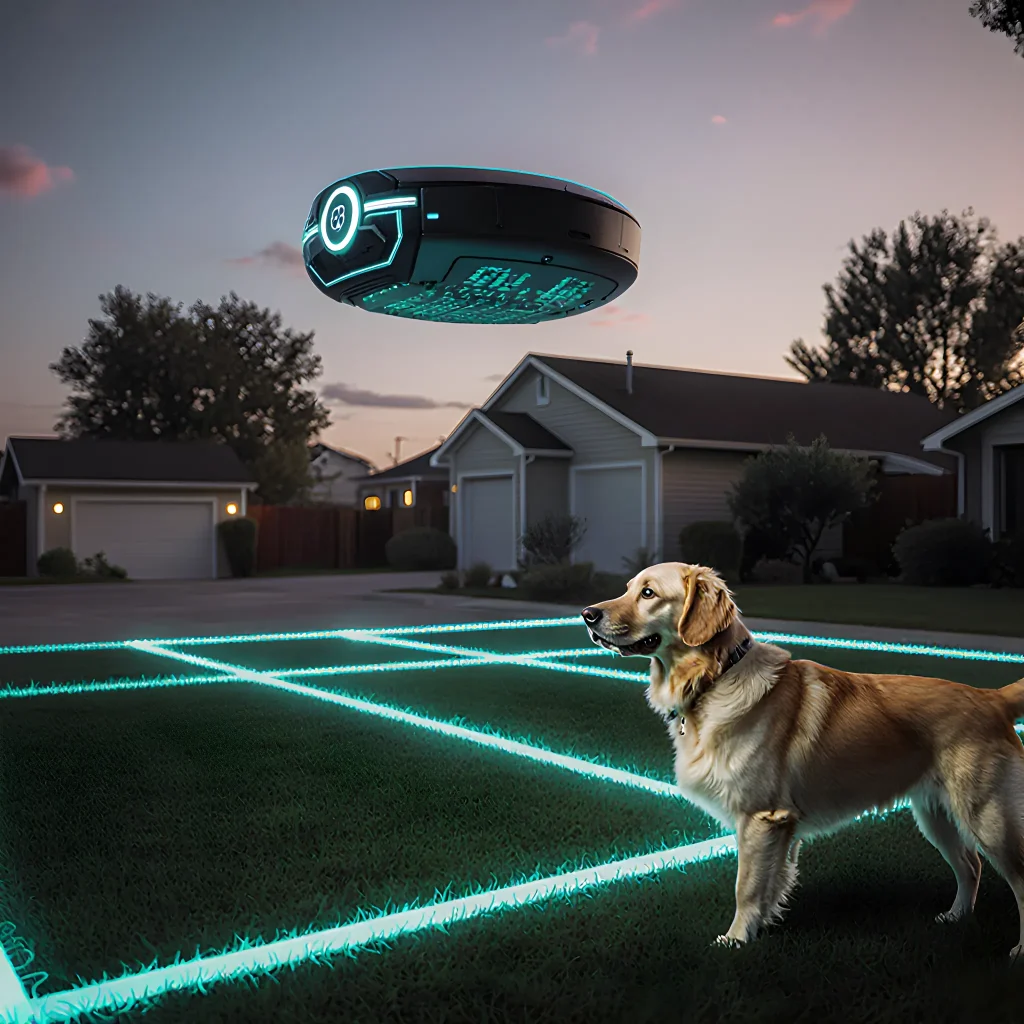
Guarding the Future: Digital Dog Perimeters
Revolutionary Rovers: The Upside of Digital Dog Perimeters
Table of Contents
- Introduction
- What Are Virtual Dog Fences?
- Technology Behind Virtual Dog Fences
- Setup & Installation Process
- Cost Considerations
- Pros: Privacy and Safety Benefits
- Pros: Control Over Your Dog’s Movement
- Pros: Potential Cost Savings on Fencing
- Cons: Technological Limitations
- Cons: Accuracy & False Alarms
- Cons: Maintenance & Battery Life
- Cons: Upfront and Ongoing Costs
- Legal & Regulatory Considerations
- Conclusion
- FAQ
Introduction
A virtual dog fence is an electronic boundary system that uses GPS, RFID tags, or magnetic strips to create a “no‑go” zone for your pet. While the concept is appealing—no physical wire, no digging, and easy installation—it comes with its own set of advantages and drawbacks. Below we break down the key pros and cons, illustrate each point with real‑world examples, and offer practical tips for making an informed decision.
Pros
- No Physical Barriers: Unlike traditional fences that can be damaged or tampered with, a virtual fence doesn’t rely on wires or posts. This eliminates the risk of pets chewing through the barrier and keeps your yard free from visible hardware.
- Easy Installation & Flexibility: Setting up a GPS‑based system typically involves mounting a receiver in your home, programming boundary coordinates via an app, and attaching a collar or tag to your dog. You can change the zone’s shape or location with a few taps—perfect for seasonal yard use or expanding gardens.
- Safe & Humane: Most systems emit a gentle vibration or audible beep when the pet approaches the boundary. This subtle cue is less stressful than an electric shock and allows you to train your dog gradually.
- Cost‑Effective Over Time: While the initial purchase price can be higher than a simple fence post, you avoid ongoing maintenance costs such as repairs, repainting, or replacing broken wires. For households that move frequently, virtual fences are a portable solution.
- Enhanced Security for Multiple Pets: A single receiver can monitor several collars simultaneously, making it ideal for families with more than one dog or a mix of dogs and cats (if the system supports multiple animal tags).
Cons
- Dependence on Technology: GPS signals can be weak indoors, under heavy foliage, or in urban “canyons.” If your dog is inside a building or near a tree line, the collar may lose signal and fail to trigger.
- Battery Life & Replacement: Collars typically rely on rechargeable batteries that last 2–4 weeks. Frequent recharging can be inconvenient, especially if you travel often or forget to charge during busy seasons.
- Initial Cost and Ongoing Fees: The upfront price for a high‑quality GPS receiver and collar can range from $200 to $500. Some manufacturers also charge monthly subscription fees for map updates or advanced features.
- Learning Curve: Setting up the boundary coordinates, calibrating the system, and troubleshooting signal issues requires some technical know‑how. Users who are not comfortable with apps or GPS tools may find it frustrating.
- Potential for False Positives: In areas with many moving objects (e.g., a busy park), the collar might misinterpret signals and trigger unnecessarily, causing anxiety for both pet and owner.
Practical Tips for Choosing the Right Virtual Fence
- Test Signal Strength: Before committing, run a quick test by walking your dog around the proposed boundary indoors and outdoors. Verify that the collar responds consistently.
- Consider Hybrid Solutions: Combine GPS with RFID or magnetic strip technology for added reliability—RFID tags can provide extra confirmation near doorways or gates.
- Read Reviews & Seek Demonstrations: Look for product reviews that discuss battery life, ease of use, and support. Request a demo from the retailer if possible.
- Plan for Maintenance: Set reminders to charge or replace batteries every 2–4 weeks. Keep spare chargers in your car or gym bag for emergencies.
- Train Your Dog Gradually: Start with a small boundary area and use treats to reinforce the warning signals. Over time, expand the zone as your dog learns to respect the limits.
In summary, virtual dog fences offer unparalleled flexibility and convenience for modern pet owners who value technology over traditional fencing methods. However, they require a willingness to invest in initial hardware, ongoing battery upkeep, and a basic understanding of GPS systems. By weighing these pros and cons against your lifestyle and yard layout, you can decide whether a virtual fence is the right fit for keeping your furry friend safe.
What Are Virtual Dog Fences?
A virtual dog fence is a technology‑enabled boundary that uses GPS, RFID tags, or motion sensors to create an invisible perimeter around your property. When a pet approaches the edge of this digital zone, the system can trigger various responses—such as audible alerts, vibration motors in a collar, or even a small electric shock (only for trained animals). The goal is to keep dogs safe from hazards while still allowing them the freedom to roam inside a designated area.
How It Works
- GPS‑Based Systems: A collar contains a GPS module that constantly checks your pet’s location against a map of the fence. When the animal nears the boundary, the collar sends a signal to an app or a local hub.
- RFID/Ultra‑Wideband (UWB) Fences: A physical wire or wall is embedded with RFID tags that emit radio waves. The collar has a sensor that detects when it’s within range of these tags and triggers the appropriate response.
- Motion Sensors & Smart Cameras: In some setups, motion sensors detect a pet approaching a gate or fence line. A camera can then confirm the animal’s identity before delivering an alert.
Practical Use Cases
- Safety from Roadways: Install a virtual fence along your driveway to prevent your dog from darting into traffic.
- Avoiding Hazardous Areas: Mark out spots with chemical spills or toxic plants so the dog never enters.
- Training and Behavior Modification: Use gentle vibration alerts as a non‑painful cue for dogs that need to learn boundaries.
Examples of Popular Products
| Product | Technology | Key Features |
|---|---|---|
| PetSafe Wireless Fence | RFID / UWB | Expandable range, adjustable alert levels, mobile app integration. |
| GPS Dog Collar by Rollo | GPS | Real‑time tracking, geofence alerts, health monitoring. |
| Tractive GPS Tracker | GPS + Cellular | Live location, activity logs, emergency SOS button. |
Pros and Cons (Quick Reference)
- Pros:
- No physical barriers needed—keeps the yard aesthetically pleasing.
- Customizable boundaries for different areas or times of day.
- Can be combined with training apps for behavior reinforcement.
- Cons:
- Initial cost can be high, especially for GPS‑based systems.
- Battery life of collars may require frequent charging or replacement.
- False positives/negatives in signal detection can cause frustration.
Tips for Choosing the Right System
- Assess Your Yard: Measure the perimeter and consider obstacles that might interfere with GPS signals.
- Consider Your Dog’s Size & Training Needs: Smaller dogs may need more sensitive collars; puppies require adjustable settings.
- Read User Reviews: Look for feedback on battery longevity, app usability, and customer support.
- Check Legal Regulations: Some regions have restrictions on electric shock devices—opt for vibration or audible alerts if necessary.
Virtual dog fences can be a powerful tool to protect your pet while preserving the freedom of outdoor exploration. By understanding how they work, evaluating the pros and cons, and selecting a system that fits both your property and your dog’s personality, you’ll create a safe and enjoyable environment for everyone.
Technology Behind Virtual Dog Fences
A virtual dog fence is a sophisticated blend of hardware and software that creates an invisible boundary for your pet. Understanding how these systems work can help you choose the right product, troubleshoot issues, and maximize safety.
1. Core Components
- Transmitter (Boundary Device): Usually a low‑frequency radio transmitter or GPS beacon that emits a signal defining the perimeter.
- Receiver Collar: A collar fitted with an antenna and microcontroller that receives the boundary signal. When it senses the boundary is crossed, it triggers a response (clicking, vibration, or audio).
- Power Source: Most collars use rechargeable lithium‑ion batteries; some models feature solar panels for extended life.
2. Signal Types
Virtual fences typically employ one of three signal types, each with distinct pros and cons.
A. Low‑Frequency (LF) Radio
- Pros: Works well in indoor environments; relatively inexpensive; simple to set up.
- Cons: Limited range (~30–50 ft); signal can be blocked by walls or metal objects.
B. Ultra‑High Frequency (UHF) Radio
- Pros: Greater range (up to 300 ft outdoors); less interference from other devices.
- Cons: Requires a larger transmitter; more expensive.
C. GPS‑Based Fencing
- Pros: Unlimited coverage (as long as the collar has satellite lock); perfect for large yards or open fields.
- Cons: Requires a clear view of the sky; can be affected by trees, buildings, and atmospheric conditions.
3. Software & Connectivity
Modern virtual fences integrate with mobile apps or web dashboards for configuration.
- Boundary Mapping: Users draw the perimeter on a map interface; the app translates coordinates into signal zones.
- Behavioral Settings: Adjust click intensity, volume, and the number of clicks before escalation.
- Data Logging: Many systems record boundary breaches, battery status, and collar health for troubleshooting.
4. Safety & Reliability Considerations
When evaluating a virtual fence system, keep the following in mind:
- Signal Integrity: Ensure your transmitter covers all corners of the area and that obstacles are minimized.
- Battery Life: A typical collar lasts 30–60 days; monitor alerts for low‑battery notifications.
- Redundancy: Combine GPS with LF or UHF to provide backup coverage in case one fails.
- Calibration: Some collars allow fine‑tuning of click thresholds—test to find the optimal balance between gentle warning and firm deterrent.
5. Practical Advice for Owners
- Start with a Trial Period: Many manufacturers offer return windows; test the system in real‑world conditions before committing.
- Gradual Conditioning: Initially keep click volume low and increase gradually as your dog learns the boundary.
- Regular Maintenance Checks: Inspect the collar for wear, clean the antenna, and confirm that firmware is up to date.
- Combine with Physical Training: Use verbal cues or a leash during initial phases to reinforce learning.
6. Pros & Cons Recap (Based on “Virtual Dog Fences: Pros and Cons”)
| Aspect | Pros | Cons |
|---|---|---|
| Freedom of Movement | Unlimited roaming within the boundary. | Potential for accidental breaches if signal weak. |
| Safety | Prevents dogs from running into traffic or dangerous areas. | Reliance on battery and signal; failure can be catastrophic. |
| Cost | Generally cheaper than installing physical fences. | Initial investment in transmitter, collar, and possible subscription for GPS. |
| Ease of Setup | Quick installation; no digging required. | Boundary mapping can be time‑consuming on complex terrains. |
By grasping the underlying technology, you can make informed decisions, fine‑tune your system for optimal performance, and give your dog a safe yet liberating environment.
Setup & Installation Process
The first step in getting your virtual dog fence up and running is to plan the layout of your property and decide where you want the “virtual” boundaries to be. Once you have a clear idea, follow these steps:
- Choose Your Technology Stack
- GPS‑enabled collars or tags: Most virtual fences use GPS trackers that communicate with your smartphone app.
- Smartphone App: The app is the brain of the system; it defines zones, sets alerts, and logs activity. Popular options include Horace, SmartDogFence, and MyTail.
- Cloud or local server: For advanced users, a local Raspberry Pi can host the fence logic if you don’t want to rely on cloud services. - Create Virtual Boundaries in the App
Most apps allow you to draw polygons directly onto a map. Use satellite view for accuracy.
• Define zones: For example, “Living Room” (small circle), “Garden” (larger polygon).
• Set radius and alert levels: Many apps let you specify how far the dog can roam before receiving a gentle vibration, an audible tone, or a notification to your phone. - Attach the Tracker
Attach the GPS collar or tag securely around your dog’s neck or collar. Make sure it is snug but not too tight. Test the fit by moving the collar and checking for slippage. - Activate the System
Turn on the tracker, pair it with the app via Bluetooth or Wi‑Fi, then confirm that the device appears in your zone list. Most apps will show a real‑time location map; move around to see if the dog’s position updates. - Fine‑Tune Alerts
Test each zone by walking near the boundary and observing how the system reacts.
• If the vibration is too weak, increase the intensity in settings.
• If you’re receiving false alarms (e.g., a passing car triggers an alert), adjust the GPS accuracy tolerance. - Integrate with Home Automation (Optional)
Many virtual fence apps support IFTTT or Webhooks. You can, for example, trigger a smart lock to open when your dog enters the front yard, or turn on lights if they wander into a dark area. - Educate Your Dog
Teach your dog what the virtual fence means by associating the vibration with a gentle cue. Use treats and positive reinforcement each time they respect the boundary.
Practical Tips for a Smooth Setup
- Start Small: Begin with one or two zones before expanding to the entire property. This helps you troubleshoot without overwhelming your dog.
- Use Multiple Devices: If you have more than one dog, attach a tracker to each and set individualized boundaries if needed.
- Backup Power: Some GPS trackers rely on the dog’s collar battery. Keep spare batteries or solar‑charged options handy.
- Regularly Update Firmware: Manufacturers often release updates that improve GPS accuracy and add new features.
Pros & Cons of Virtual Dog Fences (Quick Reference)
| Pros | Cons |
|---|---|
|
|
By following these steps and keeping the pros and cons in mind, you’ll create a virtual fence that is both effective for your dog’s safety and convenient for you to manage.
Cost Considerations
The initial price tag of a virtual dog fence can be deceiving. While the hardware may seem affordable at first glance, there are several hidden costs that pet owners need to factor into their budget.
1. Equipment and Installation Fees
- Base Unit: Most systems start around $200–$400 for a single-unit base station.
- Boundary Wire: For every 100 feet of fence, expect to pay $5–$10 per foot. A medium‑sized backyard (≈500 ft) can cost $2,500–$3,000 just for the wire.
- Installation Services: Professional installation typically ranges from $200 to $600, depending on the complexity of your property’s layout and any obstacles like trees or driveways.
2. Maintenance and Replacement Parts
Unlike a physical fence that may only need occasional paint or a new gate, virtual fences require regular checks:
- Battery Life: Most base units rely on rechargeable batteries lasting 1–2 years. Replaceable batteries can add $50–$80 annually.
- Signal Repeaters: If you have a sprawling yard, you might need repeaters every 200–300 ft. Each repeater costs $30–$60 and adds to both initial and ongoing expenses.
- Firmware Updates: Some manufacturers charge for firmware upgrades or offer them as part of a subscription service ($20–$40 per year).
3. Subscription Services
Many vendors provide cloud‑based monitoring, GPS tracking, and advanced analytics through monthly plans:
- Basic Plan: $10–$15/month – includes real‑time alerts and basic boundary management.
- Premium Plan: $25–$35/month – adds historical data, geofencing for multiple pets, and integration with smart home devices.
4. Comparative Cost Analysis
Below is a quick comparison of the average total cost over five years for a typical medium‑sized property (500 ft boundary) using two popular systems:
| Item | System A (Budget) | System B (Premium) |
|---|---|---|
| Base Unit | $250 | $400 |
| Boundary Wire & Repeaters | $3,000 | $4,200 |
| Installation | $300 | $500 |
| Annual Maintenance (batteries, updates) | $150 | $250 |
| Subscription (5 yrs) | $600 | $1,050 |
| Total 5‑Year Cost | $4,800 | $6,400 |
Practical Tips to Reduce Expenses
- DIY Installation: If you’re handy, installing the boundary wire yourself can save up to $300.
- Shared Systems: Some neighborhoods offer shared virtual fences; splitting the cost among multiple households reduces individual expenses.
- Choose a Modular System: Start with a smaller section of your yard and expand later as needed, spreading costs over time.
When budgeting for a virtual dog fence, remember that the initial outlay is just the beginning. Ongoing maintenance, subscription fees, and potential upgrades all contribute to the long‑term cost. By weighing these factors against your specific needs—such as yard size, pet behavior, and desired level of automation—you can make an informed decision that balances safety, convenience, and affordability.
Pros: Privacy and Safety Benefits
Privacy and Safety Benefits
One of the most compelling reasons owners choose a virtual dog fence is the enhanced privacy it offers. By keeping your pet contained within a designated area, you can protect your yard from unwanted visitors—whether that means preventing neighbors’ pets from wandering onto your lawn or keeping stray animals at bay. This creates a secure environment where you and your family feel comfortable spending time outdoors without the constant worry of an uninvited animal crossing your property line.
Practical Examples
- Neighborhood Pets: In suburban communities, it’s common for other dogs to roam freely. A virtual fence can keep your dog from accidentally running into a neighbor’s yard, reducing potential conflicts and the risk of fights.
- Wildlife Encounters: Rural or semi‑rural homes often face wildlife such as deer or raccoons that may invade the property. The invisible barrier stops these animals from entering your garden or pet area, protecting both your dog and local fauna.
- Security Cameras & Sensors: Pairing a virtual fence with motion sensors or cameras gives you real‑time alerts if a dog tries to cross the boundary, allowing immediate intervention without physically checking the perimeter.
Safety Benefits
Safety is paramount when it comes to pet ownership. A virtual fence eliminates the risk of your dog running off into busy roads or hazardous areas. It also reduces the chance of accidental ingestion of harmful substances found in gardens, such as chemicals, plants, or trash that might be out of reach if a boundary were physically present.
Practical Advice for Maximizing Privacy & Safety
- Choose the Right Location: Install the transmitter near your home’s main entrance and place receivers in areas where you want to restrict movement, such as gardens or patio spaces.
- Use a Dual‑Mode System: Combine virtual fencing with traditional methods—like a low physical fence or a guard dog—to cover gaps, especially for high‑energy breeds that may try to jump over the invisible barrier.
- Regular Maintenance: Check battery levels and ensure receivers are not obstructed by new landscaping or furniture changes. Keep the firmware updated to avoid false triggers.
- Train Your Dog: Gradually acclimate your pet to the boundary using positive reinforcement. Start with short periods of confinement, rewarding calm behavior each time the dog respects the line.
- Monitor Alerts: Set up smartphone notifications or email alerts so you’re instantly aware if your dog attempts to cross. Prompt action prevents accidents and reinforces training.
By integrating a virtual dog fence into your home’s perimeter, you create an invisible shield that preserves both privacy for your family and safety for your pet—an investment in peace of mind that pays off every time your dog stays within the safe zone.
Pros: Control Over Your Dog’s Movement
One of the most compelling advantages of a virtual dog fence is the precise level of control it offers you over where your pet can roam. Unlike traditional hardware fences, which are fixed and often bulky, a virtual system lets you define boundaries that suit your property’s layout, landscaping, or even seasonal changes.
Customizable Zones
- Indoor/Outdoor Transition: Create a “no-go” zone around the front door so your dog never wanders into high-traffic areas.
- Garden Protection: Set a perimeter that keeps your pup away from fragile plants or newly planted beds.
- Seasonal Adjustments: During summer, expand the allowed area to let your dog cool off on the patio; shrink it in winter to keep them closer to warmth.
Multi‑Device Management
Most virtual fence systems integrate with a smartphone app or web dashboard. This means you can:
- Add or remove zones on the fly: No need to physically install new hardware.
- View real‑time location data: Check where your dog is at any moment via GPS tracking.
- Adjust sensitivity settings: Fine‑tune how quickly the collar responds when crossing a boundary.
Case Study: The Johnson Family
The Johnsons live in a suburban home with a large backyard and a small front yard that contains a vegetable garden. They installed a virtual fence with two zones:
- Zone A (Backyard): Unlimited roaming for their Labrador.
- Zone B (Front Yard): Restricted area to protect the garden and keep the dog away from the driveway.
After a month, they reported:
“Our dog no longer chews on the plants, and we’ve had fewer trips to the vet for injuries. The app’s alerts are instant, so we can see when he tries to cross into Zone B and gently correct him right away.”
Practical Tips for Maximizing Control
- Map Your Property: Before setting up the system, walk through your property with a map or a GPS device to mark key points (doorways, gates, plant beds).
- Use Physical Markers: Even though the fence is virtual, placing subtle visual cues like low hedges or colored mulch can reinforce boundaries for the dog.
- Test Boundary Sensitivity: Initially set a higher sensitivity to avoid false alarms. Once comfortable, lower it so the collar reacts only when truly needed.
- Schedule Routine Checks: Log boundary breaches in the app’s history to identify patterns (e.g., always at dusk). Adjust zones accordingly.
Conclusion
By granting you granular control over your dog’s movement, virtual fences combine convenience with safety. They adapt to changing environments, reduce the need for physical barriers, and provide real‑time data that empowers owners to manage their pets more effectively.
Pros: Potential Cost Savings on Fencing
One of the most compelling advantages of a virtual dog fence is the significant reduction in material and installation costs compared to traditional physical barriers. Because virtual fences rely on GPS, radio frequency (RF) transmitters, or Wi‑Fi signals rather than concrete walls or chain-link posts, you can avoid many of the expenses that typically accompany conventional fencing projects.
1. Eliminates the Need for Physical Materials
- No Posts or Rails: Traditional fences require steel or wooden posts spaced every 6–8 feet, plus rails and panels. A virtual fence replaces these with a simple transmitter unit that can be mounted on existing structures (e.g., a mailbox post) or buried in the ground.
- No Concrete Footings: Setting up a physical fence often involves pouring concrete footings for each post, which adds labor and material costs. With a virtual system, you simply bury a small, weather‑proof transmitter at a depth of 6–12 inches.
- Minimal Maintenance Materials: Physical fences require periodic repairs (painting, replacing broken panels). Virtual fences need only occasional firmware updates or battery replacements.
2. Labor Savings
Installing a virtual fence is typically a DIY‑friendly process that can be completed in a few hours by the pet owner, whereas traditional fencing requires professional labor for surveying, post installation, and panel mounting. Even if you hire a contractor, the cost of labor for a virtual system is usually a fraction of what it would take to build a physical fence.
3. Flexibility Reduces Long‑Term Expenses
- Easily Re‑configurable: If you decide to change the boundary—such as adding a new garden bed or moving a pet’s play area—you simply adjust the virtual perimeter on your smartphone app, without digging up posts or buying additional panels.
- No Liability for Falling Posts: Physical fences can become hazards if they fall over or develop sharp edges. Removing this risk reduces potential liability and insurance costs for homeowners who maintain their own fence.
4. Example Cost Breakdown
| Description | Traditional Fence (per yard) | Virtual Fence (per yard) |
|---|---|---|
| Materials (posts, rails, panels) | $30–$60 | $0.50–$1.00 (transmitter unit only) |
| Labor (installation) | $20–$40 per yard | $5–$10 per yard (DIY) |
| Maintenance (annual repairs, paint) | $15–$30 | $0–$5 (battery replacement) |
| Total 1‑Year Cost | $65–$130 per yard | $20–$25 per yard |
Practical Advice for Maximizing Savings
- Choose a reputable brand: Look for systems with proven accuracy and long battery life. Some models offer solar panels or rechargeable batteries to eliminate recurring costs.
- Use existing structures: Mount the transmitter on an already‑installed post (e.g., mailbox, shed) to avoid drilling new holes.
- Plan your perimeter carefully: A tighter boundary reduces the number of transmitters needed and keeps the system cost‑effective.
- Combine with low‑cost physical markers: Small, inexpensive signs or decorative posts can guide pets without the expense of a full fence.
While virtual dog fences are not a perfect substitute for every situation—especially in large rural properties where GPS signal may be weak—they offer a highly cost‑efficient alternative that delivers reliable boundary control with minimal upfront and ongoing expenses.
Cons: Technological Limitations
While virtual dog fences offer a convenient and flexible way to keep pets safe without the hassle of physical barriers, they come with several technological constraints that can affect their reliability and effectiveness.
1. Battery Dependency
- Device lifespan: Most collars rely on rechargeable batteries that typically last between 6–12 months depending on usage intensity. A dead battery means the pet loses its boundary awareness immediately.
- Maintenance burden: Owners must remember to charge or replace batteries regularly, especially during long trips or in regions with limited access to power sources.
- Battery performance in extreme temperatures: Cold climates can drain batteries faster, while heat can cause overheating and reduce overall lifespan.
2. Signal Interference
The core of a virtual fence is a radio frequency (RF) signal that creates invisible boundaries. Various environmental factors can disrupt this signal:
- Buildings and structures: Concrete, metal walls, and multi‑story buildings attenuate RF signals, creating “dead zones” where the pet may not receive boundary alerts.
- Electromagnetic noise: Wi‑Fi routers, cordless phones, and other electronic devices can interfere with the frequency band used by most virtual fences.
- Geographic terrain: Hills, trees, and dense foliage can scatter or absorb RF waves, leading to unpredictable boundary coverage.
3. Limited Range & Precision
Most commercial systems advertise a range of 10–20 feet (3–6 meters) for the collar’s reaction zone. However:
- Range variability: Signal strength can fluctuate based on battery level, collar placement, and environmental factors.
- Edge detection: Collars often use a “soft” boundary that gives the pet a few seconds to react. In high‑speed situations (e.g., racing dogs), this delay can be dangerous.
4. Software & Firmware Constraints
Virtual fence systems rely on proprietary firmware and companion apps. Common issues include:
- Compatibility problems: New operating system updates can break app functionality, requiring urgent firmware patches.
- Limited customization: Some brands allow only a handful of boundary shapes (e.g., rectangular or circular), which may not fit irregular property layouts.
- Data privacy concerns: GPS‑enabled collars store location data that could be vulnerable to breaches if the provider’s security protocols are weak.
5. Cost of Upgrades & Accessories
To mitigate some limitations, owners may need to invest in additional hardware:
- Signal boosters or repeaters: These can extend coverage but add complexity and cost.
- High‑performance collars: Premium models often come with better battery life and stronger signals, yet they are typically priced significantly higher.
6. Legal & Regulatory Issues
In some jurisdictions, the use of RF devices for pet control may be subject to regulatory restrictions or require licensing, limiting accessibility for certain users.
Practical Advice to Mitigate Technological Limitations
- Regular Battery Checks: Set a calendar reminder to charge or replace batteries at least once every 6 weeks. Keep spare batteries on hand during long trips.
- Perform Signal Tests: Use the manufacturer’s test mode (if available) to map signal coverage around your property before finalizing boundary placement.
- Choose a Multi‑Band Collar: Some collars operate on multiple frequencies, reducing interference from common household devices.
- Combine with Physical Barriers: For high‑risk areas (e.g., near busy roads), use a low fence or hedge as an additional safety layer.
- Stay Updated: Subscribe to firmware update alerts and install them promptly to maintain compatibility and security.
By understanding these technological limitations and proactively addressing them, pet owners can harness the benefits of virtual dog fences while minimizing potential risks.
Cons: Accuracy & False Alarms
The biggest drawback of virtual dog fences is that they are not perfect. Even the most advanced GPS‑based systems can misinterpret a pet’s location, leading to unwanted restrictions or, conversely, letting an animal slip out of its designated area.
What Causes Inaccuracies?
- Signal loss: Tall buildings, dense foliage, and underground structures can weaken GPS signals. When a pet is in such environments, the device may think it’s still inside the boundary even if it has crossed it.
- Hardware limits: Many consumer‑grade trackers use low‑power chips that trade battery life for accuracy. The resulting latitude/longitude error can be several meters, which matters when you set a tight perimeter.
- Software bugs: Some apps calculate the boundary based on an initial location snapshot. If the user moves or the device’s orientation changes, the app may mis‑label the fence’s shape.
Common False Alarm Scenarios
- A stray dog crosses a fence but the tracker doesn’t register it.
- The pet is inside the boundary, yet the app sends an “out‑of‑bounds” alert.
- Sudden battery drain causes the device to lose its GPS fix and trigger false alarms when it reconnects.
Practical Tips to Reduce False Alarms
- Choose a reputable brand: Look for devices that use dual‑frequency GPS or augmented systems (GLONASS, Galileo). These offer higher precision.
- Calibrate the boundary correctly: When setting up a fence, walk around with your pet to ensure the app captures accurate edge points. Avoid placing the boundary too close to trees or other signal‑blocking structures.
- Enable “buffer zones”: Some apps let you add an extra margin (e.g., 5–10 m) around the fence so that a brief GPS glitch won’t trigger an alarm.
- Check battery health regularly: Low voltage can degrade GPS performance. Replace batteries or switch to rechargeable units before they fall below recommended thresholds.
- Test with a “dry run”: Move the pet deliberately across the fence while monitoring the app’s response. Adjust settings until alerts only fire when you truly want them.
When Accuracy Matters Most
If your pet is on a leash, or you have strict safety requirements (e.g., preventing access to hazardous areas), even small inaccuracies can be dangerous. In such cases, consider supplementing the virtual fence with physical barriers or more robust tracking solutions.
Bottom line: Virtual dog fences are convenient but not infallible. Understanding their limitations and applying practical mitigation steps will help you enjoy the benefits while keeping your pet safe.
Cons: Maintenance & Battery Life
Cons: Maintenance & Battery Life
While virtual dog fences offer a convenient way to keep pets safe, they do come with ongoing maintenance demands and battery considerations that owners need to plan for.
1. Regular Firmware Updates
- Why it matters: The fence’s software evolves to fix bugs, improve GPS accuracy, and add new features.
- Practical tip: Schedule a quarterly check‑in on your phone or tablet to ensure the app is up to date. Most manufacturers send push notifications when an update is available.
2. Battery Management
The primary power source for most virtual fence units is a rechargeable battery that typically lasts between 6–12 months depending on usage and climate.
- Charging cycle: Charge the unit fully before it drops below 20% to extend its lifespan. Avoid letting it die completely if possible.
- Backup plan: Keep a spare battery or a portable charger on hand for high‑usage periods (e.g., summer heat, increased pet activity).
- Temperature impact: Extreme cold can reduce battery capacity by up to 30%. Store the unit in a sheltered location during winter if you live in a harsh climate.
3. Physical Wear and Tear
Even though the fence is “virtual,” its hardware (antenna, charging port, housing) can suffer from environmental exposure.
- Water resistance: Most units are rated IP65 or better, but prolonged submersion can damage internal components. Keep it out of puddles and avoid using a pressure washer directly on the unit.
- Physical impact: Pets may knock over the device if it's placed near a low wall or in an area where they jump. Consider mounting it higher or using a protective enclosure.
4. Maintenance Costs
While initial purchase costs can be high, ongoing expenses include:
- Replacement batteries: Typically $50–$100 each, depending on the model.
- Software subscriptions: Some manufacturers charge an annual fee for advanced features or cloud backup of fence data.
- Professional installation: If you’re not comfortable setting up the unit yourself, hiring a technician can add $150–$300 to your budget.
5. Troubleshooting Time
If the fence stops working due to a battery failure or software glitch, resolving it can take several hours:
- Verify power source and check for error LEDs.
- Reboot the device via the app.
- Reset the firmware if necessary (may erase custom settings).
- If all else fails, contact support or replace the unit.
Bottom line: Owners who are proactive about charging schedules, environment protection, and software updates will minimize downtime. However, expect a recurring maintenance routine that can add up over time—especially if you have multiple pets or live in an extreme climate.
Cons: Upfront and Ongoing Costs
While virtual dog fences can offer a convenient way to keep pets safe without the hassle of traditional fencing, they come with significant financial considerations that many pet owners overlook.
- Initial Setup Fees:
- Most systems require a base unit (the “gate” or “base station”) which can range from $150 to $400 depending on brand and features.
- High‑end models that support multiple pets, advanced GPS integration, or smart home connectivity may cost upwards of $600.
- Professional installation is optional but highly recommended for optimal performance; technicians charge $100–$300 plus travel fees.
- Pet Tag Costs:
- Each animal needs a dedicated RFID or GPS tag. Prices vary from $25 to $80 per tag.
- If you have multiple pets, the cost multiplies quickly—e.g., two dogs with separate tags could add $50–$160 to your initial outlay.
- Subscription Fees:
Many virtual fence systems offer optional “smart” features such as real‑time alerts, GPS tracking, and remote boundary editing. These typically require a monthly or annual subscription ranging from $5 to $20 per month.
- Maintenance & Replacement:
- The base unit’s battery may need replacement every 2–4 years; replacement batteries cost $30–$70.
- Tags can lose signal strength or become damaged, necessitating replacements. Expect to replace a tag every 3–5 years on average.
- Potential Overlap & Interference:
If you use multiple systems in the same area (e.g., a neighbor’s fence plus your own), signal overlap can cause false alerts, requiring additional troubleshooting and possibly more expensive firmware updates.
Practical Advice to Manage Costs
- Start with a Budget Assessment: List all potential expenses (base unit, tags, installation, subscription). Compare against your yearly pet care budget.
- Opt for Multi‑Pet Packages: Some vendors bundle tags and base units at a discount when purchasing for multiple animals.
- Choose a Self‑Installation Kit: If you’re comfortable with DIY, skip the technician fee. Most kits come with step‑by‑step video tutorials.
- Leverage Seasonal Promotions: Many retailers offer discounts around holidays or during back‑to‑school sales—track these to save up to 20% on initial purchase.
- Consider a Hybrid Approach: Combine a virtual fence with a modest physical barrier in high‑risk areas. This can reduce the number of tags needed and lower subscription costs.
In short, while virtual dog fences eliminate many traditional fencing hassles, they require careful financial planning to ensure you’re not caught off guard by hidden or recurring fees.
Legal & Regulatory Considerations
While virtual dog fences are a cutting‑edge technology that can give pet owners more control over their animals’ movements, they also sit in an evolving legal landscape. This section breaks down the key statutes, regulations, and industry best practices you should be aware of before installing or marketing a virtual fence system.
1. Animal Welfare Laws
- United States: The Humane Society of the United States (HSUS) and state animal cruelty statutes prohibit any device that causes pain, distress, or undue stress to an animal. If a virtual fence’s deterrent signal is too intense or delivered incorrectly, it could be deemed cruel.
- European Union: The EU Directive 2010/63/EU on the protection of animals used for scientific purposes sets strict limits on aversive stimuli; while not directly about pet fences, similar principles apply to consumer products that may cause discomfort.
- Australia: The Australian Animal Welfare Standards and Guidelines (AAWSG) require that any restraint or deterrent device must be safe, non‑lethal, and provide a reasonable chance for the animal to escape if it feels threatened.
2. Product Safety Regulations
Virtual fence systems are considered electronic consumer goods. They must comply with relevant safety standards:
- CE Marking (EU):** Compliance with the Low Voltage Directive and Radio Equipment Directive is mandatory for devices that transmit radio signals.
- FCC Part 15 (US):** The device must not cause harmful interference, and its emissions should be within prescribed limits.
- UL/CSA (North America):** Electrical safety certification ensures the unit does not pose fire or shock hazards.
3. Data Privacy & Telecommunication Rules
Many virtual fence systems use GPS, cellular, or Wi‑Fi connectivity to track pets. This data collection triggers privacy laws:
- GDPR (EU):** Personal data includes pet location if linked to a human owner’s identity. Companies must provide clear consent forms and allow owners to delete data.
- CCPA (California, US):** Similar to GDPR but focuses on consumer rights; businesses must disclose data usage and offer opt‑out options.
- FCC Telecommunication Regulations:** Devices that use cellular networks must be licensed or fall under the “unlicensed” category, ensuring they do not interfere with other communications.
4. Liability & Insurance Implications
If a virtual fence fails and causes injury to an animal or property damage (e.g., a dog runs into traffic), the manufacturer, installer, or owner could be held liable. Key points:
- Product liability insurance is essential for manufacturers and installers.
- Owners should maintain pet liability coverage that covers injuries caused by their animals.
- Clear user manuals with warnings about potential failure scenarios help mitigate risk.
5. Industry Standards & Certification Bodies
Adhering to recognized standards can improve market acceptance and provide legal reassurance:
- AIP (American Pet Products Association):** Provides best‑practice guidelines for safety, labeling, and product testing.
- ISO 9001:2015:** Quality management system certification that ensures consistent production processes.
- ISO/IEC 27001:** Information security management standard helpful if the device collects location data.
6. Practical Tips for Compliance
- Conduct a Risk Assessment: Identify all potential hazards—electrical, aversive stimulus, privacy—and evaluate mitigation strategies.
- Engage with Legal Counsel: A lawyer experienced in pet product law can help interpret local regulations and draft appropriate user agreements.
- Obtain Certifications Early: Start the CE/FCC/UL certification process as soon as the prototype is ready to avoid costly redesigns later.
- Create Transparent Documentation: Provide owners with clear instructions on installation, operation, and troubleshooting, including a disclaimer about potential failure modes.
- Monitor Regulatory Updates: Laws around animal welfare and data privacy evolve rapidly; subscribe to relevant newsletters or join industry groups.
7. Conclusion
Virtual dog fences can offer significant benefits, but they also come with a web of legal responsibilities. By proactively addressing animal welfare, product safety, data privacy, and liability concerns—and by aligning with recognized industry standards—manufacturers and owners can enjoy the technology’s advantages while minimizing legal risk.
Conclusion
A virtual dog fence, also known as a boundary or GPS leash, offers a modern twist on traditional fencing. By combining satellite navigation with an in‑body collar, it creates a “no‑go” zone that the dog is physically prevented from crossing. While this technology can be incredibly useful for many pet owners, it’s important to weigh its advantages against potential drawbacks before making a decision.
Pros
- Flexibility & Freedom: Your dog can roam freely inside the designated area without being confined by a physical fence. This is especially beneficial for large yards, multi‑story homes, or properties with uneven terrain.
- Easy to Install and Reconfigure: Unlike traditional fencing that requires laborious installation, virtual fences are set up via an app. Changing the boundary—adding a new room, extending the perimeter, or creating a temporary “no‑go” zone—can be done in seconds.
- Cost‑Effective for Small Spaces: For tiny apartments or houses with limited outdoor space, building a full fence can be overkill. A virtual fence is a cheaper alternative that still keeps your dog safe.
- Safety Features: Many devices offer an audible alert before the dog reaches the boundary and a gentle vibration afterward, giving you time to intervene if necessary. Some collars also include emergency SOS buttons for quick help.
- Training Aid: The virtual fence can reinforce training by providing consistent boundaries. Over time, dogs learn to respect the invisible line just as they would a physical fence.
Cons
- Reliance on Technology: GPS accuracy can be affected by tall buildings, dense foliage, or severe weather. A sudden loss of signal may cause the collar to misbehave or fail to trigger a boundary alert.
- Battery Life & Maintenance: Collars require regular charging (often daily) and firmware updates. Forgetting to charge can leave your dog without protection during crucial moments.
- Potential for Over‑Training: Some dogs may become overly reliant on the collar’s vibration, ignoring natural obedience cues. Consistent verbal training is still essential.
- Initial Cost & Compatibility: While cheaper than a full fence installation, the upfront cost of a high‑quality GPS collar can be significant. Additionally, not all collars work with every smartphone or operating system.
- Limited Physical Protection: In the event of an emergency—like a fire or sudden hazard—the virtual fence cannot physically prevent your dog from moving to safety. It only provides a boundary warning.
When deciding whether a virtual dog fence is right for you, consider factors such as the size and layout of your property, your dog's temperament, and how much time you can dedicate to maintaining the device. Pairing the technology with solid training practices will maximize safety while minimizing reliance on any single method.
FAQ
What exactly is a virtual dog fence?
- A virtual dog fence uses GPS, cellular, or radio-frequency (RF) technology to create an invisible boundary around your property. Your dog wears a collar that receives signals from the system; when it approaches the limit, the collar emits a tone, vibration, or gentle shock.
- Unlike physical fences, you can set multiple zones—e.g., keep dogs out of gardens while still allowing them into the yard.
How reliable is GPS-based virtual fencing compared to RF systems?
- GPS requires a clear view of satellites; obstructions like trees, buildings, or dense canopies can cause signal loss. In such cases, the collar may think you’re inside the boundary and stop warning your dog.
- RF (radio-frequency) systems use base stations on your property and do not rely on satellite signals, offering higher reliability in shaded areas. However, they typically cover smaller ranges (up to ~1 mile).
What are the main pros of virtual dog fences?
- Flexibility & Customization: Create multiple zones, set different rules for each dog, and adjust boundaries without physical labor.
- No Physical Installation: Ideal for renters or those who dislike permanent fencing. No nails, posts, or maintenance of fence material.
- Safety & Training: Gradually train your dog to respect boundaries using non-lethal signals (tone/vibration) before switching to a mild shock if needed.
- Easy Updates: Move the boundary in minutes via an app—perfect for seasonal changes or moving houses.
- Cost-Effective Long Term: After initial collar purchase, ongoing costs are minimal (battery replacements and occasional software updates).
What are the main cons of virtual dog fences?
- Battery Dependence: Collars need regular charging or battery changes; a dead battery means your dog is unprotected.
- Signal Interference: Urban environments with many RF sources can interfere, causing false triggers.
- Limited Range for Some Systems: GPS collars may require external satellite modules for extended coverage—extra cost and bulkier collar.
- Behavioral Issues: Dogs that are highly excitable or fearful may overreact to the shock, leading to anxiety.
- Initial Setup Cost: High-end collars can start at $200–$400, plus subscription fees for cloud services in some brands.
How do I choose between a GPS or RF virtual fence?
- Consider your property layout: If you have dense foliage or tall buildings, RF might be more reliable. For large open fields with clear sky view, GPS works well.
- Check the coverage area: RF systems usually cover up to 1 mile; if you need larger ranges, look for hybrid solutions that combine GPS and RF.
- Budget & maintenance: RF collars often have lower battery consumption, but GPS may require a more robust satellite module.
What practical steps can I take to maximize the effectiveness of my virtual fence?
- Test boundaries before full deployment: Walk your dog around the perimeter while monitoring the app to ensure alerts trigger correctly.
- Use a multi-signal approach: Start with a gentle tone or vibration. Only switch to mild shock after repeated breaches—this respects animal welfare and training ethics.
- Keep spare batteries and charging equipment handy: Install a battery pack near the collar in case of low power during a walk.
- Update firmware regularly: Manufacturers often release patches that improve signal accuracy and reduce false positives.
- Document your boundary: Save screenshots or maps of the zone configuration so you can restore it if settings get corrupted.
How do virtual fences compare to traditional fencing in terms of safety for children and pets?
- Traditional fences can pose physical hazards—children may climb over, dogs might chew through weak spots. Virtual fences eliminate these risks by providing invisible yet enforceable boundaries.
- However, a virtual fence’s reliance on electronic signals means that if the system fails (battery dead, signal lost), your dog could wander off without warning.
Can I use virtual fencing in urban apartments?
- Yes—many brands offer small “in-home” systems using RF that cover a typical apartment floor. They can keep dogs from climbing onto balconies or out of windows.
- Check for local regulations regarding RF emissions and ensure the system complies with your building’s safety codes.
Final takeaway:
If you need a flexible, low-maintenance boundary that adapts to changing property layouts and don’t mind the upfront cost of technology, virtual dog fences are an excellent choice. They work best when paired with consistent training and regular system checks. Conversely, if your budget is tight or you require absolute reliability in heavily obstructed environments, a traditional physical fence may still be the safer bet.
Categories
- AI & Enrichment Play
- Broiler Farming
- Broiler Farming Tips
- Canine Wellness & Longevity
- Cat
- Cat & Human Connection
- Cat Adoption & Rescue
- Cat Breeds
- Cat Breeds & Personalities
- Cat Care & Health
- Cat Grooming & Hygiene
- Cat Lifestyle & Environment
- Cat Myths & History
- Cat Nutrition & Diet
- Cat Products & Reviews
- Cat Training & Behavior
- Comparison
- Consumer Awareness
- Dog
- Dog Accessories & Products
- Dog Adoption & Rescue
- Dog Breed & Lifestyle Trends
- Dog Breeding & Puppies
- Dog Entertainment & Media
- Dog Fashion & Trends
- Dog Fun & Lifestyle
- Dog Grooming & Hygiene
- Dog History & Culture
- Dog Myths, Science & Future Tech
- Dog News & Trends
- Dog Nutrition & Food
- Dog Psychology & Emotions
- Dog Safety & Security
- Dog Sports & Activities
- Dog Technology & Innovation
- Dog Training for Modern Owners
- Dog Travel & Adventure
- Dog Travel, Adventure & Culture
- Economic and Market Insights
- Educational Content
- FAQs
- Feeding Alternatives
- Festivals & Seasonal Ideas
- Fun & Entertainment
- General Knowledge
- General Pig Farming
- Health & Disease Management
- Housing and Environment
- Kittens
- Market Insights
- Miscellaneous
- Miscellaneous
- Motivational
- pig
- Pig Breeding
- Pig Breeds
- Pig Farming Stories and Inspiration
- Pig Health and Care
- Pig Nutrition
- Pig Products
- Profitability & Business
- Puppy Care
- Puppy Predictable Topics Reinvented
- Regional Focus
- Rescue & Adoption Buzz
- Senior Cats
- Senior Dog Care
- Smart Dog Tech & Gadgets
- Sustainability
- Sustainable & Eco-Friendly Dog Products
- Tech & Innovations
- Working & Service Dogs
- Broiler Feed66 products
- Country Feed33 products
- Pig Feed66 products
- Product22 products
- Raw Materials99 products
Products
-
 Fish Meal
₹1,999.00 – ₹2,999.00Price range: ₹1,999.00 through ₹2,999.00Rated 0 out of 5
Fish Meal
₹1,999.00 – ₹2,999.00Price range: ₹1,999.00 through ₹2,999.00Rated 0 out of 5 -
 FATTENING BROILER FEED
₹2,299.00 – ₹2,349.00Price range: ₹2,299.00 through ₹2,349.00Rated 0 out of 5
FATTENING BROILER FEED
₹2,299.00 – ₹2,349.00Price range: ₹2,299.00 through ₹2,349.00Rated 0 out of 5 -
 LAYER COUNTRY FEED
₹1,549.00 – ₹1,649.00Price range: ₹1,549.00 through ₹1,649.00Rated 0 out of 5
LAYER COUNTRY FEED
₹1,549.00 – ₹1,649.00Price range: ₹1,549.00 through ₹1,649.00Rated 0 out of 5 -
 COUNTER BROILER FEED
₹1,199.00 – ₹1,299.00Price range: ₹1,199.00 through ₹1,299.00Rated 0 out of 5
COUNTER BROILER FEED
₹1,199.00 – ₹1,299.00Price range: ₹1,199.00 through ₹1,299.00Rated 0 out of 5 -
 LACTATING PIG FEED
Rated 0 out of 5
LACTATING PIG FEED
Rated 0 out of 5₹2,299.00Original price was: ₹2,299.00.₹1,740.00Current price is: ₹1,740.00. -
 Maize
Rated 0 out of 5
Maize
Rated 0 out of 5₹1,650.00Original price was: ₹1,650.00.₹1,300.00Current price is: ₹1,300.00. -
 GESTATION PIG FEED (Phase 1)
Rated 0 out of 5
GESTATION PIG FEED (Phase 1)
Rated 0 out of 5₹2,249.00Original price was: ₹2,249.00.₹1,699.00Current price is: ₹1,699.00. -
 Pre Starter Broiler Feed
₹2,399.00 – ₹2,499.00Price range: ₹2,399.00 through ₹2,499.00Rated 0 out of 5
Pre Starter Broiler Feed
₹2,399.00 – ₹2,499.00Price range: ₹2,399.00 through ₹2,499.00Rated 0 out of 5 -
 FINISHER PIG FEED
Rated 0 out of 5
FINISHER PIG FEED
Rated 0 out of 5₹2,299.00Original price was: ₹2,299.00.₹1,749.00Current price is: ₹1,749.00. -
 Broiler Premix
Rated 0 out of 5
Broiler Premix
Rated 0 out of 5₹820.00Original price was: ₹820.00.₹699.00Current price is: ₹699.00.