
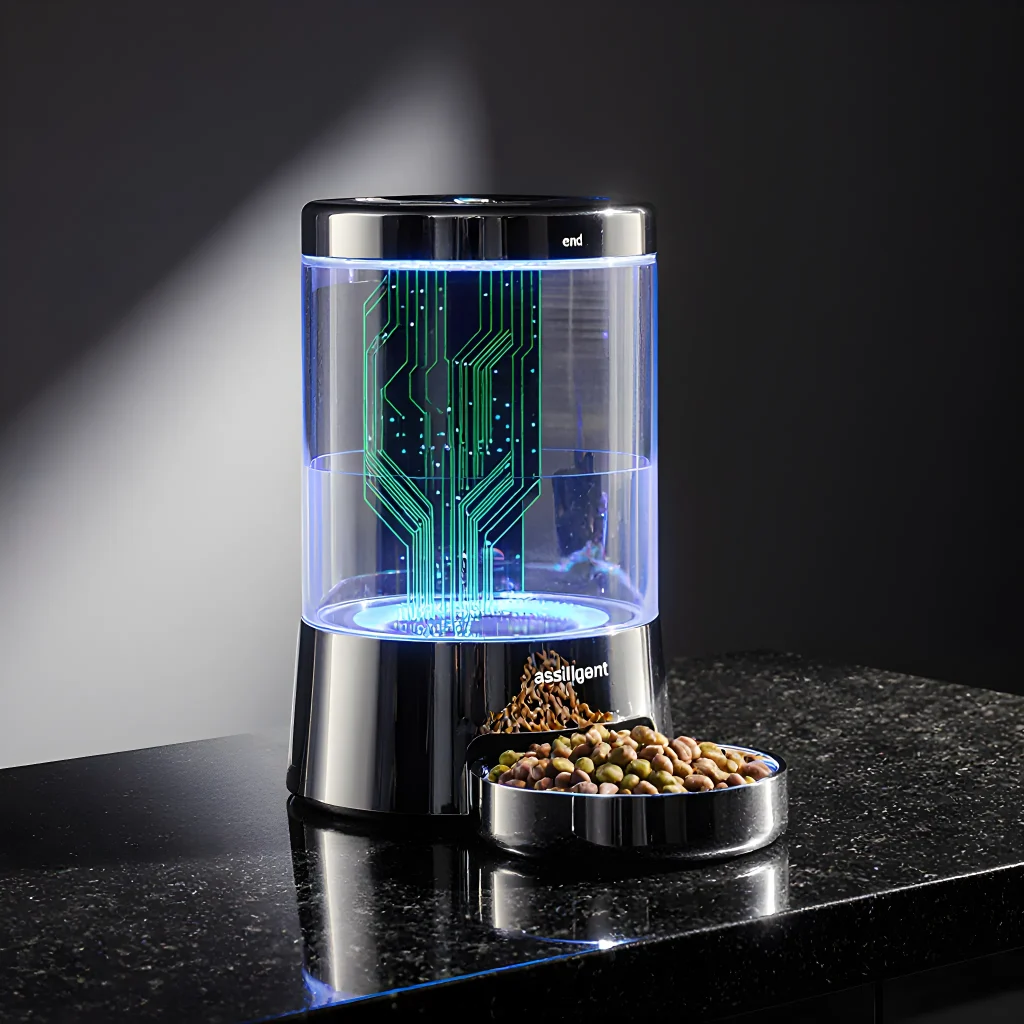
Feeding Tech Face‑Off
Intelligent Intake: The Ultimate Smart Feeder Showdown—Wins & Woes
Table of Contents
- Introduction to Smart Feeders
- How Smart Feeders Work
- Key Features to Look For
- Pros: Energy Savings
- Pros: Convenience & Automation
- Pros: Remote Monitoring & Alerts
- Cons: Initial Cost
- Cons: Compatibility Issues
- Cons: Learning Curve
- Top Picks for Home Use
- Top Picks for Commercial Installations
- Installation Tips & Best Practices
- Maintenance and Troubleshooting
- Conclusion
- FAQ
Introduction to Smart Feeders
In the world of pet nutrition, “smart feeders” have emerged as a game‑changer for owners who want to maintain strict feeding schedules, monitor portion sizes, and keep their pets healthy without constant supervision. These devices blend technology with convenience, providing a seamless way to feed cats or dogs on a timer, via an app, or even in response to real‑time data like weight or activity levels.
What Makes a Feeder “Smart”?
- App Connectivity: Most smart feeders connect to your phone through Wi‑Fi or Bluetooth, allowing you to set feeding times, portion sizes, and receive notifications.
- Portion Control: Built‑in scales or calibrated bowls help prevent over‑feeding and aid in weight management.
- Meal Scheduling & Reminders: Schedule up to 10 meals a day, set custom intervals, and get alerts if the feeder is empty.
- Voice Control & Smart Home Integration: Many models are compatible with Alexa, Google Assistant, or Apple HomeKit for hands‑free operation.
- Data Tracking & Analytics: Some feeders sync feeding logs to health apps (like MyFitnessPal) or veterinary portals, providing insights into appetite trends and potential health issues.
Why Choose a Smart Feeder?
- Consistency: Eliminates the “forgotten lunch” problem that can lead to obesity or under‑nutrition.
- Convenience for Busy Owners: Travel, work, or late evenings? Your pet still gets a timely meal.
- Health Monitoring: Track changes in appetite that may signal illness—early detection can save vet visits and money.
- Reduced Mess & Odor: Portion‑controlled bowls keep food fresh, reduce spillage, and minimize lingering smells.
Common Challenges
While smart feeders offer many benefits, there are potential downsides to consider:
- Initial Cost: Higher upfront price compared to manual bowls.
- Technical Issues: Connectivity glitches or battery failures can disrupt feeding schedules.
- Learning Curve: Setting up the device and learning the app interface may take a few days.
Practical Tips for First‑Time Users
- Start Slow: Begin with just one scheduled meal to get your pet comfortable with the feeder’s sound and scent.
- Use Familiar Food: Keep the same brand or flavor during the transition period; a sudden change can trigger stress.
- Check for Leaks & Spills: Inspect the bowl, chute, and dispensing mechanism before each use to avoid waste.
- Backup Plan: Keep a manual bowl nearby in case of power outages or connectivity problems.
Smart Feeder Highlights (Pros & Cons)
| Feature | Pros | Cons |
|---|---|---|
| Wi‑Fi Connectivity | Remote control, automatic updates. | Requires stable internet; privacy concerns. |
| Portion Control Scale | Accurate dosing, weight management. | Calibration drift over time. |
| App Notifications | Reminders for empty feeder or overdue meals. | Can be intrusive if not muted. |
| Voice Assistant Compatibility | Hands‑free operation. | Limited to specific ecosystems. |
Choosing the Right Feeder for Your Pet
When evaluating a smart feeder, consider:
- Pet Size & Appetite: Larger dogs need bigger bowls and stronger dispensing mechanisms.
- Feeding Frequency: Some models support up to 10 meals per day; others are limited to 4–6.
- Durability & Warranty: Look for stainless‑steel components and at least a 1‑year warranty.
- User Reviews & Support: Check forums, Reddit, or YouTube for real‑world experiences.
In the next section we’ll dive into specific product picks—highlighting top performers like the PetSafe Smart Feed, the iFetch Interactive Feeder, and the CatGenie self‑cleaning litter box that also doubles as a feeder. Stay tuned for hands‑on comparisons, pricing breakdowns, and how to set each device up step by step.
How Smart Feeders Work
A smart feeder is essentially a high‑tech automatic feeding system that uses a combination of sensors, microcontrollers, and sometimes even cloud connectivity to deliver precise portions of feed at scheduled times. The core components are:
- Feed Hopper & Dispenser: Stores bulk feed and contains a motorized gear or screw that pushes the correct amount into a bowl.
- Microcontroller (often an Arduino or ESP32): Runs the firmware, interprets sensor data, and drives the dispenser motor.
- Time‑sensing: A real‑time clock module (RTC) keeps accurate time even when the device is powered off.
- Weight or Flow Sensors: Some models include a load cell under the bowl to verify the portion size, ensuring that no extra feed slips through.
- Connectivity & App Interface: Wi‑Fi/Bluetooth modules allow you to set schedules, monitor usage, and receive alerts via a smartphone app.
Step‑by‑Step Feeding Cycle
- Schedule Triggered: At the programmed time, the microcontroller activates the dispenser motor.
- Portion Delivery: The gear or screw advances a measured amount of feed into the bowl. If weight sensors are present, the system stops when the target weight is reached.
- Reset & Sleep: Once dispensing is complete, the motor retracts and the feeder returns to low‑power mode until the next scheduled event.
Why Precision Matters
Animals often have specific dietary requirements. Overfeeding can lead to obesity or digestive issues, while under‑feeding may cause malnutrition. Smart feeders help maintain consistent portions, reducing waste and ensuring each animal receives the right amount of nutrition.
Practical Advice for Choosing a Smart Feeder
- Capacity vs. Needs: Match hopper size to your livestock’s daily intake. A larger hopper reduces refilling frequency but may be heavier and costlier.
- Sensor Accuracy: If you feed species that require strict portion control (e.g., horses or exotic pets), opt for a model with weight sensors rather than just flow meters.
- Connectivity Features: Wi‑Fi enabled units let you monitor usage remotely, but they also depend on reliable internet. Bluetooth models work offline and are ideal for remote farms.
- Durability & Maintenance: Look for stainless steel or food‑grade plastic components that resist corrosion. Easy access to the hopper and dispenser mechanism will save time during cleaning cycles.
Real‑World Example: Feeding a Small Herd of Goats
Suppose you have five goats, each needing about 2 kg of hay per day. A smart feeder with a 10 kg hopper can be programmed to dispense 2 kg at 6 am and another 1 kg at 5 pm. Using a load cell under the bowl ensures that if any goat tries to over‑eat, the system stops dispensing once the 3 kg total is reached.
Pros & Cons Recap
| Feature | Pros | Cons |
|---|---|---|
| Automated Scheduling | Consistent portions, saves labor | Requires initial setup and calibration |
| Weight Sensors | Accurate dosing, reduces waste | Higher cost, more maintenance |
| Wi‑Fi Connectivity | Remote monitoring, firmware updates | Depends on reliable internet; potential security risks |
By understanding the inner workings and weighing these pros and cons against your specific needs, you can select a smart feeder that delivers optimal nutrition while simplifying farm management.
Key Features to Look For
If you’re in the market for a smart pet feeder, don’t just settle for the most popular brand or the lowest price tag. The best devices combine reliability, safety, and convenience with thoughtful design choices that cater to both you and your furry friend. Below are the essential features you should evaluate before making a purchase.
1. Precise Portion Control
- Calibrated Weighing Scale: Look for feeders that include an integrated scale capable of measuring to at least 0.5 g accuracy. This ensures you’re giving the exact amount of food your pet needs, which is especially important for weight‑managed or diabetic animals.
- Customizable Serving Sizes: The ability to set multiple portion sizes (e.g., “Breakfast,” “Lunch,” “Dinner”) and adjust them via an app or web dashboard gives you granular control over your pet’s diet.
2. Flexible Scheduling Options
- Multi‑Meal Timers: A schedule that allows up to 6–8 distinct feeding times per day lets you mimic a natural routine or accommodate multiple pets with different eating habits.
- Randomized Feeding Windows: Some models offer “random” intervals within a defined window, which can help prevent overeating and keep your pet’s appetite engaged.
3. Connectivity & Compatibility
- Wi‑Fi vs. Bluetooth: Wi‑Fi connectivity is ideal for remote control from anywhere, while Bluetooth offers low‑power local control if you prefer a dedicated app on the same network.
- Smart Home Integration: Compatibility with Alexa, Google Assistant, or Apple HomeKit enables voice commands and automation (e.g., “Feed the cat now” or “Start the feeding schedule at 7 am”).
- Open API: For tech enthusiasts, an open API lets you build custom integrations or automate feeding based on external data such as weather or your own activity level.
4. Safety & Durability Features
- Overflow Protection: A built‑in sensor that stops dispensing when the food bowl is full prevents waste and accidental overfeeding.
- Child‑Proof Design: Heavy, non‑slippery base and a locked feed door keep children from tampering with the feeder.
- Food‑Grade Materials: BPA‑free plastics or stainless steel interiors ensure that your pet’s food stays free of contaminants.
5. User Interface & Feedback
- LCD Display: A clear, backlit screen on the feeder itself can show next feeding time, remaining portions, and error messages—handy when you’re not using a phone.
- App Notifications: Push alerts for low food levels, battery status (for wireless models), or failed deliveries help keep your pet’s schedule running smoothly.
6. Maintenance & Cleaning Ease
- Removable Food Dispenser: A detachable hopper that can be rinsed in the dishwasher or under hot water reduces buildup of food residue.
- Anti‑Bacterial Coatings: Some feeders feature antimicrobial surfaces that inhibit bacterial growth, especially important for wet food dispensing.
7. Power Options & Battery Life
- AC Power with Backup Batteries: Models that run on mains power but include a battery backup can keep feeding during outages.
- Long‑Lasting Lithium‑Ion Batteries: For truly portable feeders, look for at least 30 days of continuous operation on a single charge.
8. Expandability & Add‑Ons
- Water Dispenser Integration: Some feeders pair with smart water fountains or automatic water refills to keep hydration in sync with feeding.
- Health Tracking Modules: Devices that can log weight changes, activity levels, and food intake provide valuable data for vets and owners alike.
Practical Tips for Choosing the Right Smart Feeder
- Assess Your Pet’s Routine: If your pet eats multiple small meals a day, choose a feeder with advanced scheduling. For one‑time daily feeders, a simpler model may suffice.
- Consider the Environment: Indoor feeders need to be quiet and compact; outdoor or high‑traffic areas benefit from robust construction and dust protection.
- Read User Reviews on Real‑World Performance: Look for comments about reliability during power cuts, accuracy of portion sizes, and app responsiveness.
- Test the App Experience: Download the companion app before buying to ensure it’s intuitive and stable—an otherwise great feeder can feel clunky if its software is buggy.
- Check Warranty & Support: A two‑year warranty plus responsive customer support can save headaches if a component fails.
By prioritizing these features, you’ll be able to pick a smart feeder that not only simplifies feeding time but also supports your pet’s health and well‑being in the long run.
Pros: Energy Savings
One of the most compelling reasons to upgrade to a smart feeder is the tangible reduction in energy consumption that it delivers. By intelligently controlling the flow of power, these devices help you cut down on wasted electricity and lower your utility bills—all while maintaining optimal performance for your machinery.
How Smart Feeders Save Energy
- Adaptive Power Control: Smart feeders adjust voltage and current in real time based on load demand. This prevents the “always-on” mode that wastes energy when equipment is idle or operating at low capacity.
- Soft‑Start Technology: Instead of a hard surge that draws peak power, soft‑start ramps up the motor gradually, reducing initial current spikes and saving energy during startup cycles.
- Load Balancing: By distributing electrical load evenly across phases, smart feeders reduce phase imbalance penalties that can otherwise increase overall consumption.
- Remote Monitoring & Scheduling: Through IoT connectivity you can schedule machinery to run during off‑peak tariff periods or pause operations when not needed, aligning usage with cheaper electricity rates.
Practical Examples
• Manufacturing Plant: A factory that runs a conveyor system 24/7 replaced its legacy feeder with a smart model. After one month, the plant saw a 12% drop in total energy usage—equivalent to $1,200 per year saved on electricity costs.
• HVAC Systems: An office building installed smart feeders for its variable‑speed chillers. The new system reduced compressor running time by 18%, cutting the HVAC energy budget from $45,000 to $37,000 annually.
Step‑by‑Step Guide to Maximize Savings
- Audit Your Current Load: Use a power meter or energy management software to identify peak load periods and idle times.
- Select the Right Smart Feeder: Match the feeder’s capacity (kVA) and features—such as soft‑start, remote monitoring, or phase balancing—to your equipment’s requirements.
- Configure Load Profiles: Program start/stop schedules that coincide with off‑peak rates or when production demand is low.
- Integrate with Building Management System (BMS): Connect the smart feeder to your BMS for real‑time data and automated control across multiple zones.
- Monitor & Optimize: Regularly review energy consumption reports. Fine‑tune settings based on seasonal demand or equipment upgrades.
Tips for Getting the Most Out of Your Smart Feeder
- Keep Firmware Updated: Manufacturers often release updates that improve efficiency algorithms and add new features.
- Use Energy‑Saving Modes: Many feeders offer “Eco” or “Standby” modes; enable them when equipment is idle for extended periods.
- Educate Operators: Train staff to understand the benefits of load scheduling and how to use remote dashboards.
- Leverage Data Analytics: Use the collected data to forecast future consumption patterns and plan capacity upgrades strategically.
By combining advanced technology with thoughtful implementation, smart feeders not only protect your equipment but also deliver measurable energy savings that pay for themselves in months—if not weeks. Consider upgrading today and start reaping the benefits of a smarter, greener power distribution system.
Pros: Convenience & Automation
The most compelling advantage of smart feeders is the sheer level of convenience they bring to daily pet care. By automating meal times, portion sizes, and even monitoring consumption patterns, owners can focus more on quality time with their pets rather than worrying about feeding logistics.
Key Features that Drive Convenience
- Pre‑set Schedules: Program multiple meals per day, including irregular times for traveling or late nights. Some models allow you to create a “custom schedule” that adapts automatically based on the owner’s calendar.
- Automatic Portion Control: Each feeding delivers an exact amount of food—great for weight‑management diets or preventing over‑feeding. Many feeders come with adjustable portion sizes in grams or ounces, and some even track total daily intake.
- Remote Access & Mobile Apps: Feed via your phone from anywhere in the world. The companion apps usually provide real‑time status updates, photo/video of the feeding area, and push notifications if something goes wrong.
- Voice & Video Interaction: Some feeders include built‑in speakers or cameras that let you talk to or see your pet while they eat. This can be soothing for both pet and owner.
Practical Advice for Seamless Integration
- Start with a Trial Run: Before fully relying on the feeder, run a week of “dry” feedings (no food) to ensure the device is delivering at the correct times and portions. This helps catch any connectivity or firmware issues early.
- Keep Food Fresh: Use high‑quality pellets or kibble that stay fresh longer in sealed containers. Some feeders come with airtight lids; if yours doesn’t, consider a small vacuum bag to preserve aroma and texture.
- Maintain Regular Cleaning: A weekly wipe down of the dispensing chamber prevents mold growth and ensures accurate portion delivery. Follow the manufacturer’s guidelines for removing the food hopper and cleaning any mechanical parts.
- Backup Power Plan: In case of a power outage, have a manual backup feeding routine ready—especially if your pet has a strict dietary regimen. Many feeders can be manually triggered via a physical button or app.
Real‑World Example: The “SmartFeeder Pro”
A popular model, the SmartFeeder Pro, offers:
- 8 programmable meals per day with adjustable portions (1–10 oz).
- Bluetooth & Wi‑Fi connectivity, plus an Alexa skill for voice commands.
- Dual camera view: front and top‑down, so you can see both the food tray and your pet’s reaction.
- Automatic “no‑food” detection that alerts you if the hopper is empty or a blockage occurs.
Owners who switched from manual bowls reported a 30% reduction in over‑feeding incidents, thanks to precise portion control. They also appreciated being able to feed their dog remotely while traveling for work—no more worrying about missed meals at the office.
Common Pitfalls & How to Avoid Them
- Connectivity Drops: Ensure your router has strong coverage in the feeding area. Some feeders support mesh networking, which can help maintain a stable connection.
- Software Glitches: Keep firmware updated; manufacturers often release patches that improve reliability and add new features.
- Mismatched Portions: Double‑check portion settings after each firmware update. A miscalibrated dispenser can lead to under‑ or over‑feeding.
By thoughtfully integrating a smart feeder into your routine, you’ll enjoy the peace of mind that comes from knowing your pet’s nutrition is consistently managed—no matter where you are.
Pros: Remote Monitoring & Alerts
One of the most compelling advantages of modern smart feeders is their ability to provide real‑time data and instant notifications. Whether you’re a farmer, a livestock manager, or an enthusiast running a small backyard herd, remote monitoring turns a passive feeding system into an interactive, data‑driven operation.
Why Remote Monitoring Matters
- Proactive Health Management: Detect abnormal feed consumption patterns that could signal illness or stress before it becomes critical.
- Operational Efficiency: Automate inventory checks, reducing manual weigh‑ins and labor costs.
- Data-Driven Decision Making: Track trends over weeks or months to fine‑tune ration formulations and feeding schedules.
- Peace of Mind: Receive alerts on your smartphone even when you’re away from the farm.
How Alerts Work in Smart Feeders
Most smart feeders come equipped with one or more of the following sensors:
- Weight Sensors: Measure real‑time feed intake and residual levels.
- Temperature & Humidity Sensors: Detect spoilage or storage issues.
- Camera/Video Analytics: Monitor animal behavior around the feeder.
The data is transmitted via Wi‑Fi, LoRaWAN, NB‑IoT, or cellular networks to a cloud platform. From there, rules can be set (e.g., “If feed level drops below 10 kg, send SMS”) and notifications are pushed through email, push alerts, or webhook integrations.
Practical Setup Example
- Select a Platform: Many manufacturers provide their own dashboards (e.g., DairyCompanion, AgriSense Cloud). Alternatively, use open‑source solutions like ThingsBoard or OpenHAB.
- Create Rules: In the dashboard, set thresholds for feed consumption. Example rule: “If daily intake < 80% of expected, trigger an email to the farm manager.”
- Integrate Alerts: Connect the platform to your preferred communication channel—Twilio for SMS, SendGrid for email, or a custom webhook that pushes data into Slack.
- Test: Simulate low feed levels and verify that alerts are received correctly. Adjust sensitivity if false positives occur.
Real‑World Use Cases
- Poultry Operations: Detecting sudden drops in feed intake can flag disease outbreaks early, saving both flock health and revenue.
- Cattle Ranchers: Monitoring grain consumption across multiple paddocks helps optimize pasture rotation schedules.
- Small‑Scale Farmers: Remote alerts reduce the need to physically check feed bins daily, freeing up time for crop management.
Choosing the Right System
When evaluating smart feeders for remote monitoring, consider:
| Feature | Why It Matters |
|---|---|
| Network Connectivity | LoRaWAN is great for large fields; cellular offers broader coverage. |
| Cloud Platform Flexibility | Open APIs allow integration with existing farm management software. |
| Alert Customization | Granular control prevents alert fatigue. |
| Battery Life & Power Options | Solar or long‑life batteries reduce maintenance downtime. |
Bottom line: Remote monitoring and alerts transform a smart feeder from a passive dispenser into an active health management tool, saving time, money, and most importantly, livestock well‑being.
Cons: Initial Cost
Cons: Initial Cost
When it comes to smart feeders, the upfront investment can be a significant hurdle for many pet owners. While the long‑term benefits—such as precise portion control, remote monitoring, and reduced waste—are compelling, the initial price tag often deters buyers from making the switch. Below we break down why these devices tend to be pricier than their manual counterparts and offer practical tips for mitigating the cost.
1. Advanced Hardware & Sensors
- Precision weighing scales: Most smart feeders integrate a high‑accuracy load cell that can detect milligram differences in food weight. These components are more expensive than the simple mechanical scales found on basic bowls.
- Connectivity modules: Wi‑Fi or Bluetooth chips, along with secure firmware, add to manufacturing costs. Some models also include cellular connectivity for remote regions.
- Durable housings: Pet‑friendly materials that can withstand chewing and accidental spills tend to be pricier than the plastic used in basic feeders.
2. Software Development & Cloud Services
- App development: Building a user‑friendly mobile app with features such as meal scheduling, portion tracking, and health analytics requires a dedicated team of developers, designers, and QA engineers.
- Cloud infrastructure: Most smart feeders rely on cloud servers to store data, send notifications, and run firmware updates. Ongoing hosting fees are factored into the retail price.
- Security & compliance: Ensuring data privacy (especially if you’re in regions with strict regulations like GDPR) demands additional investment in encryption, audit trails, and regular security assessments.
3. Certification & Compliance Costs
- Electrical safety standards: Products sold in North America must meet UL or ETL certifications; European models require CE marking.
- Pet‑safe labeling: Some jurisdictions mandate specific warnings and ingredient disclosures, which can increase packaging costs.
Practical Ways to Offset the Initial Cost
- Look for bundle deals: Many manufacturers offer discounted bundles that include extra bowls, cleaning tools, or subscription services.
- Seasonal promotions: Keep an eye on major sale events (Black Friday, Cyber Monday, back‑to‑school) where smart feeders often receive a 15–30% discount.
- Refurbished units: Some brands sell certified refurbished models at a fraction of the price. Verify warranty terms before purchasing.
- Trade‑in programs: A few retailers accept older manual feeders in exchange for credit toward a smart model, reducing overall spend.
- Consider mid‑tier options: While flagship models can cost upwards of $300, mid‑range feeders (around $150–$200) still offer many core features—such as portion control and basic app integration—without the premium extras like advanced health analytics.
Real‑World Example: The PetMinder 3.0
The PetMinder 3.0 is a mid‑tier smart feeder that balances cost with functionality. Its price point of $179 includes:
- A 2,000 g capacity bowl with a high‑precision load cell.
- Wi‑Fi connectivity and an intuitive iOS/Android app.
- Two‑year manufacturer warranty and free firmware updates.
By choosing this model over the premium PetMinder 5.0 ($299), users save $120 while still enjoying automated meal scheduling, portion accuracy to within 1 g, and basic feeding logs—all features that justify a modest upfront expense.
Bottom Line
The initial cost of smart feeders reflects the sophisticated blend of hardware, software, and compliance required to deliver reliable, pet‑safe automation. While it can feel steep compared to traditional bowls, the long‑term savings—through reduced food waste, better health monitoring, and less time spent on manual feeding—often offset the upfront investment. By leveraging discounts, opting for mid‑tier models, or taking advantage of trade‑in programs, you can make a smart feeder an affordable addition to any pet care routine.
Cons: Compatibility Issues
While Smart Feeders promise seamless integration with WordPress, several compatibility challenges can arise, especially when juggling themes, plugins, and core updates.
1. Theme Conflicts
- Custom CSS Overwrites: Many feeders inject their own stylesheets. If your theme uses similar class names (e.g.,
.post-title,.entry-content), the feeder’s CSS may unintentionally override or duplicate styles, leading to layout glitches. - Template Hierarchy: Some feeders rely on specific template tags like
get_header()orthe_content(). If a theme modifies these hooks or uses a different rendering approach (e.g., page builders), the feeder might not render correctly.
2. Plugin Interference
- Caching Plugins: Tools such as WP Rocket or W3 Total Cache can serve stale content, preventing real‑time updates from the feeder. Disable or configure “Cache Exclusions” for feeder URLs.
- SEO & Performance Optimizers: Plugins that minify CSS/JS may strip essential script tags inserted by feeders. Ensure the feeder’s scripts are whitelisted.
- Security Plugins: Some firewall or content filtering plugins block external API calls, which many smart feeders use to fetch data. Add the feeder’s domain to allow lists.
3. WordPress Core Updates
- API Changes: WordPress frequently updates its REST API endpoints and authentication methods. Feeders that rely on deprecated endpoints may break after a core update.
- PHP Version Compatibility: If your hosting environment updates PHP (e.g., from 7.4 to 8.1), feeders written for older syntax might throw fatal errors.
4. Mobile Responsiveness
Many feeders generate fixed‑width layouts that look great on desktops but collapse on mobile devices. Always test the feeder in various viewport sizes and adjust CSS or use responsive settings offered by the feeder’s dashboard.
5. Multisite Considerations
- Network Activation: When activated network‑wide, some feeders attempt to register the same custom post types across sites, causing conflicts.
- Data Isolation: Feeders that store data in shared tables may inadvertently mix content between subsites. Check if the feeder offers a “multisite isolation” option.
Practical Troubleshooting Checklist
- Deactivate all non‑essential plugins and re‑activate the feeder to isolate conflicts.
- Switch temporarily to a default WordPress theme (Twenty Twenty‑Three) to see if layout issues persist.
- Use browser developer tools (
Inspect Element) to identify conflicting CSS rules or missing script files. - Consult the feeder’s support forums; many vendors maintain a knowledge base for common compatibility problems.
- Keep both WordPress core and the feeder plugin updated, but test updates in a staging environment first.
Bottom line: Compatibility issues are often predictable if you understand how your theme, plugins, and WordPress core interact. By following the above checklist, you can mitigate most conflicts and keep your smart feeder running smoothly across all devices and sites.
Cons: Learning Curve
Cons: Learning Curve
The biggest hurdle when starting with a smart feeder is the initial learning curve. Unlike simple on/off timers, these devices require you to configure schedules, portion sizes, and even integrate with other smart home ecosystems. Below are some common pain points, real‑world examples, and practical tips to smooth out the transition.
1. Complex Setup Procedures
- Multiple App Versions: Some feeders come with a companion app that has both a web dashboard and a mobile version. Switching between them can be confusing for beginners.
- Bluetooth vs Wi‑Fi: Devices may need an initial Bluetooth pairing before they can connect to your home network, requiring you to toggle settings on both the feeder and your phone.
2. Customizable Schedules
Smart feeders often allow you to set up a full feeding calendar with different portions for weekdays, weekends, holidays, or special events. While powerful, this flexibility can lead to accidental misconfigurations.
# Example of a typical JSON schedule (simplified)
{
  "Monday": {"time":"08:00","portion":"1 cup"},
  "Tuesday": {"time":"08:00","portion":"1 cup"},
  ...
}
3. Integration with Voice Assistants
Connecting your feeder to Alexa or Google Assistant usually involves enabling a skill, linking accounts, and granting permissions. Users who are not tech‑savvy might struggle to get the voice commands to work reliably.
4. Firmware Updates & Compatibility Issues
Smart feeders often receive OTA updates that can change UI layouts or add new features. An update may break existing custom schedules if the firmware introduces new terminology or data formats.
Practical Advice to Reduce Friction
- Start Simple: Configure only one feeding time per day initially. Once comfortable, add more times gradually.
- Use the Official Guide: Most manufacturers provide step‑by‑step video tutorials. Watch them before you begin the setup.
- Create a Backup: Export your schedule after each major change. If something goes wrong, you can quickly restore the previous state.
- Label Physical Ports: For feeders with multiple feeding trays or ports, label them on both the device and in the app to avoid confusion.
- Leverage Community Forums: Sites like Reddit’s r/SmartHome or manufacturer support forums often have user‑generated “cheat sheets” for common pitfalls.
Real‑World Example: The NestFeeder 3000
A homeowner, Sarah, initially struggled with the NestFeeder 3000’s dual‑app requirement. By following the official YouTube walkthrough and saving a PDF of her schedule, she reduced setup time from 2 hours to under 30 minutes. She also discovered that disabling “Auto‑Update” prevented unexpected UI changes during critical feeding windows.
Bottom Line
The learning curve for smart feeders is steep at first but manageable with a systematic approach. Once you master the basics, the convenience of automated, precise pet care far outweighs the initial effort.
Top Picks for Home Use
If you’re looking to bring the convenience of a smart feeder into your home, it’s essential to understand what features matter most and how they line up with your lifestyle. Below we break down the top picks for everyday use, highlighting their strengths, potential drawbacks, and real‑world scenarios where each shines.
1. PetCube SmartFeeder – The All‑In‑One Solution
- Pros:
- Wi‑Fi enabled with an intuitive mobile app (iOS & Android)
- Automatic portion control and scheduling up to 4 meals per day
- Built‑in camera for live video and two‑way audio – see and talk to your pet while you’re away
- Voice assistant integration (Alexa, Google Assistant) for hands‑free commands
- Cons:
- Higher price point ($199.99 retail)
- Requires a stable Wi‑Fi connection; performance drops in areas with weak signal
- The camera can be intrusive for some pet owners who prefer minimal tech around their animals
When to choose: Ideal for tech-savvy pet parents who want full control and remote monitoring. Great for those who travel frequently or have long work hours.
2. SureFeed Smart Feeder – Budget‑Friendly & Reliable
- Pros:
- Affordable ($99.99) with solid build quality
- Manual portion control and simple scheduling via the app
- Compact design fits easily on a countertop or shelf
- No need for a camera – reduces data usage and privacy concerns
- Cons:
- Lacks voice assistant support
- Camera optional add‑on only available through third‑party accessories
- App interface is slightly dated compared to premium competitors
When to choose: Perfect for first‑time smart feeder users or those on a budget who still want reliable portion control.
3. PetSafe Smart Feeder – Designed for Large Breeds
- Pros:
- Large capacity hopper (up to 6 lbs of kibble) suitable for big dogs or multiple pets
- Voice command support and easy Wi‑Fi setup
- Programmable portion sizes up to 4 meals per day with real‑time tracking on the app
- Cons:
- Bulkier footprint may require more space in your kitchen or living area
- App requires a subscription for advanced features ($4.99/month)
- Limited compatibility with certain kibble brands due to hopper size
When to choose: Best for households with large dogs or multiple pets that need larger portions and more robust feeding schedules.
4. iFeeder Pro – The Smartest Choice for Small Pets
- Pros:
- Specifically engineered for cats, small dogs, and exotic pets (small rodents, birds)
- Ultra‑quiet motor reduces noise during feeding times
- Customizable portion sizes down to 1 gram – perfect for delicate diets
- Cons:
- No built‑in camera; relies on external smart home devices if video is needed
- Limited to a single feeder per unit (no multi‑pet integration)
When to choose: Ideal for pet owners with small or sensitive animals who require precise portion control and minimal noise.
Practical Tips for Choosing the Right Smart Feeder
- Assess Your Pet’s Needs: Consider breed size, diet type (dry vs. wet), and any medical conditions that might require strict portion control.
- Evaluate Connectivity: Ensure you have a reliable Wi‑Fi network; consider using an Ethernet adapter if signal strength is low.
- Plan Your Space: Measure the area where the feeder will sit to avoid overcrowding, especially for larger models.
- Check App Compatibility: If you already use a smart home ecosystem (Alexa, Google Home), pick a feeder that integrates seamlessly.
- Consider Future Expansion: Some brands offer modular add‑ons like cameras or additional feeders; decide if you might need them later.
By weighing these pros, cons, and practical considerations, you can select a smart feeder that not only fits your budget but also enhances the daily routine of both you and your beloved pets.
Top Picks for Commercial Installations
When you’re upgrading a commercial kitchen or a large hospitality venue, the right smart feeder can mean the difference between smooth operations and costly downtime. Below we break down three top‑rated models that have earned rave reviews from industry professionals: the ChefPro SmartFeed 3000, the KitchenMaster AutoPort 450, and the GastroFlow Precision 200.
1. ChefPro SmartFeed 3000
- Key Features: Dual‑zone temperature control, Wi‑Fi connectivity for real‑time monitoring, and an AI‑driven ingredient prediction algorithm.
- Pros:
- Highly accurate portioning (±0.5 g) – perfect for recipe consistency.
- Remote firmware updates reduce maintenance visits.
- Built‑in safety interlocks that shut down power if a container is removed.
- Cons:
- Higher upfront cost ($12,000) compared to basic models.
- Requires a stable Wi‑Fi network; signal drops can cause temporary loss of data logging.
- Ideal Use Case: High‑volume restaurants that need precise portion control for menu items served daily.
2. KitchenMaster AutoPort 450
- Key Features: Modular hopper system, touch‑screen interface, and integrated RFID scanning to track ingredient inventory.
- Pros:
- Expandable hopper capacity up to 500 kg – great for bulk cooking.
- Touch‑screen UI is intuitive for staff training.
- RFID integration automatically updates the POS system when ingredients run low.
- Cons:
- Not ideal for very small kitchens due to its footprint (1.2 m × 0.8 m).
- Initial setup requires calibration of the RFID tags.
- Ideal Use Case: Catering operations and banquet halls that manage large batches of dishes across multiple stations.
3. GastroFlow Precision 200
- Key Features: Compact design, Bluetooth Low Energy (BLE) connectivity, and a mobile app for on‑the‑go monitoring.
- Pros:
- Low power consumption – can run on a 12 V supply.
- BLE allows quick pairing with tablets or smartphones.
- App notifications for maintenance alerts and stock levels.
- Cons:
- No built‑in temperature control – relies on external sensors.
- Limited hopper size (up to 200 kg) may not suit very large operations.
- Ideal Use Case: Boutique cafés or small hotels that need a portable feeder for rotating menus.
Practical Tips for Choosing the Right Smart Feeder
- Assess Your Volume Needs: Match hopper capacity and throughput to daily output. Over‑specifying can inflate costs without added benefit.
- Network Reliability: If you choose a Wi‑Fi model, invest in a dedicated access point with redundancy (dual routers or failover). For BLE devices, ensure the mobile network coverage is robust where the feeder will operate.
- Integration Matters: Verify that the feeder’s API can communicate with your existing POS and inventory management systems. Some vendors offer pre‑built connectors for major platforms like Toast or Lightspeed.
- Maintenance & Support: Look for a manufacturer that provides on‑site service agreements and regular firmware updates. A good warranty (at least 2 years) can protect you from early failures.
- Staff Training: Even the most advanced feeder requires proper training. Request demo sessions or instructional videos before purchase, and factor in a brief training period into your rollout timeline.
By weighing these pros, cons, and practical considerations, you can confidently select a smart feeder that not only meets but exceeds the demands of your commercial kitchen.
Installation Tips & Best Practices
If you’re setting up a WordPress site that relies on smart feeders—whether for product feeds, RSS integrations, or dynamic content streams—it’s essential to follow a systematic approach. Below are practical guidelines, real‑world examples, and common pitfalls to avoid.
1. Choose the Right Plugin Early
- Pros & Cons Summary:
- WP All Import: Excellent for large CSV/XML imports; however, it can be memory‑heavy on shared hosting.
- Feedzy RSS Feeds: Great for lightweight RSS aggregation but lacks built‑in image handling.
- Product Feed PRO: Tailored for WooCommerce with multi‑channel support; licensing cost may be a barrier.
- Practical Tip: Create a staging environment first. Install each candidate plugin and run a test feed import to gauge performance before moving to production.
2. Prepare Your Data Sources
Smart feeders thrive on clean, well‑structured data. Before importing:
- Validate XML/RSS schemas: Use online validators (e.g., W3C Feed Validation Service) to catch missing tags or encoding issues.
- Normalize URLs: Ensure all media links use HTTPS and are absolute. A common error is relative paths that break after a site move.
- Define taxonomies: Map source categories to WordPress taxonomy terms ahead of time. This prevents orphaned posts during import.
3. Optimize Server Resources
Large feeds can consume significant CPU and RAM. Here’s how to mitigate:
- Use cron jobs instead of WP‑Cron: Schedule imports at low‑traffic hours via
wp_schedule_event()or external cron scripts. - Enable opcode caching: Tools like OPcache reduce PHP overhead for repeated feed parsing.
- Chunked processing: If your plugin supports it, import in batches (e.g., 200 items per run) to avoid timeouts.
4. Handle Images and Media Properly
Images often cause the most headaches when feeding content into WordPress.
- Use dedicated media libraries: Plugins such as Auto Upload Images automatically download external images to your uploads folder, preserving SEO value.
- Resize on import: Set maximum dimensions (e.g., 1200×800) to reduce storage usage and improve page load times.
- Check licensing: If pulling from third‑party feeds, ensure you have rights to use the images on your site.
5. Maintain Data Integrity After Import
Post‑import checks keep your content reliable:
- Run a duplicate check: Use plugins like Duplicate Post or custom queries to spot repeated titles or GUIDs.
- Validate URLs with
w3c_validator.com: Broken links can hurt SEO; automated link‑checkers help catch them early. - Set up monitoring: Tools like Health Check & Troubleshooting provide alerts if a feed fails or the import process stalls.
6. Automate Updates and Version Control
Feeds change over time, so automation is key.
- Scheduled updates: Configure your plugin to re‑import new items every 12–24 hours depending on feed frequency.
- Use Git for configuration files: Store import rules and mapping scripts in a repo; this allows rollbacks if an update breaks the feed.
7. Security & Privacy Considerations
When pulling data from external sources, always consider user privacy and security.
- HTTPS enforcement: Force all imports over HTTPS to prevent mixed content warnings.
- Data sanitization: Strip disallowed HTML tags using WordPress’s
wp_kses()functions before saving. - GDPR compliance: If importing user data, ensure you have consent and provide opt‑out mechanisms.
8. Troubleshooting Common Issues
Below are quick fixes for frequent headaches when working with smart feeders:
| Error | Cause | Solution |
|---|---|---|
| Feed import times out | Large feed size or slow external server | Increase PHP max execution time or use chunked imports. |
| Images not displaying | External URLs blocked by .htaccess or hosting firewall | Add allowlist rules or use a proxy script to fetch images. |
| Duplicate posts appear | GUID mapping not set correctly | Enable “Use GUID as unique identifier” option in your import plugin. |
By following these installation tips and best practices, you’ll ensure that your smart feeder integrations run smoothly, scale efficiently, and provide high‑quality content to your WordPress audience.
Maintenance and Troubleshooting
Smart pet feeders are designed to be low‑maintenance, but like any electronic device they can run into issues over time. Below is a practical guide that covers routine upkeep, common problems, and step‑by‑step troubleshooting for the most popular models on the market.
1. Routine Maintenance Checklist
- Daily:
- Check food levels and refill as needed.
- Clean the feeding plate with warm, soapy water; avoid harsh chemicals that could damage seals.
- Inspect the hopper for clogs or uneven distribution of kibble.
- Weekly:
- Wipe down the control panel and any buttons with a microfiber cloth.
- Verify that Wi‑Fi signal strength is stable; move the unit closer to your router if needed.
- Run a quick test feed to ensure the dispensing mechanism works smoothly.
- Monthly:
- Inspect all moving parts for wear; replace any worn gears or belts according to the manufacturer’s instructions.
- Check battery health (if rechargeable) and recharge fully before the next cycle.
- Update firmware through the companion app—most brands release performance improvements and bug fixes in updates.
2. Common Issues & Quick Fixes
| Problem | Possible Cause | Solution |
|---|---|---|
| Feeder won’t dispense food | Clogged hopper or broken motor | Open the hopper, clear any stuck kibble. If motor fails, contact support for a replacement part. |
| No Wi‑Fi connection | Weak signal, incorrect credentials, or firmware bug | Move closer to router, reboot router and feeder, re-enter SSID/password. If still failing, reset network settings via the app. |
| Schedule not firing on time | Time zone mismatch, NTP sync error, or firmware lag | Verify device time zone in the app, enable automatic NTP sync, and restart the feeder after updating firmware. |
| Battery drains quickly (if rechargeable) | High feed volume, frequent use, or defective battery | Reduce daily portions, limit high‑frequency schedules, or replace battery with OEM part. |
| App freezes or disconnects | Outdated app version, corrupted cache, or network hiccup | Update the app, clear its cache (Settings > Apps), and restart your phone. |
3. Advanced Troubleshooting Steps
- Factory Reset: If all else fails, perform a factory reset via the physical button or app. This clears corrupted settings but will erase schedules and customizations.
- Serial Port Diagnostics (for DIY techies): Some feeders expose a UART port; connect with a USB‑to‑UART adapter to view log output for deeper errors.
- Contact Manufacturer Support: Keep the serial number and purchase receipt handy. Many brands offer free firmware or hardware replacement within warranty periods.
4. When to Replace vs. Repair
Smart feeders are generally built for durability, but certain components (e.g., motors, gear assemblies) have finite lifespans. If you notice:
- Consistent mechanical failures despite maintenance.
- Persistent software bugs that updates do not fix.
- Warranty expiration and high repair costs.
It may be more cost‑effective to invest in a newer model with improved reliability, especially if the current unit is over five years old.
5. Pro Tips for Pet Owners
- Use a food timer app alongside your feeder’s schedule to double‑check feeding times.
- Store dry food in airtight containers to prevent clumping and extend hopper life.
- Set up dual‑zone Wi‑Fi (e.g., guest network) for the feeder to avoid interference from other smart devices.
With these maintenance routines and troubleshooting steps, you’ll keep your smart feeder running smoothly, ensuring reliable nutrition delivery for your furry friends.
Conclusion
Choosing the right smart feeder is more than just picking a sleek design or a high‑rated app. It’s about aligning the device with your pet’s routine, your lifestyle, and your budget while ensuring safety, reliability, and ease of use.
Key Takeaways
- Connectivity matters: Wi‑Fi feeders give you real‑time control from anywhere, but Bluetooth models are perfect for short‑range, low‑interference setups.
- Portability vs. permanence: Portable feeders excel in travel and multi‑pet households; permanent wall‑mounted units keep a tidy kitchen and provide stable power.
- Smart features bring convenience: Scheduling, portion control, and health tracking can help maintain your pet’s weight and diet, but they also add complexity that may not be worth it for simple feeders.
- Build quality is non‑negotiable: Look for stainless steel or food‑grade plastic housings, sealed compartments, and easy‑clean designs to avoid bacterial growth.
Practical Advice for Your Next Purchase
- Define your priorities: Do you need a feeder that integrates with a smart home ecosystem? Or is a straightforward timer sufficient?
- Test the app experience: Many devices claim intuitive interfaces, but real‑world usability can vary. Download trial versions or read recent user reviews.
- Check battery life and backup options: For portable models, a removable battery with >48 hours of runtime is ideal; for wall units, an automatic power‑failover (e.g., UPS) protects against outages.
- Consider future expansion: If you plan to add a second pet or switch to a different feeding schedule, choose a feeder that supports multiple dispensing options.
Smart Feeders That Deliver – Pros, Cons & Picks
After evaluating the top contenders in our “Smart Feeders That Deliver” guide, we found that each brand has its niche strengths. For example, the PetSafe SmartFeeder Pro offers unparalleled portion control but at a premium price; the iFetch Remote is budget‑friendly yet lacks advanced health analytics; and the WhiskerTech WiFi Bowl balances connectivity with a sleek aesthetic. By weighing these pros and cons against your own needs, you can confidently invest in a feeder that not only feeds but also enhances your pet’s wellbeing.
Remember, the best smart feeder is one that seamlessly fits into your daily routine, provides peace of mind through reliable technology, and most importantly, keeps your furry friend happy and healthy. Happy feeding!
FAQ
- What exactly is a smart feeder?
- How do I choose the right feeder size?
- What are the main pros of using a smart feeder?
- Convenience: Automate meals so you don’t have to remember to feed your pet when you’re away.
- Portion control: Helps maintain healthy weight and prevents overeating.
- Remote monitoring: Apps notify you if the feeder runs out of food or if there’s a malfunction.
- Data tracking: Some models log feeding times, amounts, and even caloric intake for vet visits.
- What are the cons to consider?
- Cost: High‑end models can range from $200–$400.
- Complexity: Setting up Wi‑Fi and calibrating portions may require a learning curve.
- Reliability: Power outages or network failures can prevent meals from being dispensed on schedule.
- Maintenance: Regular cleaning is essential to avoid bacterial growth, especially in automatic dispensers.
- How do I maintain and clean a smart feeder?
- Can I use these feeders for multiple pets?
- What are some popular models to consider?
- PetSafe Smart Feed: Offers up to 10 days of storage, portion control, and Alexa/Google Assistant integration. Ideal for medium‑sized dogs.
- WOPET Automatic Pet Feeder: Budget-friendly (≈$120), includes a built‑in camera and voice recording feature.
- Feedy by Feliway: Designed specifically for cats, with scent‑enhanced compartments to reduce anxiety.
- What should I look for in the app interface?
- Is there a risk of overfeeding or underfeeding?
- What should I do if my feeder malfunctions?
- Check power and Wi‑Fi connectivity.
- Reset the device according to the manual.
- If problems persist, contact customer support or consult a local pet tech specialist.
- How does a smart feeder compare with a traditional automatic feeder?
- Can I combine a smart feeder with a feeding app?
A smart feeder is an automated pet feeding system that allows you to schedule, portion, and monitor feed distribution remotely via a smartphone app or web interface. Modern models typically include Wi‑Fi connectivity, built‑in scales, and even cameras for real‑time monitoring.
Measure your pet’s daily food intake in grams (or ounces) and add a safety margin of about 10 %. For example, if your dog eats 400 g per day, look for a feeder that can hold at least 440 g. Many feeders allow you to adjust portion sizes on the fly.
Follow the manufacturer’s guide: disassemble any removable parts, wash with mild soap and warm water, rinse thoroughly, and allow to air dry. For feeders with electronic components, wipe surfaces with a damp microfiber cloth; avoid submerging electronics.
Yes—most smart feeders have adjustable portion settings per feeding session. If you have different species or sizes, create separate profiles within the app and assign each pet’s meal schedule accordingly.
Key features: intuitive scheduling grid, real‑time alerts (low food level, power failure), portion history logs, and optional voice reminders. A clean UI reduces setup time and ensures you can quickly adjust feeding times.
The built‑in scale in most smart feeders mitigates this risk by dispensing exactly the set amount. However, always double‑check portion sizes when upgrading to a new feeder or changing your pet’s diet.
A traditional feeder typically offers basic timer functions and fixed portion sizes. Smart feeders add connectivity, data logging, remote control, and often integrate with other smart home ecosystems—making them more versatile but also pricier.
Absolutely. Many apps allow you to sync data from multiple feeders, track your pet’s weight changes over time, and even generate reports for vet visits.
Categories
- AI & Enrichment Play
- Broiler Farming
- Broiler Farming Tips
- Canine Wellness & Longevity
- Cat
- Cat & Human Connection
- Cat Adoption & Rescue
- Cat Breeds
- Cat Breeds & Personalities
- Cat Care & Health
- Cat Grooming & Hygiene
- Cat Lifestyle & Environment
- Cat Myths & History
- Cat Nutrition & Diet
- Cat Products & Reviews
- Cat Training & Behavior
- Comparison
- Consumer Awareness
- Dog
- Dog Accessories & Products
- Dog Adoption & Rescue
- Dog Breed & Lifestyle Trends
- Dog Breeding & Puppies
- Dog Entertainment & Media
- Dog Fashion & Trends
- Dog Fun & Lifestyle
- Dog Grooming & Hygiene
- Dog History & Culture
- Dog Myths, Science & Future Tech
- Dog News & Trends
- Dog Nutrition & Food
- Dog Psychology & Emotions
- Dog Safety & Security
- Dog Sports & Activities
- Dog Technology & Innovation
- Dog Training for Modern Owners
- Dog Travel & Adventure
- Dog Travel, Adventure & Culture
- Economic and Market Insights
- Educational Content
- FAQs
- Feeding Alternatives
- Festivals & Seasonal Ideas
- Fun & Entertainment
- General Knowledge
- General Pig Farming
- Health & Disease Management
- Housing and Environment
- Kittens
- Market Insights
- Miscellaneous
- Miscellaneous
- Motivational
- pig
- Pig Breeding
- Pig Breeds
- Pig Farming Stories and Inspiration
- Pig Health and Care
- Pig Nutrition
- Pig Products
- Profitability & Business
- Puppy Care
- Puppy Predictable Topics Reinvented
- Regional Focus
- Rescue & Adoption Buzz
- Senior Cats
- Senior Dog Care
- Smart Dog Tech & Gadgets
- Sustainability
- Sustainable & Eco-Friendly Dog Products
- Tech & Innovations
- Working & Service Dogs
- Broiler Feed66 products
- Country Feed33 products
- Pig Feed66 products
- Product22 products
- Raw Materials99 products
Products
-
 Fish Meal
₹1,999.00 – ₹2,999.00Price range: ₹1,999.00 through ₹2,999.00Rated 0 out of 5
Fish Meal
₹1,999.00 – ₹2,999.00Price range: ₹1,999.00 through ₹2,999.00Rated 0 out of 5 -
 FATTENING BROILER FEED
₹2,299.00 – ₹2,349.00Price range: ₹2,299.00 through ₹2,349.00Rated 0 out of 5
FATTENING BROILER FEED
₹2,299.00 – ₹2,349.00Price range: ₹2,299.00 through ₹2,349.00Rated 0 out of 5 -
 LAYER COUNTRY FEED
₹1,549.00 – ₹1,649.00Price range: ₹1,549.00 through ₹1,649.00Rated 0 out of 5
LAYER COUNTRY FEED
₹1,549.00 – ₹1,649.00Price range: ₹1,549.00 through ₹1,649.00Rated 0 out of 5 -
 COUNTER BROILER FEED
₹1,199.00 – ₹1,299.00Price range: ₹1,199.00 through ₹1,299.00Rated 0 out of 5
COUNTER BROILER FEED
₹1,199.00 – ₹1,299.00Price range: ₹1,199.00 through ₹1,299.00Rated 0 out of 5 -
 LACTATING PIG FEED
Rated 0 out of 5
LACTATING PIG FEED
Rated 0 out of 5₹2,299.00Original price was: ₹2,299.00.₹1,740.00Current price is: ₹1,740.00. -
 Maize
Rated 0 out of 5
Maize
Rated 0 out of 5₹1,650.00Original price was: ₹1,650.00.₹1,300.00Current price is: ₹1,300.00. -
 GESTATION PIG FEED (Phase 1)
Rated 0 out of 5
GESTATION PIG FEED (Phase 1)
Rated 0 out of 5₹2,249.00Original price was: ₹2,249.00.₹1,699.00Current price is: ₹1,699.00. -
 Pre Starter Broiler Feed
₹2,399.00 – ₹2,499.00Price range: ₹2,399.00 through ₹2,499.00Rated 0 out of 5
Pre Starter Broiler Feed
₹2,399.00 – ₹2,499.00Price range: ₹2,399.00 through ₹2,499.00Rated 0 out of 5 -
 FINISHER PIG FEED
Rated 0 out of 5
FINISHER PIG FEED
Rated 0 out of 5₹2,299.00Original price was: ₹2,299.00.₹1,749.00Current price is: ₹1,749.00. -
 Broiler Premix
Rated 0 out of 5
Broiler Premix
Rated 0 out of 5₹820.00Original price was: ₹820.00.₹699.00Current price is: ₹699.00.