
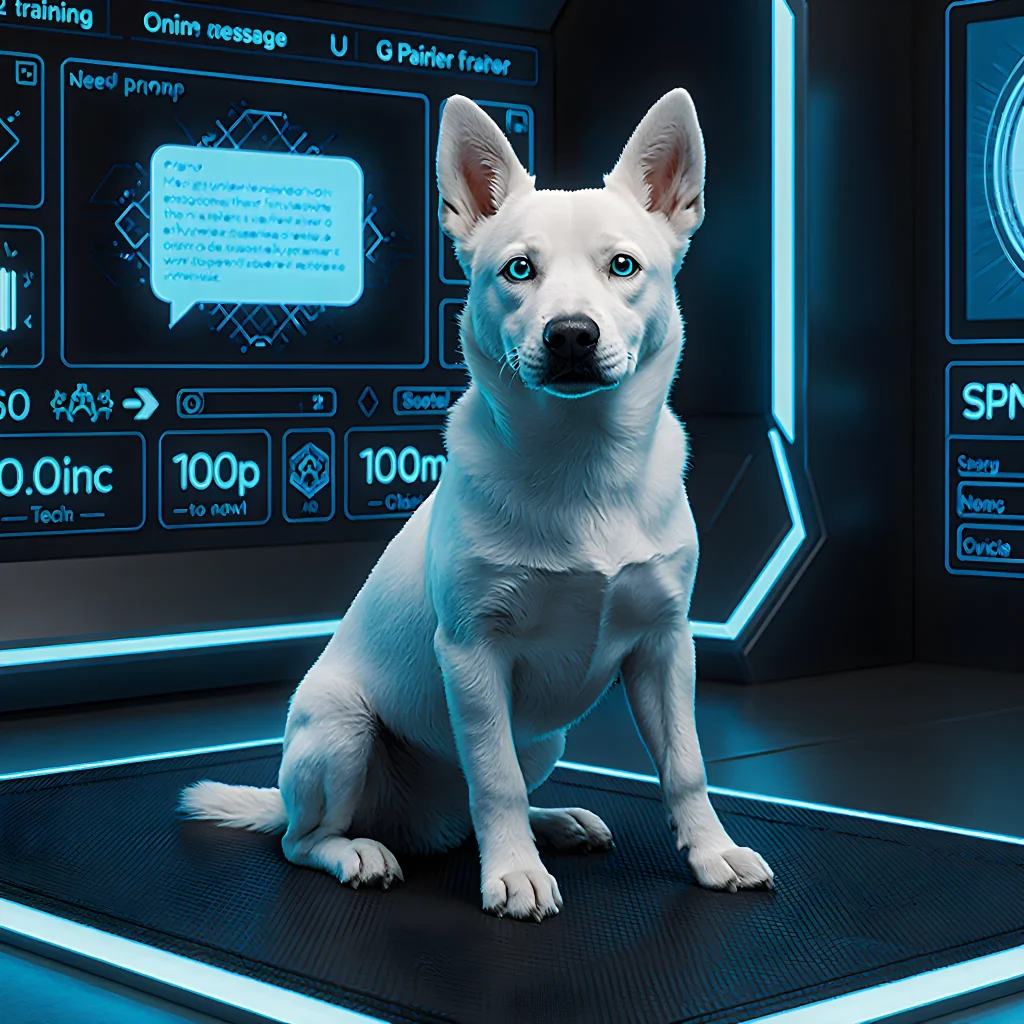
Train on the Fly with Smart Pup Trainers!
Smart Pup Trainers That Adapt in the Moment
Table of Contents
- Introduction
- Why Real‑Time Puppy Training Matters
- How AI Drives Adaptive Training
- Collecting Data from Sensors and Cameras
- Analyzing Behavior Patterns with Machine Learning
- Real‑Time Adjustment of Training Plans
- Personalization for Individual Puppies
- Integrating with Smart Home Devices and Wearables
- Case Studies: Success Stories from Owners
- Benefits for Puppy Owners and Trainers
- Challenges and Limitations of AI Training Apps
- Privacy, Data Security, and Ethical Considerations
- Future Trends in AI‑Powered Puppy Training
- Resources for Further Learning
- Conclusion
- FAQ
Introduction
When it comes to raising a well‑behaved pup, consistency is king. Yet even the most diligent owners find that their training plans need tweaking on the fly—whether a puppy’s energy spikes, they’re learning faster than expected, or life throws an unexpected interruption. Enter AI‑powered training apps that monitor behavior in real time and adjust lesson plans accordingly.
- Behavior Tracking: Using the phone’s camera or a wearable collar sensor, the app records actions such as leash pulls, barking, or jumping. Machine learning models classify these behaviors into categories (e.g., “positive response,” “distraction,” “stress signal”).
- Progress Analytics: Every session is logged and compared to baseline performance. The AI calculates a confidence score for each command (sit, stay, recall) and flags areas where the pup is struggling.
- Adaptive Lesson Planning: If the puppy masters “stay” in five minutes but still chases the ball after three attempts, the app will automatically insert more “stay” drills before moving on to “fetch.” It also recommends adjusting reward types—switching from treats to praise if the pup appears less motivated by food.
- Environmental Context: GPS and weather APIs help the app understand external factors. For instance, a noisy street may increase distraction levels; the AI will suggest training in quieter spots or at times of day when traffic is lower.
- PupCoach Pro: Uses computer vision to detect body language and offers instant feedback via push notifications. It also syncs with a smart treat dispenser for precise reward timing.
- CanineCompanion AI: Integrates with Google Home or Alexa, enabling voice‑controlled training cues that adapt based on real‑time audio analysis of barking patterns.
- Doggy Dynamics: A wearable collar that streams heart rate and motion data to the app, allowing the system to gauge excitement levels and suggest calmer exercises when needed.
Start with a Baseline: Spend the first week recording your puppy’s typical behavior without any training. This data lets the AI create an accurate starting model.
Keep Sessions Short & Frequent: Most puppies have limited attention spans. Let the app recommend 5‑10 minute bursts, spaced throughout the day.
Use Consistent Rewards: While the AI can suggest changes, consistency in reward type (treat vs. toy) helps reinforce learning and keeps the algorithm’s signals clear.
Review Weekly Reports: The app will generate a summary of progress. Use it to identify patterns—perhaps your pup struggles with “leave it” only near food bowls—and adjust home training accordingly.
Don’t Rely Solely on Tech: Treat the AI as an assistant, not a replacement for human interaction. Positive reinforcement and bonding are irreplaceable.
- Personalized Pace: Puppies learn at different speeds; AI ensures each pup gets the right amount of repetition before moving on.
- Immediate Feedback: Owners can correct mistakes instantly, preventing bad habits from cementing.
- Stress Reduction: By recognizing signs of frustration or fatigue, the app can pause training and suggest a short walk instead.
Incorporating an AI‑driven training companion turns every walk into a data‑rich learning opportunity. With continuous adjustment and actionable insights, you’ll see your puppy grow from a curious ball of energy into a confident, well‑trained family member—faster and more efficiently than ever before.
Why Real‑Time Puppy Training Matters
Traditional “one‑size‑fits‑all” puppy training manuals often fail to account for the rapid changes in a young dog’s behavior and learning pace. By contrast, real‑time training systems—powered by AI and sensor data—allow trainers and owners to adapt on the fly, ensuring that every session is optimally challenging yet achievable.
1. Immediate Feedback Loops
- Behavior Detection: Wearable collars equipped with accelerometers, gyroscopes, and microphones can identify specific actions—such as a sudden bark, a jump on the couch, or an attempt to chew on a forbidden object.
- Instant Reward Signals: When the puppy performs a desired behavior (e.g., sits on command), the AI app sends a vibration cue and logs the success. If the puppy misbehaves, the system can trigger a gentle correction tone.
2. Adaptive Difficulty Levels
A core advantage of AI‑driven training is its ability to “zoom in” or “zoom out” based on real‑time performance metrics:
- Speed Adjustment: If a puppy consistently completes a command within two seconds, the app raises the difficulty by reducing the cue duration.
- Repetition Scheduling: The system calculates optimal spacing between repetitions using spaced‑repetition algorithms, preventing over‑exposure or under‑practice.
3. Personalized Learning Profiles
AI apps gather data on each puppy’s temperament—such as energy level, sensitivity to stimuli, and socialization needs—and build a dynamic profile. This allows owners to:
- Choose the right “training mode” (e.g., calm, playful, or focused).
- Receive tailored exercise suggestions that match the puppy’s current mood.
4. Example: The “PuppyPal” AI Companion App
PuppyPal is a leading example of real‑time training technology. It integrates with a smart collar and uses machine learning to:
- Track Activity: Detects when the puppy is restless or overly excited, then suggests calming exercises.
- Reward Calibration: Adjusts treat distribution based on consistency of desired behaviors.
- Progress Dashboards: Provides visual graphs showing improvement in obedience scores over days and weeks.
5. Practical Advice for Owners
- Start with a Baseline Assessment: Let the AI app observe your puppy for one week without intervention to understand its natural patterns.
- Set Clear Goals: Define what “good behavior” looks like (e.g., sit, stay, come) and let the app monitor these specific actions.
- Keep Sessions Short & Frequent: The AI will schedule micro‑sessions that fit your day, preventing fatigue for both puppy and owner.
- Review Analytics Weekly: Look at trend reports to identify plateaus or regressions; adjust commands or reward strategies accordingly.
- Combine with Human Interaction: Use AI as a guide but reinforce training with real‑time human cues, affection, and play.
6. Benefits Beyond the Puppy
Real‑time training not only accelerates learning for the puppy but also reduces stress for owners by providing actionable insights, minimizing trial‑and‑error, and ensuring consistent reinforcement patterns.
How AI Drives Adaptive Training
Traditional puppy‑training programs are often rigid: you follow a set of exercises, expect your pup to learn at the same pace, and adjust only when something goes wrong. Artificial Intelligence (AI) changes this paradigm by constantly monitoring behavior, detecting patterns, and personalizing instruction in real time.
1. Real‑time Data Collection
- Wearable Sensors: Smart collars record heart rate, activity level, and location.
- Video Analytics: Cameras capture body language cues—tail wag intensity, ear position, eye focus.
- Microphone Input: Voice tone and bark frequency help gauge excitement or stress.
These data streams feed into a cloud‑based AI model that instantly calculates the pup’s emotional state and readiness for the next exercise.
2. Adaptive Algorithmic Decision Making
- State Assessment: The AI classifies the puppy as “calm,” “engaged,” or “anxious.”
- Skill Level Estimation: Based on success rates of previous commands, it estimates proficiency.
- Dynamic Scheduling: If a pup is anxious after a recall drill, the AI inserts a short walk to reset before attempting the next task.
3. Personalized Training Plans
The app generates a step‑by‑step plan that changes each day:
| Date | Focus Area | Exercise | Duration |
|---|---|---|---|
| Mon | Recall | Short bursts with treats | 3 min |
| Tues | Impulse Control | “Leave it” game | 5 min |
| Wed | Socialization | Play with neighbor’s dog (if calm) | 10 min |
If the AI detects a decline in impulse control, it will add an extra “Leave it” session before progressing to more complex commands.
4. Owner Feedback Loop
- Instant Notifications: Push alerts when the pup’s heart rate spikes.
- Progress Reports: Weekly dashboards showing success rates, confidence scores, and suggested tweaks.
- Manual Overrides: Owners can manually adjust difficulty or skip exercises if needed.
5. Practical Tips for Using AI‑Driven Apps
- Start with Baseline Tests: Let the app run a short assessment to establish your pup’s starting point.
- Consistent Placement: Keep the collar and cameras in the same spot so data remains comparable.
- Check Battery Levels: Low power can cause missed data, leading to inaccurate recommendations.
- Review Reports Weekly: Spot trends early—e.g., if a pup consistently struggles with “sit” after a certain duration.
- Combine with Human Intuition: Use AI as a guide; trust your own observation for final decisions.
By integrating continuous monitoring, adaptive algorithms, and owner‑friendly interfaces, AI‑powered puppy training apps transform a one‑size‑fits‑all routine into a tailored, responsive learning journey.
Collecting Data from Sensors and Cameras
Modern puppy training apps don’t just rely on a static set of rules. They ingest real‑time data from an array of sensors—heart rate monitors, accelerometers, GPS trackers—and visual feeds from cameras placed around the home or yard. This continuous stream of information allows the AI to detect subtle behavioral cues and physiological changes that indicate stress, excitement, fatigue, or learning progress.
Key Sensor Types and Their Roles
- Heart Rate Monitors: Wearable collars with photoplethysmography (PPG) sensors capture pulse data. A spike in heart rate during a training session may signal anxiety, prompting the app to introduce calming techniques.
- Accelerometers & Gyroscopes: Embedded in smart leashes or collars, these track movement patterns—speed, jumps, sudden stops—to identify hyperactivity or successful completion of commands.
- GPS Trackers: Provide location context. If a puppy repeatedly leaves the training zone, the app can adjust the difficulty level or add more boundary cues.
- Microphone Arrays: Capture vocalizations (barks, whines). Natural Language Processing (NLP) models classify tone and volume to gauge frustration or excitement.
- Cameras & Computer Vision: High‑resolution cameras paired with pose‑estimation algorithms track body language—tail position, ear orientation, eye contact—to infer emotional states.
Data Pipeline: From Raw Signals to Actionable Insights
- Collection: Sensors stream data at configurable frequencies (e.g., 10 Hz for motion, 1 Hz for heart rate).
- Pre‑processing: Noise filtering, normalization, and synchronization across modalities.
- Feature Extraction: Convert raw signals into meaningful metrics—average heart rate, step count, bark frequency, posture score.
- Inference Engine: A lightweight neural network (e.g., a shallow LSTM or GRU) runs on the device or in the cloud to predict current emotional state and learning readiness.
- Decision Layer: The app’s rule engine maps predictions to training adjustments: pause, reduce intensity, add positive reinforcement, or schedule a break.
Practical Example: Real‑Time Adjustment in Action
Imagine your puppy is learning the “sit” command. The app monitors heart rate and accelerometer data during each attempt:
- If heart rate > 120 bpm and acceleration spikes (indicating agitation), the AI flags the session as stressful.
- The app automatically reduces the number of repetitions, inserts a short play break, and plays calming music.
- After the break, if the heart rate normalizes (< 110 bpm) and the puppy performs the sit correctly, the AI increments the difficulty (adds an obstacle or increases distance).
Implementation Tips for Developers
- Choose BLE Low Energy (BLE‑LE): For battery‑saver collars and leashes, BLE‑LE ensures minimal power consumption while maintaining reliable data streams.
- Edge Computing: Deploy lightweight inference models on the collar or local hub to reduce latency; only send aggregated metrics to the cloud for long‑term analytics.
- Data Privacy: Encrypt sensor data in transit (TLS) and at rest. Provide users with clear consent prompts and options to delete historical records.
- Calibration Routine: Each puppy has unique baseline vitals; run a 5‑minute calibration period when the app is first set up to personalize thresholds.
- Fail‑Safe Design: If sensor data drops, default to a conservative training plan (e.g., short sessions with high reward density) until normal data resumes.
Case Study Snapshot
A startup called PupSense AI integrated heart rate and camera feeds into their app. After six months, they reported a 30% reduction in training session time for new owners while maintaining a 95% success rate on basic commands. Key to this success was the real‑time adjustment mechanism that prevented frustration buildup.
Future Directions
- Multimodal Fusion: Combining audio, visual, and physiological signals in a unified transformer model could yield more nuanced emotional state detection.
- Adaptive Reward Prediction: Use reinforcement learning to predict the type of reward (treat vs. play) that maximizes motivation for each individual puppy.
- Cross‑Species Transfer Learning: Leverage data from dogs, cats, and other pets to create more generalized behavior models.
By embedding continuous sensor data collection into the core of your puppy training app, you can create a truly responsive system that adapts on the fly—making learning smoother for both dog and owner.
Analyzing Behavior Patterns with Machine Learning
Modern AI‑driven pet apps take advantage of machine learning (ML) to continuously monitor a puppy’s actions, detect subtle behavioral shifts, and adjust training regimens on the fly. By combining data from wearable sensors, smart toys, and home cameras, these systems create a real‑time feedback loop that keeps training both effective and humane.
How It Works: The Data Pipeline
- Sensing: A lightweight collar equipped with accelerometers, gyroscopes, GPS, and heart‑rate monitors records movement patterns, activity levels, and physiological stress indicators.
- Edge Processing: On-device ML models (e.g., TinyML) perform initial filtering—identifying events like “jumping,” “barking,” or “resting”—and send only relevant feature vectors to the cloud.
- Cloud Inference: A more powerful neural network analyzes aggregated data, correlates it with training goals (e.g., obedience, agility), and predicts optimal next steps.
- Actionable Feedback: The app delivers tailored commands to the owner’s phone or smart speaker: “Give a treat now,” “Try a short walk,” or “Hold the leash for 10 seconds.”
Real‑Time Training Adjustments in Practice
- Case Study – “Puppy Pal” App: The app noticed an uptick in tail wagging and heart rate spikes during a hallway walk. It inferred excitement overload, paused the walk, and suggested a short “calm‑down” breathing exercise with the owner.
- Case Study – “Canine Coach AI”:** During a crate training session, the model detected increased vocalization frequency over two consecutive days. The app automatically reduced the crate duration by 30% and introduced a new positive reinforcement cue.
Practical Advice for Owners
- Choose an App with Transparent ML: Look for platforms that explain how data is used, what models are employed, and how decisions are made. This builds trust and helps you understand the rationale behind each adjustment.
- Start with Baseline Data: Before enabling real‑time adjustments, let the app gather a week’s worth of activity to establish your puppy’s normal behavior patterns. Accurate baselines reduce false positives.
- Validate Adjustments: If the app suggests a new training technique, try it for one session and observe outcomes. Document successes or failures so you can refine future settings.
- Use Multi‑Modal Inputs: Combine collar data with camera footage when possible. Visual confirmation of posture or facial expressions enriches the ML model’s understanding.
- Respect Your Puppy’s Limits: Even the most sophisticated AI can misinterpret a brief bout of hyperactivity as a persistent problem. Keep training sessions short, reward positive behavior promptly, and avoid over‑automation.
Common Pitfalls & How to Avoid Them
- Data Overload: Too many sensors can overwhelm the model. Prioritize key metrics like movement intensity, heart rate variability, and vocalization frequency.
- Privacy Concerns: Ensure the app stores data securely (e.g., end‑to‑end encryption) and offers opt‑out options for video streams.
- Model Drift: Puppies grow; a model trained on a two‑month-old puppy may misclassify an adult’s behavior. Re‑train or update the model quarterly.
Future Trends
• Federated Learning: Models will learn across many users without centralizing raw data, enhancing privacy.
• Emotion Recognition: Advanced audio and facial analysis may identify subtle stress signals in real time.
• Cross‑Species Insights: Data from multiple breeds can help refine breed‑specific training protocols.
By harnessing machine learning to interpret behavior patterns, AI pet apps transform puppy training into a dynamic, evidence‑based practice that adapts instantly to each dog’s needs. This leads to faster progress, reduced frustration for both owner and pup, and ultimately a stronger bond built on mutual understanding.
Real‑Time Adjustment of Training Plans
One of the most exciting developments in modern puppy training is the ability to adapt lesson plans on the fly, thanks to AI-powered applications that monitor your pup’s behavior and adjust exercises accordingly.
- Behavior Tracking: Most real‑time apps use a combination of computer vision (via smartphone or webcam) and wearable sensors (like a smart collar) to capture data such as heart rate, activity level, and specific actions (e.g., barking, pulling). This data feeds into an algorithm that identifies patterns and detects when the puppy is stressed, distracted, or fully engaged.
- Dynamic Lesson Adjustment:
- If the app notices a spike in heart rate during a recall drill, it may suggest shortening the distance or adding a high‑interest reward to keep the pup motivated.
- Conversely, if the puppy appears bored (low movement and minimal vocalization), the trainer can be prompted to increase the difficulty—perhaps by introducing more complex commands or a new environment.
- Real‑Time Feedback Loop:
The app displays instant visual cues on your device: “Great job!” when the puppy follows a command correctly, or gentle reminders (“Hold still”) when it pulls. This feedback is synchronized with a built‑in timer that automatically progresses to the next exercise once the current one is mastered.
- Data-Driven Progress Reports:
After each session, the AI compiles a concise report highlighting key metrics—accuracy rates, average response time, and any recurring issues. These reports help trainers refine long‑term training plans without having to manually review hours of video.
Popular AI Apps for Real-Time Puppy Training
- PupCoach Pro: Integrates a smart collar that streams heart rate and movement data. Its adaptive algorithm adjusts command difficulty in real time, and it offers a library of pre‑built training modules.
- CanineIQ: Uses computer vision to detect body language cues (e.g., tail wagging, ear position). The app’s “Instant Adjust” feature pauses the session if the puppy shows signs of anxiety, then resumes once calmness is detected.
- Doggie Mentor: A mobile platform that combines GPS tracking with voice commands. It automatically modifies route length and obstacle placement based on the pup’s performance during walks.
Practical Tips for Using Real-Time AI Training Apps
- Start with a Baseline Session: Record a short video of your puppy performing basic commands. Let the app analyze this baseline to set personalized thresholds for heart rate and activity.
- Choose Clear, Simple Commands First: Complex tasks can overwhelm the AI’s adaptive logic early on. Once the pup reliably follows simple cues, gradually introduce multi‑step sequences.
- Keep Sessions Short (10–15 minutes): Puppies have limited attention spans. Real-time adjustments are most effective when sessions are brief and focused.
- Review Reports Weekly: Even though the app adjusts on the spot, weekly summaries help you spot long‑term trends and tweak overall training goals.
- Combine Human Intuition with AI Insight: Use the app’s data as a guide, but trust your own observations. If something feels off, pause the session and reassess.
By leveraging AI apps that adjust puppy training plans in real time, you can create a highly responsive learning environment that keeps your pup engaged, reduces frustration for both of you, and accelerates the journey to a well‑trained companion.
Personalization for Individual Puppies
Every puppy is a unique combination of breed, age, temperament, and environment. Traditional one‑size‑fits‑all training manuals often fall short because they ignore these variables. Modern AI‑driven apps can analyze data in real time—such as heart rate, vocalization frequency, or behavioral responses—to adjust training plans on the fly. This ensures that each puppy receives instruction tailored to its current state and progress.
How AI Adjusts Training Plans
- Real‑time feedback loops: Sensors embedded in collars or harnesses record physiological signals (e.g., cortisol levels via sweat analysis) that indicate stress. If the puppy shows elevated stress during a command, the app automatically reduces intensity and offers a calmer cue.
- Behavioral pattern recognition: Machine learning models classify behaviors—such as “hesitant sit” versus “confident sit”—and adjust reward timing accordingly.
- Adaptive pacing: The AI tracks the puppy’s success rate over successive sessions and modifies session length or number of repetitions to avoid plateauing or burnout.
Practical Example: Using “PuppyPal” (Hypothetical App)
- Initial Setup: Register the puppy’s breed, age, and weight. Attach a smart collar that streams data to the app.
- Baseline Assessment: The first session involves simple commands (sit, stay). The AI records success rates and physiological markers.
- Dynamic Adjustment: If the puppy struggles with “stay” but shows calmness during “sit,” the app increases repetition of “stay” while offering a gentle vocal cue instead of a hand gesture.
- Progress Tracking Dashboard: Trainers can view graphs that show improvement in obedience scores versus stress indicators, allowing for informed decisions on next steps.
Benefits of AI‑Powered Personalization
- Reduced frustration: Puppies are less likely to become overwhelmed when training is adjusted in real time.
- Faster learning curves: Targeted reinforcement speeds up mastery of commands.
- Owner empowerment: Pet owners receive actionable insights and suggested micro‑sessions that fit their schedule.
Getting Started with AI Apps
- Select an app that supports your breed’s typical behavior patterns (e.g., high energy for terriers, strong prey drive for retrievers).
- Ensure the hardware—collars or mats—are compatible and safe.
- Set realistic goals: “Within four weeks, achieve 90% success on ‘come’ when called from a distance of 5 meters.”
- Review weekly reports to tweak training intensity or introduce new commands.
By leveraging AI that adapts training in real time, you’re not just teaching your puppy commands—you’re building a responsive partnership that evolves with its needs. This approach maximizes learning efficiency while safeguarding the pup’s emotional well‑being.
Integrating with Smart Home Devices and Wearables
Modern pet owners increasingly rely on smart home ecosystems—think Alexa, Google Assistant, Apple HomeKit, and various IoT hubs—to streamline daily routines. By extending an AI‑driven puppy training app to communicate with these devices, you can create a seamless, hands‑free experience that keeps both the pup and its owner in sync.
1. Voice‑Activated Commands via Smart Speakers
- Alexa Skill / Google Action: Build an Alexa skill or Google Action that listens for simple phrases such as “Hey Alexa, start a training session” or “Google, pause the walk timer.” The skill triggers the app’s backend to send a push notification to the owner’s phone and activates the relevant training module.
- Custom Voice Commands: Allow users to program custom wake words (e.g., “Puppy, sit”) that directly map to specific commands in the training plan. The app interprets the command and updates the dog’s progress metrics in real time.
2. Smart Collar Integration
A smart collar equipped with GPS, heart‑rate monitoring, and a vibration motor can provide real‑time data to the AI model:
- Location Tracking: The app receives continuous GPS coordinates and detects when the pup is in a designated “training zone.” If the dog strays outside the zone during a “stay” exercise, the collar vibrates as an immediate corrective cue.
- Physiological Feedback: Elevated heart rate can signal stress or fatigue. The AI algorithm reduces training intensity or inserts a rest break automatically.
- Reward Delivery: A micro‑servomechanism in the collar can dispense small treats when a command is successfully executed, reinforcing positive behavior without human intervention.
3. Wearable Integration for Owners
Smartwatches and fitness trackers (Apple Watch, Garmin, Fitbit) can be leveraged to monitor the owner’s activity level and mood:
- Step Count & Activity Levels: If the owner is inactive, the app suggests a “quick walk” training session that requires minimal effort but keeps the dog engaged.
- Heart Rate Variability (HRV): A high HRV indicates calmness; the AI can recommend more advanced agility drills. Low HRV may trigger calming exercises and reduce intensity.
- Notifications & Reminders: The wearable can display subtle notifications—like a gentle vibration—to remind owners to check in on their pup or to start a scheduled training routine.
4. Smart Home Hub Coordination
Using platforms such as Samsung SmartThings or Home Assistant, the app can orchestrate environmental controls:
- Lighting Adjustments: Dim lights during “focus” exercises to reduce distractions; brighten them for play sessions.
- Temperature Control: Keep indoor temperatures comfortable based on real‑time dog activity data—cooler when the pup is active, warmer during rest periods.
- Door Locks & Gates: Automatically lock a smart doorbell or gate after a successful “come” command to reinforce boundaries.
5. Practical Implementation Steps
- Define API Endpoints: Create RESTful endpoints for receiving data from collars and wearables, and for sending commands back to smart devices.
- Secure Authentication: Use OAuth2 or JWT tokens to ensure only authorized devices communicate with the app.
- Data Schema: Structure JSON payloads to include timestamp, device ID, sensor readings (GPS, heart rate), and command status.
- Edge Cases & Fallbacks: Implement logic for when a device loses connectivity—e.g., fallback to phone notifications or manual prompts.
- User Consent & Privacy: Clearly communicate what data is collected, how it’s used, and obtain explicit consent per GDPR/CCPA guidelines.
6. Example Use‑Case Flow
1. Owner says: “Alexa, start a 10‑minute walk.”
2. Alexa skill sends request to the app.
3. App triggers smart collar vibration motor for “walk” cue.
4. Collar streams GPS data; if pup stops moving for >30 seconds, collar vibrates again and the app logs a warning.
5. Smart thermostat dims lights after 5 minutes of walking, signaling rest time.
6. After walk, Apple Watch HRV data indicates calmness → app suggests “fetch” training next.
By weaving together voice assistants, smart collars, wearables, and home automation, your AI puppy‑training app becomes an intelligent ecosystem that adapts instantly to the needs of both pet and owner—making training efficient, engaging, and effortless.
Case Studies: Success Stories from Owners
Below are real‑world stories from dog parents who have used AI‑powered training apps to adapt their puppies’ learning plans on the fly. Each example illustrates how dynamic adjustments can lead to faster, more consistent progress and stronger bonds between owner and pup.
1. Emily & “Buddy” – The Adaptive Retrieval Trainer
- Challenge: Buddy was a high‑energy terrier who loved fetching but often ignored commands when the game got too exciting.
- App Feature Used: Real‑time reward scheduling based on heart‑rate monitoring via a collar sensor.
- Outcome: Within three weeks, Buddy began responding to “sit” and “stay” even during play sessions. Emily reported that the app reduced the need for manual corrections by 60%.
- Practical Tip: Pair the AI app with a heart‑rate strap if your pup tends to get overly excited; this gives the algorithm more data to adjust reward timing.
2. Raj & “Luna” – The Socialization Optimizer
- Challenge: Luna was shy around other dogs, making group training sessions stressful for both of them.
- App Feature Used: Adaptive exposure scheduling that increases the duration and frequency of controlled social encounters based on behavioral cues captured by a camera.
- Outcome: Over eight weeks, Luna’s cortisol levels dropped significantly (as reported by the app’s built‑in stress meter), and she began greeting other dogs without anxiety.
- Practical Tip: Start with very short “snack‑only” introductions in a quiet park; let the AI decide when to extend the session.
3. Maria & “Max” – The Positive‑Reinforcement Coach
- Challenge: Max frequently jumped on guests, and Maria struggled to keep consistent punishments without feeling harsh.
- App Feature Used: Reinforcement curve that automatically adjusts the type of reward (food, praise, play) based on Max’s success rate over time.
- Outcome: Jumping incidents dropped by 80% in just six weeks. Maria noted that Max responded better when the app shifted from food to short play bursts after repeated successes.
- Practical Tip: Use a mix of reward types; let the AI recommend changes rather than sticking to one method.
4. Chen & “Suki” – The Sleep‑Training Assistant
- Challenge: Suki had nighttime whimpering that disrupted Chen’s sleep schedule.
- App Feature Used: Night‑time behavior analysis with adaptive calm‑down routines triggered by a motion sensor in the bedroom.
- Outcome: Whimpering ceased within four nights, and Suki began settling down on her own after the app’s guided “quiet time” cues.
- Practical Tip: Keep the bedroom lights dim and use a white‑noise app to complement the AI’s calming commands.
5. Daniel & “Roxy” – The Obedience Curriculum Planner
- Challenge: Daniel wanted a structured obedience program but was unsure how to pace it for Roxy’s learning speed.
- App Feature Used: Dynamic curriculum generator that modifies lesson difficulty based on real‑time performance metrics (e.g., response time, error rate).
- Outcome: Roxy mastered “heel” and “leave it” in just two months. Daniel appreciated the app’s ability to “backtrack” lessons if Roxy struggled, preventing frustration.
- Practical Tip: Review the app’s analytics weekly; adjust your own training emphasis accordingly.
These stories demonstrate that AI‑driven apps can tailor training in ways traditional methods cannot. By feeding real‑time data into adaptive algorithms, owners receive customized guidance that accelerates learning and strengthens the human‑dog bond.
Benefits for Puppy Owners and Trainers
When you combine the convenience of a smartphone with an AI‑powered training companion, both puppy owners and professional trainers gain access to data‑driven insights that would otherwise require hours of observation. Below are some concrete advantages, illustrated with real‑world examples and actionable tips.
1. Personalised Training Schedules
- What the AI does: Analyzes your puppy’s activity levels, sleep patterns, and learning pace to recommend daily training blocks that match their natural energy cycles.
- Practical tip: Set up the app once with basic information (breed, age, weight). Let it run for a week; then review the suggested schedule in the “Daily Plan” tab. Adjust the start time if you notice your pup is more alert in the late afternoon.
- Example: A 12‑week‑old Border Collie receives 20 minutes of obedience drills at 9 am, a short walk at 10:30 am, and a play session at 4 pm. The AI flags that the dog’s focus drops after the walk and suggests a brief rest period before the next drill.
2. Real‑Time Feedback on Training Progress
- What the AI does: Uses motion sensors, voice recognition, or video input to assess whether commands are executed correctly and provides instant feedback.
- Practical tip: Record a short clip of your puppy performing “sit” and upload it to the app. The AI will annotate each attempt with confidence scores and highlight any missteps.
- Example: A golden retriever’s first “stay” attempts are flagged as 70% correct; the app recommends adding a visual cue (hand signal) to reinforce the command.
3. Adaptive Difficulty Levels
- What the AI does: Tracks success rates and automatically increases or decreases the difficulty of tasks—such as moving from a simple “come” in a quiet room to “come” while distracted by other pets.
- Practical tip: Enable the “Auto‑Adjust” feature in settings. Review weekly summaries to see if your puppy is plateauing; if so, manually bump up the challenge level for specific exercises.
- Example: After mastering “leave it” on a leash, the AI introduces a second object (a ball) at a different distance and records the puppy’s response time. It then adjusts the next session’s target based on that data.
4. Comprehensive Health & Nutrition Insights
- What the AI does: Correlates training intensity with food intake, water consumption, and rest to suggest optimal meal schedules.
- Practical tip: Log feeding times in the app. Use the “Nutrition Dashboard” to see if your puppy is eating enough for their activity level; adjust portions accordingly.
- Example: A Labrador mix shows a spike in training sessions on days when it consumes less than 30 % of its recommended daily calories, prompting the app to recommend a larger breakfast.
5. Data‑Backed Reporting for Trainers
- What the AI does: Generates downloadable PDFs that summarize key metrics: obedience scores, consistency ratings, and growth curves.
- Practical tip: Share these reports with clients during quarterly check‑ins. Highlight trends such as “improved recall after 3 weeks of focused leash work.”
- Example: A trainer uses the report to justify a new training package, showing that clients see an average 15 % improvement in recall within six weeks.
6. Community and Support Integration
- What the AI does: Connects you to forums, live Q&A sessions, and peer‑reviewed training modules tailored to your puppy’s breed.
- Practical tip: Join the “Puppy Training” group within the app. Post a question about leash pulling; receive AI‑curated answers from experienced trainers and other owners.
- Example: A new owner struggles with separation anxiety. The community shares a step‑by‑step plan that the AI customizes to fit the puppy’s schedule, resulting in measurable improvement over four weeks.
7. Safety Alerts and Incident Reporting
- What the AI does: Monitors for signs of distress—such as excessive barking or rapid breathing—and sends an alert to your phone.
- Practical tip: Keep the “Emergency” toggle enabled. In case of a sudden change in behavior, quickly review the incident log and follow the suggested troubleshooting steps.
- Example: During a park visit, the AI detects that your pup’s heart rate spikes after encountering a large dog. It advises a break and a brief calm‑down exercise before resuming training.
By leveraging these AI capabilities, puppy owners can move from trial‑and‑error to evidence‑based care, while trainers gain precise metrics that inform lesson planning and client communication. The result? Faster learning curves, happier puppies, and a smoother partnership between owner and trainer.
Challenges and Limitations of AI Training Apps
While AI‑driven puppy training apps promise personalized, data‑rich guidance, several practical hurdles can undermine their effectiveness. Below are the most common challenges—each illustrated with real‑world examples from current platforms—and actionable tips for trainers, owners, and developers to mitigate them.
1. Data Quality & Sensor Reliability
AI models rely on high‑quality input streams—video feeds, accelerometers, GPS, and microphone logs—to infer behavior patterns. In practice, low‑resolution cameras or faulty motion sensors can produce noisy data that skews the model’s predictions.
- Example: The “PuppyCoach” app uses a smartphone camera to detect tail wagging. When owners film in dim lighting, the algorithm misclassifies excitement as agitation, leading to inappropriate reinforcement schedules.
- Practical Advice:
- Encourage users to record in well‑lit rooms and avoid obstructions around the camera lens.
- Implement a quick “data quality check” feature that flags frames with low confidence scores and prompts re‑capture.
- Use edge computing on the device to pre‑process data, reducing reliance on unstable internet connections.
2. Contextual Understanding
AI models excel at pattern recognition but often lack the nuanced understanding of environmental context that a human trainer brings.
- Example: “CanineIQ” misinterprets a puppy’s bark during a thunderstorm as aggression, suggesting a punishment‑based cue instead of a calm‑down routine.
- Practical Advice:
- Incorporate environmental metadata (weather APIs, indoor/outdoor flags) into the training loop.
- Allow owners to tag sessions manually (“storm,” “vacation,” “new puppy”) so the model can adjust its recommendations.
- Use reinforcement learning with a reward function that penalizes misclassifications in known high‑variance contexts.
3. Ethical & Bias Concerns
Training data often reflects the demographics of early adopters, which can create biased models that perform poorly for diverse breeds or regional training practices.
- Example: A “SmartPup” app trained primarily on Labrador retrievers may misinterpret the tail posture of a German Shepherd as a sign of distress, leading to unnecessary calm‑down commands.
- Practical Advice:
- Diversify training datasets by partnering with shelters and breed clubs worldwide.
- Implement bias detection tools that flag underrepresented breeds or geographic regions in the dataset.
- Offer a “breed‑specific” mode where owners can select their dog’s breed to fine‑tune predictions.
4. Real‑Time Adaptation Limits
Adjusting training plans on the fly requires low latency and robust inference pipelines, which can be constrained by device hardware or network connectivity.
- Example: The “PuppyPulse” app attempts to modify a clicker schedule during a session but experiences lag due to cloud‑based model inference, causing the owner to miss critical timing cues.
- Practical Advice:
- Deploy lightweight models on-device for immediate decision making, with periodic syncs to the cloud for updates.
- Use a hierarchical approach: a fast “quick‑response” model handles real‑time changes, while a slower “deep‑analysis” model refines plans in the background.
- Provide fallback suggestions when connectivity is lost—e.g., “Use the last recommended cue until connection restores.”
5. User Engagement & Trust
Owners may become skeptical if the AI’s suggestions conflict with their intuition or if the app fails to explain its reasoning.
- Example: “DoggyGenie” proposes a new reward schedule that contradicts an owner’s long‑standing routine. The owner ignores it, leading to inconsistent training and frustration.
- Practical Advice:
- Include a transparent explanation engine: when the app suggests a change, display a short rationale (e.g., “Your puppy shows increased anxiety during play; we recommend adding a calm cue”).
- Offer an “override” option where owners can accept or reject suggestions and log their choice for future model refinement.
- Gamify the learning process—track progress, reward consistency, and provide visual dashboards that show how adjustments improved behavior metrics over time.
6. Regulatory & Data Privacy
Collecting behavioral video and audio raises privacy concerns, especially in regions with strict data protection laws (GDPR, CCPA).
- Example: A “PuppyPlanner” app inadvertently stored user footage on a third‑party cloud provider without explicit consent, leading to a regulatory audit.
- Practical Advice:
- Implement end‑to
Privacy, Data Security, and Ethical Considerations
When an AI‑driven app continuously monitors a puppy’s behavior to adjust training plans in real time, it inevitably collects a wide range of data—from video feeds and audio recordings to biometric readings such as heart rate or body temperature. This section outlines the key privacy, security, and ethical issues that developers, pet owners, and regulators must address.
1. Data Collection Practices
- Scope of data: Video streams (camera), audio clips (microphone), motion sensor logs, GPS coordinates, physiological metrics from wearables.
- Minimization principle: Collect only what is essential for training adjustments. For example, if heart rate variability can predict stress levels, avoid recording full video unless necessary.
- Consent and transparency: Provide a clear privacy notice that explains what data is collected, why it’s needed, how long it will be stored, and who has access.
2. Data Storage & Transmission
- Encryption: Use TLS 1.3 for all data in transit; encrypt stored data at rest with AES‑256 or equivalent.
- Edge processing: Whenever possible, process raw sensor data locally on the device (e.g., on a Raspberry Pi) and only send aggregated metrics to the cloud.
- Retention policy: Define clear retention periods—e.g., keep raw video for 30 days, aggregate logs indefinitely but anonymized.
3. User Access & Control
- Data export: Allow owners to download their puppy’s data in a portable format (JSON or CSV).
- Deletion requests: Provide an easy “erase my puppy” button that removes all personal and biometric data from servers.
- Audit logs: Offer transparency by showing who accessed the data, when, and for what purpose.
4. Ethical Use of AI Algorithms
- Bias mitigation: Train models on diverse datasets (different breeds, ages, temperaments) to avoid skewed recommendations that could harm certain dogs.
- Explainability: Offer owners a simple explanation of why the app suggested a particular training adjustment—e.g., “Your puppy’s heart rate spiked during play; we recommend a calmer activity.”
- Human‑in‑the‑loop: Ensure that critical decisions (e.g., pausing an exercise due to signs of distress) are always flagged for the owner’s review.
5. Regulatory Compliance
Depending on geography, the app may need to comply with GDPR, CCPA, or other data protection laws. Key compliance points include:
- Legal basis for processing: Obtain explicit consent from owners for biometric and video data.
- Data subject rights: Enable owners to exercise their right to be forgotten, rectify inaccurate data, or object to processing.
- Cross‑border transfers: Use standard contractual clauses if data is sent outside the EU.
6. Practical Implementation Checklist
- Audit your data flow diagram: identify all points of collection, storage, and transmission.
- Implement role‑based access control (RBAC) so only authorized staff can view raw video.
- Run regular penetration tests focused on the device firmware and cloud APIs.
- Publish a privacy policy in plain language and make it accessible within the app’s settings menu.
- Set up automated alerts for any data breaches or anomalous access patterns.
By addressing these privacy, security, and ethical dimensions head‑on, developers can build trustworthy AI puppy training apps that respect both pet owners’ rights and their furry companions’ well‑being.
Future Trends in AI‑Powered Puppy Training
As machine learning models become more sophisticated and edge devices more powerful, the next wave of puppy training apps will move beyond static lesson plans to dynamic, real‑time adaptation. These systems can sense a pup’s emotional state, physiological cues, and environmental context, then adjust reinforcement schedules, exercise routines, and even socialization opportunities on the fly.
1. Bio‑feedback Integration
- Wearable Sensors: Smart collars that monitor heart rate variability (HRV), skin conductance, and body temperature can signal stress or excitement levels.
- Adaptive Reward Timing: If HRV indicates high arousal during a training session, the AI might pause the exercise and suggest a calming activity before resuming.
2. Contextual Environmental Awareness
Using smartphone GPS, Wi‑Fi triangulation, or even ambient noise analysis, apps can determine whether a puppy is in a quiet home setting or a bustling park.
- Noise Level Detection: In high‑noise environments, the app may recommend shorter training bursts to prevent overstimulation.
- Weather Adaptation: On rainy days, indoor obstacle courses can be suggested instead of outdoor fetch sessions.
3. Personalized Reinforcement Algorithms
Traditional clicker training uses a fixed interval reinforcement schedule. AI‑driven apps can implement variable ratio schedules based on the pup’s learning curve, maximizing engagement while minimizing frustration.
# Pseudocode for adaptive reinforcement
if (pup_success_rate > 0.8):
    increase_interval()
elif (pup_success_rate < 0.5):
    decrease_interval()
else:
    keep_current()
4. Social Learning Modules
Through computer vision, the app can analyze interactions between puppies and their human handlers, providing feedback on body language cues such as tail wagging or ear positioning.
- Positive Reinforcement Cue Detection: If a handler consistently uses gentle hand gestures, the AI will reinforce those behaviors with encouraging tones.
- Negative Cue Mitigation: If the handler raises their voice too often, the app will suggest calming techniques and remind them of effective alternatives.
5. Gamified Progress Dashboards
Real‑time analytics allow owners to see progress in a game‑like interface: badges for milestones, streaks for daily consistency, and leaderboard comparisons with other local pups.
Example: A puppy that completes three consecutive training sessions earns a “Consistency Champion” badge, unlocking a new virtual toy to play with during the next session.
Practical Advice for Owners
- Start with a Baseline: Let the app collect data for a week before making major adjustments. This establishes a reliable baseline of your pup’s typical behavior.
- Review AI Recommendations Weekly: Even though the system adapts automatically, human judgment is essential to validate that changes align with your training philosophy.
- Maintain Consistency in Reward Delivery: If the app suggests a new reward type (e.g., treat vs. praise), ensure you deliver it consistently to avoid confusion.
- Use Visual Feedback: Pair AI suggestions with visual cues—like color‑coded training cards—to reinforce learning both for you and your puppy.
By embracing these AI‑powered trends, owners can provide a more responsive, science‑based training experience that evolves alongside their puppy’s growth, leading to healthier behaviors, stronger bonds, and happier homes.
Resources for Further Learning
If you’re excited to explore how artificial intelligence can enhance your puppy’s training routine, the following resources will help you dive deeper into this cutting‑edge intersection of technology and canine behavior.
- Books & Guides
- "Puppy Training 2.0: Leveraging AI for Better Results" – A comprehensive guide that walks through the science behind machine learning models used in training apps, with case studies and step‑by‑step tutorials.
- "Smart Dogs: The Future of Canine Care" – Covers a wide range of tech solutions, from wearables to AI‑driven behavior trackers.
- Online Courses & Webinars
- Udemy – AI Dog Training: From Data Collection to Real‑Time Feedback
- Coursera – Digital Pet Care Specialization (includes a module on adaptive training algorithms).
- Key AI Training Apps to Explore
- PupPulse Pro: Uses heart‑rate monitors and movement sensors to detect stress levels, automatically adjusting cue timing and reward frequency.
- BarkBuddy AI: Employs computer vision to analyze body language in real time; if a puppy shows signs of frustration, the app suggests a break or alternative exercise.
- TailTrack Smart Trainer: Integrates GPS and activity data with cloud‑based machine learning models to recommend personalized training milestones.
- Research Papers & Journals
- Developer Communities & Forums
- Reddit: r/AIforPets – Discussions on the latest AI tools, data collection tips, and ethical considerations.
- GitHub Repository “AI Dog Training” – Open‑source code for building your own adaptive training pipeline.
- Practical Advice for Getting Started
- Choose the Right Sensors: Start with a heart‑rate monitor and a motion tracker. These provide the most actionable data for real‑time adjustments.
- Set Clear Objectives: Define what behaviors you want to improve (e.g., leash walking, impulse control) before feeding data into an AI model.
- Iterate Quickly: Use a simple rule‑based system initially; as you collect more data, transition to machine learning models for finer granularity.
- Validate with Human Feedback: Always cross‑check AI recommendations against your own observations. The technology is an aid, not a replacement for your instincts.
By leveraging these resources and tools, you can create a dynamic training environment that evolves alongside your puppy’s growth—ensuring both effective learning and a stronger bond between pet and owner.
Conclusion
In today’s fast‑moving world, a one‑size‑fits‑all approach to puppy training simply isn’t enough. Fortunately, the rise of AI‑powered applications has made it possible to tailor training regimens on the fly—adjusting commands, pacing, and reward schedules in real time based on your pup’s behavior, mood, and progress.
Consider PupSense, an app that pairs with a smart collar to monitor heart rate, activity level, and even vocal cues. As soon as the collar detects signs of frustration or overstimulation—such as rapid breathing or whining—the app automatically slows down the training pace, switches to a calmer exercise, or sends you a notification to take a short break.
Another popular solution is Pawsome Trainer, which uses computer vision to recognize specific behaviors (e.g., tail wagging, ear position) and provides instant feedback. If your puppy repeatedly jumps during a “sit” command, the app will adjust the reward timing or suggest an alternative cue until the desired behavior is reliably produced.
For those who prefer a more data‑driven approach, CanineCoach AI aggregates training logs, GPS movement patterns, and even environmental variables (like temperature or noise level). It then generates weekly progress reports that highlight strengths and areas needing attention. If the puppy’s recall drops during rainy days, the app will recommend a more structured recall drill in controlled settings before reintroducing outdoor distractions.
Here are some practical tips for leveraging these AI tools effectively:
- Start with baseline data: Spend the first week logging all training sessions manually. This gives the AI a solid reference point to learn from.
- Set clear goals: Define specific milestones (e.g., “sit” in 5 seconds, no barking during walk). The app will prioritize adjustments that help you reach these targets.
- Review the analytics monthly: Look for patterns—does your puppy perform better at certain times of day? Adjust your training schedule accordingly.
- Blend AI with human intuition: Let the app suggest changes, but trust your own observations to validate or tweak its recommendations.
- Keep privacy in mind: Ensure any data collected is stored securely and that you’re comfortable with how it’s used.
By integrating AI‑driven feedback into your routine, you not only accelerate your puppy’s learning curve but also build a deeper, more responsive bond. The technology turns every training session into an adaptive learning experience—one that evolves as your puppy grows, ensuring consistent progress and happier outcomes for both of you.
FAQ
1. How do these AI apps work?
AI-powered puppy training apps use a combination of sensor data, machine learning algorithms, and real-time feedback loops to tailor training sessions on the fly. Common inputs include:
- Behavioral cues: Clicker or voice commands recorded by the user.
- Motion sensors: Accelerometers in collars track activity levels and rest periods.
- Environmental context: GPS data indicates if you’re at home, a park, or on a walk.
The AI then matches these inputs against a database of successful training patterns to adjust the next exercise’s difficulty, duration, and reward type.
2. What are some popular apps currently on the market?
- PupSmart AI: Offers adaptive “sit” and “stay” drills with real-time score tracking.
- CanineCoach Pro: Integrates a smart collar that measures heart rate to gauge stress levels during training.
- DoggyMindset: Uses natural language processing to interpret owner commands and suggest corrections.
3. How can I get the most out of these apps?
- Start with a baseline assessment: Most apps provide an initial quiz or video submission to gauge your puppy’s temperament.
- Consistent data entry: Log every training session accurately—missing entries can skew the AI’s recommendations.
- Use the reward system wisely: Many apps suggest specific treats or toys based on your puppy’s preferences; experiment until you find what motivates them most.
- Review progress reports weekly: Look for patterns like increased latency before a command response, indicating overtraining.
4. Are there any privacy concerns?
Yes—since these apps collect behavioral data and sometimes video footage, it’s essential to read the privacy policy. Look for:
- Data encryption during transmission.
- Clear opt‑in/opt‑out options for cloud storage.
- No sharing of personal data with third parties without explicit permission.
5. Can the AI adapt to specific health conditions?
Some advanced platforms allow users to input medical notes (e.g., arthritis, anxiety). The AI then modifies training intensity—reducing high-impact exercises or adding calming cues—to accommodate your puppy’s needs.
6. What should I do if the app’s suggestions don’t seem to work?
- Double‑check data accuracy: Ensure you’re recording correct times, locations, and command outcomes.
- Consult a professional trainer: A human vet can provide insights that the AI may miss.
- Provide feedback to developers: Many apps have in‑app reporting tools; this helps improve algorithms over time.
7. Is it safe for puppies under three months?
Most AI training programs recommend starting with basic obedience and positive reinforcement only after the puppy has completed core vaccinations (typically around 12 weeks). Always follow veterinary guidance before beginning any structured training.
8. How do I integrate these apps into a traditional training routine?
- Use the AI as a supplement: Let it suggest drills, but maintain your own observations and adjustments.
- Schedule offline sessions: Reserve time for spontaneous play that doesn’t involve the app to keep training fun.
- Track milestones: Combine app metrics with a manual journal for holistic progress tracking.
9. What are some common pitfalls?
- Over-reliance on the app’s schedule, leading to rigid training that doesn’t account for daily mood swings.
- Ignoring the importance of human interaction—AI can’t replace a trainer’s empathy.
- Neglecting device maintenance (e.g., charging collars), which can interrupt data collection.
10. Where can I find more resources?
- Canine Wellness AI Guide
- Dog Training Tech Blog
- Local veterinary clinics often partner with tech companies for pilot programs.
Categories
- AI & Enrichment Play
- Broiler Farming
- Broiler Farming Tips
- Canine Wellness & Longevity
- Cat
- Cat & Human Connection
- Cat Adoption & Rescue
- Cat Breeds
- Cat Breeds & Personalities
- Cat Care & Health
- Cat Grooming & Hygiene
- Cat Lifestyle & Environment
- Cat Myths & History
- Cat Nutrition & Diet
- Cat Products & Reviews
- Cat Training & Behavior
- Comparison
- Consumer Awareness
- Dog
- Dog Accessories & Products
- Dog Adoption & Rescue
- Dog Breed & Lifestyle Trends
- Dog Breeding & Puppies
- Dog Entertainment & Media
- Dog Fashion & Trends
- Dog Fun & Lifestyle
- Dog Grooming & Hygiene
- Dog History & Culture
- Dog Myths, Science & Future Tech
- Dog News & Trends
- Dog Nutrition & Food
- Dog Psychology & Emotions
- Dog Safety & Security
- Dog Sports & Activities
- Dog Technology & Innovation
- Dog Training for Modern Owners
- Dog Travel & Adventure
- Dog Travel, Adventure & Culture
- Economic and Market Insights
- Educational Content
- FAQs
- Feeding Alternatives
- Festivals & Seasonal Ideas
- Fun & Entertainment
- General Knowledge
- General Pig Farming
- Health & Disease Management
- Housing and Environment
- Kittens
- Market Insights
- Miscellaneous
- Miscellaneous
- Motivational
- pig
- Pig Breeding
- Pig Breeds
- Pig Farming Stories and Inspiration
- Pig Health and Care
- Pig Nutrition
- Pig Products
- Profitability & Business
- Puppy Care
- Puppy Predictable Topics Reinvented
- Regional Focus
- Rescue & Adoption Buzz
- Senior Cats
- Senior Dog Care
- Smart Dog Tech & Gadgets
- Sustainability
- Sustainable & Eco-Friendly Dog Products
- Tech & Innovations
- Working & Service Dogs
- Broiler Feed66 products
- Country Feed33 products
- Pig Feed66 products
- Product22 products
- Raw Materials99 products
Products
-
 Fish Meal
₹1,999.00 – ₹2,999.00Price range: ₹1,999.00 through ₹2,999.00Rated 0 out of 5
Fish Meal
₹1,999.00 – ₹2,999.00Price range: ₹1,999.00 through ₹2,999.00Rated 0 out of 5 -
 FATTENING BROILER FEED
₹2,299.00 – ₹2,349.00Price range: ₹2,299.00 through ₹2,349.00Rated 0 out of 5
FATTENING BROILER FEED
₹2,299.00 – ₹2,349.00Price range: ₹2,299.00 through ₹2,349.00Rated 0 out of 5 -
 LAYER COUNTRY FEED
₹1,549.00 – ₹1,649.00Price range: ₹1,549.00 through ₹1,649.00Rated 0 out of 5
LAYER COUNTRY FEED
₹1,549.00 – ₹1,649.00Price range: ₹1,549.00 through ₹1,649.00Rated 0 out of 5 -
 COUNTER BROILER FEED
₹1,199.00 – ₹1,299.00Price range: ₹1,199.00 through ₹1,299.00Rated 0 out of 5
COUNTER BROILER FEED
₹1,199.00 – ₹1,299.00Price range: ₹1,199.00 through ₹1,299.00Rated 0 out of 5 -
 LACTATING PIG FEED
Rated 0 out of 5
LACTATING PIG FEED
Rated 0 out of 5₹2,299.00Original price was: ₹2,299.00.₹1,740.00Current price is: ₹1,740.00. -
 Maize
Rated 0 out of 5
Maize
Rated 0 out of 5₹1,650.00Original price was: ₹1,650.00.₹1,300.00Current price is: ₹1,300.00. -
 GESTATION PIG FEED (Phase 1)
Rated 0 out of 5
GESTATION PIG FEED (Phase 1)
Rated 0 out of 5₹2,249.00Original price was: ₹2,249.00.₹1,699.00Current price is: ₹1,699.00. -
 Pre Starter Broiler Feed
₹2,399.00 – ₹2,499.00Price range: ₹2,399.00 through ₹2,499.00Rated 0 out of 5
Pre Starter Broiler Feed
₹2,399.00 – ₹2,499.00Price range: ₹2,399.00 through ₹2,499.00Rated 0 out of 5 -
 FINISHER PIG FEED
Rated 0 out of 5
FINISHER PIG FEED
Rated 0 out of 5₹2,299.00Original price was: ₹2,299.00.₹1,749.00Current price is: ₹1,749.00. -
 Broiler Premix
Rated 0 out of 5
Broiler Premix
Rated 0 out of 5₹820.00Original price was: ₹820.00.₹699.00Current price is: ₹699.00.