
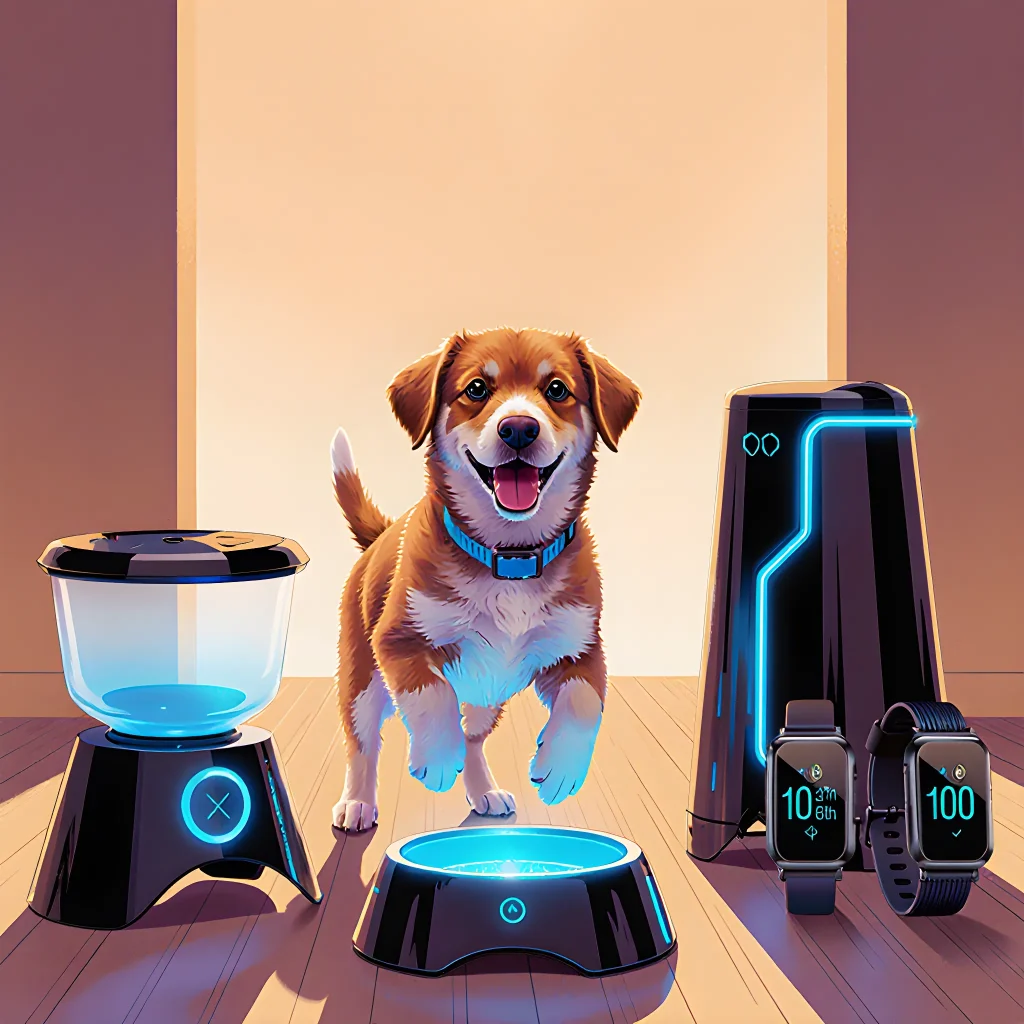
Boost Your Pup’s Potential
Unleash Genius: Smart Gadgets for Pup Growth
Table of Contents
- Introduction to Tech-Enhanced Puppy Training
- Choosing the Right Smart Devices for Your Puppy
- Setting Up a Digital Training Environment
- Using Mobile Apps to Track Progress
- Integrating Wearable Sensors for Health Monitoring
- Leveraging Voice Assistants for Commands and Reminders
- Gamifying Training with Reward-Based Apps
- Video Analysis Tools for Correcting Behavior
- Smart Collars and Automatic Reinforcement Systems
- Using IoT-Enabled Treat Dispensers
- Data Analytics: Interpreting Training Metrics
- Ensuring Privacy and Security of Your Pet’s Data
- Troubleshooting Common Tech-Training Issues
- Conclusion: The Future of Puppy Training with Technology
- FAQ – Frequently Asked Questions
Introduction to Tech-Enhanced Puppy Training
Training a puppy can be both rewarding and challenging. Traditional methods—clickers, treats, verbal cues—have stood the test of time, but modern technology offers new ways to accelerate learning, track progress, and make training more engaging for both you and your pup.
Why Integrate Tech?
- Data‑Driven Insights: Wearable sensors can record heart rate, activity levels, and even vocalizations, giving you a clearer picture of when your puppy is stressed or excited.
- Consistent Reinforcement: Smart feeders or treat dispensers release rewards on cue, ensuring that the timing between action and reward is perfect every time.
- Remote Monitoring: Cameras with AI-powered behavior recognition let you see what’s happening in real time—or review recordings later—so you never miss a key moment.
- Gamification: Mobile apps turn training into a game, awarding points and badges for milestones, which can motivate both puppy and owner.
Core Tech Components for Puppy Training
- Smart Treat Dispenser: Attach a small treat dispenser to your dog’s collar or place it on the floor. Pair it with an app that triggers a reward when the puppy performs a desired behavior (e.g., sitting, coming when called).
- Puppy‑Friendly Wearables: Lightweight collars equipped with GPS and heart‑rate monitors help you gauge activity levels and detect signs of anxiety or overexertion.
- Interactive Cameras: Devices like the Furbo Dog Camera can stream live video, detect barking, and even toss treats remotely.
- Training Apps: Platforms such as Pupford, Doggy Lingo, or custom-built apps allow you to set training goals, log sessions, and receive reminders.
Practical Steps for Getting Started
- Select a Goal: Define what you want to achieve—e.g., “Sit on command” or “Stop jumping on guests.” Write it down in your training log.
- Choose Your Tech Stack: Match the goal with appropriate tools. For “sit,” a smart treat dispenser paired with a simple app that sends a treat when the puppy sits works well.
- Set Up and Calibrate: Follow manufacturer instructions to connect devices to Wi‑Fi, pair them with your phone, and calibrate sensors (e.g., set heart‑rate thresholds).
- Record Baseline Data: Before training begins, let the puppy roam for a few minutes while the wearable logs activity. This baseline helps you spot changes later.
- Start Training Sessions: Keep sessions short (5–10 min), use high‑value treats, and immediately trigger tech rewards after correct behavior.
- Review Data: After each session, open the app or cloud dashboard. Look for patterns: Does heart rate spike before a jump? Is the puppy consistently sitting when the treat dispenser activates?
- Adjust and Iterate: If you notice hesitation, tweak the reward threshold or add a verbal cue. Use the app’s analytics to guide your adjustments.
Real‑World Example: Teaching “Come” with an IoT Treat Dispenser
1️⃣ Setup: Place the dispenser in the living room and connect it to your phone via Bluetooth. Program the app so that when the puppy steps into a designated zone (detected by motion sensor), the dispenser releases a treat.
2️⃣ Session: Call your puppy’s name, wait for them to come. When they step into the zone, the treat drops automatically. Repeat 10 times, each time reinforcing with a cheerful “Good dog!”
3️⃣ Data Review: The app logs each successful “come” and notes the distance covered. If the puppy hesitates at longer distances, extend the training area gradually.
Common Pitfalls to Avoid
- Over‑Reliance on Tech: Treat dispensers are great for consistency but don’t replace human interaction entirely. Balance tech rewards with physical praise.
- Signal Interference: Wi‑Fi or Bluetooth dead zones can delay treat release, breaking the reward timing. Keep devices within range.
- Data Overload: Too many metrics can overwhelm owners. Focus on a few key indicators—like heart rate and activity spikes—first.
Next Steps
Once you’ve mastered basic commands with tech assistance, consider expanding to more complex behaviors such as “stay,” “leave it,” or even agility training. Pairing smart collared GPS trackers with obstacle courses can provide real‑time feedback on speed and accuracy.
Choosing the Right Smart Devices for Your Puppy
When it comes to integrating technology into your puppy’s training routine, the goal is to support, not replace, human interaction. The right devices can provide consistent cues, track progress, and even reward good behavior—while still allowing you to maintain the bond that makes training effective.
1. Smart Collars & Activity Trackers
- Example: FitBark 2 – Tracks activity levels, sleep patterns, and heart rate. The companion app sends alerts if your puppy’s activity drops dramatically, indicating possible illness or anxiety.
- Practical Tip: Use the “Activity Zone” feature to set a daily goal (e.g., 60 minutes of active play). Celebrate when the collar reaches this threshold with a verbal cue and a treat.
2. Automated Treat Dispensers
- Example: Furbo Dog Camera & Treat Dispenser – Lets you dispense treats remotely while watching your puppy on live video.
- Practical Tip: Pair the dispenser with a training app that triggers treat releases after a successful command (e.g., “sit”). This creates a clear cause‑and‑effect link for your puppy.
3. Voice‑Activated Training Assistants
- Example: Petcube Bites 2 – Features voice commands and a laser pointer to engage active puppies during indoor training sessions.
- Practical Tip: Use the device’s “Laser” mode as a moving target for “fetch” or “tug‑and‑release” drills, reinforcing impulse control while keeping the puppy engaged.
4. Smart Playpens & Gates
- Example: iFetch Smart Playpen – Automatically opens when your puppy presses a sensor and closes after a set time, encouraging independent play within safe boundaries.
- Practical Tip: Schedule the playpen to open during training breaks so your puppy can practice “stay” or “down” while playing, reinforcing calm behavior in an engaging environment.
5. Interactive Cameras & Two‑Way Audio
- Example: Wyze Cam v3 with Pet Mode – Provides motion alerts and two‑way audio so you can speak to your puppy from anywhere in the house.
- Practical Tip: Use voice commands through the camera when you’re not physically present, maintaining consistency across training sessions.
6. Wearable Sensors for Health Monitoring
- Example: Pawtrack GPS Tracker – Offers real‑time location data and health metrics like heart rate variability during walks.
- Practical Tip: Analyze heart rate spikes after certain commands to identify stress points; adjust training pace accordingly.
Integrating Devices Into Your Routine
- Start Small: Choose one device that addresses a specific training goal (e.g., activity tracking). Observe how your puppy responds before adding more tech.
- Keep Human Interaction Primary: Use devices as supplements—verbal praise, petting, and eye contact remain essential for building trust.
- Regularly Review Data: Set a weekly check‑in to review app logs. Adjust training schedules based on activity trends or behavioral changes noted by the device.
- Calibrate Alerts: Fine‑tune sensitivity settings so you’re not overwhelmed with false alarms but still catch genuine issues early.
By thoughtfully selecting smart devices that align with your puppy’s developmental needs and training objectives, you can create a tech‑enhanced environment that promotes healthy growth, consistent learning, and stronger human‑dog bonds.
Setting Up a Digital Training Environment
Integrating technology into puppy training routines can elevate consistency, track progress, and keep both owner and pup engaged. Below is a step‑by‑step guide to creating an effective digital training ecosystem that complements traditional hands‑on methods.
1. Choose the Right Devices
- Smartphone or Tablet: The central hub for most apps, video calls, and reminders.
- Digital Camera or Action Cam (e.g., GoPro): Capture high‑resolution footage of training sessions to review body language cues.
- Smart Speaker (Amazon Echo / Google Home): Use voice commands to trigger timers, play audio cues, or ask for progress summaries.
2. Select Training Apps
There are several reputable apps that provide structured lesson plans, goal setting, and performance analytics:
- PetCoach (iOS/Android): Offers video tutorials, personalized training plans, and a community forum.
- Puppy Training Pro (Web & Mobile): Tracks commands learned, reward usage, and provides adaptive lesson suggestions.
- TrainAway: Uses machine learning to analyze audio cues and give real‑time feedback on tone and consistency.
3. Integrate Video Conferencing
Remote trainers can observe your sessions live or review recordings to offer corrective feedback:
- Zoom for Dogs: A Zoom‑style platform specifically designed for pet training sessions, allowing the trainer to see both you and your pup.
- Skype/Teams with Screen Share: Useful if you already have a contract with an in‑person trainer who wants to review footage.
4. Set Up a Digital Logbook
Track every session with the following fields:
| Date & Time | Duration | Commands Practiced | Reward Type | Notes / Challenges | Video Link (Optional) |
|---|---|---|---|---|---|
| 2025‑09‑10 15:00 | 20 min | “Sit”, “Stay” | Treat + Clicker | Puppy distracted by doorbell. | Session 1 |
5. Use Smart Toys for Reinforcement
Smart toys can deliver treats on cue, record play patterns, and even sync with your training app:
- iFetch Smart Ball: Sends a treat when the ball is retrieved.
- Whistle Smart Collar: Allows you to issue voice commands that trigger LED cues or gentle vibrations.
6. Automate Reminders & Alerts
Set up calendar events, push notifications, and email digests to keep training on track:
- Google Calendar + IFTTT: Trigger a “Training Time” notification 30 minutes before each session.
- App Push Notifications: Receive instant reminders for reward inventory checks or upcoming milestone reviews.
7. Privacy & Data Security
When storing video footage and personal data:
- Use encrypted cloud services (e.g., Google Drive with Two‑Factor Authentication).
- Limit app permissions to only what’s necessary for training.
- Regularly back up logs to a local hard drive or external SSD.
8. Review & Adjust
Set monthly checkpoints:
- Analyze the logbook to identify patterns (e.g., which commands need more repetition).
- Adjust reward ratios or session lengths based on progress.
- Consult with a trainer if you hit a plateau; share your digital data for precise guidance.
By weaving these digital tools into your puppy’s training routine, you create an evidence‑based, adaptive learning environment that accelerates success and keeps the journey fun for both of you.
Using Mobile Apps to Track Progress
One of the most convenient ways to stay on top of your puppy’s training journey is by using a dedicated mobile app. These tools can help you set goals, log daily activities, and visualize milestones—all from the palm of your hand.
Why Choose an App?
- Consistency: A daily reminder nudges you to practice training sessions, preventing gaps that can confuse your puppy.
- Data Tracking: Apps store your notes, allowing you to see trends over weeks or months—like how many times the puppy successfully sits on command before a treat.
- Goal Setting: Many apps let you create specific objectives (e.g., “no barking during dinner” or “stay for 30 seconds”) and track progress toward them.
- Community Support: Some platforms offer forums or social feeds where you can share successes, ask questions, and receive encouragement from other puppy owners.
Popular Puppy‑Training Apps
| App | Main Features | Best For |
|---|---|---|
| Puppy Trainer Pro | Customizable training plans, progress graphs, video tutorials. | Owners who want a structured curriculum. |
| Doggy Diary | Daily check‑ins, health logs, and milestone reminders. | Those focused on overall well‑being and vet appointments. |
| PetCoach | One‑on‑one chat with certified trainers, interactive quizzes. | Owners needing personalized guidance. |
How to Set Up Your Training Log
- Create a New Profile: Input your puppy’s name, breed, age, and any health concerns.
- Define Milestones: Examples: “Sit on command” (5/10 attempts), “Walk calmly beside you” (30 min without pulling).
- Log Sessions: After each training session, record:
- Date & time
- Duration
- Exercises performed
- Success rate (%)
- Notes (e.g., “Puppy got distracted by the neighbor’s cat”).
- Review & Adjust: Weekly, check the app’s summary. If a milestone isn’t progressing, tweak your approach or increase reinforcement.
Practical Tips for Maximizing App Use
- Set Daily Reminders: Most apps allow push notifications—use them to prompt 10‑minute training bursts throughout the day.
- Attach Photos or Videos: Visual evidence helps you spot subtle improvements (e.g., a calmer body language).
- Use Voice Notes: If you’re on the go, record a quick voice memo instead of typing.
- Sync Across Devices: Keep your phone and tablet in sync so you can log from anywhere—home, park, or while driving.
Integrating Tech Into Your Routine
Combine the app with other tech tools: a smart collar that tracks activity levels, a Wi‑Fi-enabled feeder to monitor food intake, and even a Bluetooth clicker for precise reward timing. The key is consistency—use the same platform each day so your data stays coherent.
Case Study: Bella’s 30‑Day Progress
Bella, a 12‑week‑old Labrador mix, started using Puppy Trainer Pro in June. Within two weeks:
- She successfully sat on command 80% of the time.
- The app flagged that she was distracted by visual stimuli, so her owner incorporated “look at me” cues before the sit command.
- By day 30, Bella could stay for 45 seconds with a clicker reward—an improvement tracked in the graph view.
This real‑time feedback loop allowed Bella’s owner to adjust training intensity and celebrate small wins, keeping both dog and human motivated.
Conclusion
Mobile apps transform puppy training from an abstract effort into a measurable, data‑driven process. By logging sessions, setting clear goals, and reviewing progress regularly, you’ll not only accelerate your pup’s learning curve but also build confidence in your own training skills. Start with one of the recommended apps today, and watch your puppy thrive.
Integrating Wearable Sensors for Health Monitoring
Just as technology can enrich puppy training routines, it can also be leveraged to keep your pup healthy and happy. Wearable sensors—like smart collars, activity trackers, or even small patches—provide real‑time data on vital signs, movement patterns, and environmental exposure. By integrating these devices into a consistent monitoring routine, you gain actionable insights that help prevent illness, fine‑tune training programs, and improve overall well‑being.
Key Sensor Types & What They Measure
- Heart Rate Monitors: Detect irregular rhythms or stress spikes during walks or playtime.
- Accelerometers / Gyroscopes: Track activity levels, sleep quality, and detect sudden changes in gait.
- Temperature Sensors: Alert you if your dog is overheating—critical for breeds prone to heatstroke.
- GPS Modules: Provide location data during outdoor training sessions; useful for safety and mapping preferred routes.
- Environmental Monitors: Measure humidity, air quality, or UV exposure to adjust outdoor activity schedules.
Practical Steps to Integrate Sensors into Your Routine
- Select a Device That Matches Your Goals:
If your focus is on training, choose a collar that streams heart rate and GPS data so you can see how stress levels change during specific commands.
- Establish a Baseline:
For at least one week, let the device record normal activity while your puppy goes through its usual routine. This baseline will help you spot deviations that may indicate health issues or training fatigue.
- Sync Data with Training Software:
Many smart collars come with companion apps that allow you to export data into spreadsheets or integrate with platforms like Trainerize or Wag!. Create a dashboard where heart rate, steps, and GPS tracks are plotted against training sessions.
- Use Alerts Wisely:
Set thresholds for heart rate or temperature that trigger push notifications. For example, if the collar detects a heart rate above 140 bpm during a basic obedience session, pause and reassess the difficulty level.
- Review & Adjust:
At the end of each week, review the data with your vet or trainer. Look for patterns—does your puppy’s activity dip after long walks? Is there a spike in heart rate during certain commands? Use these insights to tweak training intensity or schedule rest days.
Real‑World Example: The “Puppy Sprint” Training Program
A trainer for a group of mixed‑breed puppies used a smart collar that recorded heart rate and GPS. They noticed that during the sprint drill, several puppies’ heart rates exceeded 160 bpm after just 5 minutes. After reviewing the data, they adjusted the drill to include more rest intervals, reducing the risk of heat exhaustion while still maintaining conditioning benefits.
Integrating with Puppy Training Routines
- Warm‑Up & Cool‑Down: Use heart rate data to determine when a puppy has adequately warmed up or cooled down before moving on.
- Behavioral Feedback: If a dog shows elevated stress markers during a command, the trainer can switch to a more positive reinforcement approach.
- Progress Tracking: Compare weekly activity levels and heart rate variability to gauge overall fitness improvements.
Choosing the Right Vendor
Look for devices that offer open APIs, robust battery life (minimum 48 hours), waterproofing for outdoor use, and vet‑approved accuracy. Popular options include FitBark, Whistle Go Explore, and Garmin® Forerunner 45 with Pet Mode.
Final Tips
- Start slow: Introduce the device gradually so your puppy gets comfortable.
- Keep it lightweight: Avoid bulky collars that may impede movement.
- Consult a vet: Before using heart‑rate monitoring on puppies under six months, get professional advice.
By blending wearable sensor data with structured training routines, you create a holistic approach to puppy care—one that safeguards health while maximizing learning potential.
Leveraging Voice Assistants for Commands and Reminders
Voice assistants like Amazon Alexa, Google Assistant, or Apple Siri can become powerful allies in your puppy‑training routine. By setting up custom routines, timers, and reminders you can reinforce good behavior, keep training consistent, and even track progress—all without lifting a finger.
1. Setting Up Custom Commands
- “Alexa, start the obedience session.” – Triggers a pre‑programmed playlist of training commands (e.g., “sit,” “stay,” “come”) that you play through your smart speaker.
- “Hey Google, remind me to walk Max at 7 AM.” – Instantly schedules a daily reminder that pops up on both the phone and smart display.
- Use IFTTT (If This Then That) to create multi‑step routines: “When I say ‘time for training,’ Alexa starts the training playlist, then lights dim to focus mode.”
2. Timers & Countdown Alerts
Puppies thrive on structure. Use timers to keep sessions short and focused:
- “Alexa, set a timer for 5 minutes.” – Ideal for “short burst” training periods.
- When the timer ends, have Alexa announce: “Training session complete! Time for a treat!” This reinforces the end of the activity.
- For long walks, set a interval reminder: “Hey Siri, remind me every 30 minutes to check on Bella.” Keeps you accountable during extended outings.
3. Reminders for Milestones & Health Checks
Training is only part of puppy care. Voice assistants help you remember:
- Vaccination dates: “Hey Google, remind me to give Milo his booster on July 15.”
- Weekly medication: “Alexa, remind me to administer dewormer every Monday at 8 PM.”
- Feeding schedules: “Siri, set a reminder for feeding Poppy at 6 AM and 6 PM.”
4. Integrating with Smart Devices
Combine voice assistants with smart home gadgets to create an immersive training environment:
- Smart feeders: “Alexa, feed Max” triggers the feeder and logs the event in a Google Sheet.
- Smart lights: Dim or change color during training to reduce distractions.
- Pet cameras: Voice command “Hey Google, show me the backyard camera” allows you to monitor your puppy’s behavior remotely.
5. Practical Tips for Success
- Keep commands short and consistent: Use the same phrase each time so the assistant reliably triggers the routine.
- Test routines before training: Run a quick rehearsal to ensure timers, reminders, and device actions work as expected.
- Use the assistant’s “list” feature: Ask for “my reminder list” to review upcoming tasks—great for busy owners.
- Log training data: Connect IFTTT or Zapier to a spreadsheet that records session length, commands used, and reward given. Over time you’ll see patterns and progress.
- Remember privacy: Ensure any connected devices are on secure networks and use strong passwords.
By weaving voice assistants into your puppy‑training workflow, you create a consistent, engaging, and tech‑savvy environment that supports both the pup’s learning curve and your daily routine. Happy training!
Gamifying Training with Reward-Based Apps
Modern puppies are digital natives in a sense—while they don’t use smartphones themselves, the people who train them do. By turning classic obedience drills into interactive games, you can keep your pup’s attention sharp and give yourself objective data to track progress.
Why Gamify?
- Increased Motivation: Dogs are naturally driven by treats and praise. Turning a training session into a “score” or “level‑up” experience amplifies that drive.
- Consistency: Apps often enforce the same cue, reward timing, and distance thresholds each time you run a drill, reducing human error.
- Data Analytics: You’ll see trends—time to first “sit,” accuracy rate over weeks, or which commands need more repetition.
Popular Reward‑Based Training Apps
- Dog Trainer Pro (iOS/Android)
Features a library of built‑in games like “Find the Treat” where you hide virtual treats on the screen and your dog must locate them in real life. The app records successful finds, giving you instant feedback.
- Puppy Playbook
Uses a point system for basic obedience—sit, stay, come. Each correct response earns points that unlock new “levels” and virtual badges for your dog’s training profile.
- Fetch Quest (AR)
An augmented‑reality game where you throw a virtual ball and the app tracks how many times your puppy fetches it correctly. Great for improving recall while keeping sessions fun.
How to Integrate Tech into Daily Routines
| Routine Time | Activity | Tech Tool |
|---|---|---|
| Morning Walk (10 min) | Recall drill at the curb | Fetch Quest AR Mode |
| Mid‑day Snack (5 min) | “Find the Treat” game | Dog Trainer Pro |
| Evening Training Session (15 min) | Sit/Stay/Down sequence with point scoring | Puppy Playbook |
Practical Tips for Using Reward Apps Effectively
- Start Small: Introduce one app at a time to avoid overwhelming your puppy and yourself.
- Keep Sessions Short: Puppies have short attention spans—limit tech‑based drills to 5–10 minutes each.
- Use Real Treats, Not Virtual: The app should cue the reward, but always give a physical treat or favorite toy afterward.
- Adjust Difficulty: Most apps let you change distance thresholds or speed. Gradually increase difficulty as your puppy improves.
- Cross‑Validate: Compare app data with your own notes to spot inconsistencies (e.g., the app says “sit” was successful, but your pup didn’t actually sit).
Sample Training Script Using an App
1. Open Puppy Playbook on tablet.
2. Select “Sit” level‑up game.
3. Hold a treat in your hand, say “sit,” and tap the screen to start the timer.
4. If the puppy sits within 3 seconds, the app awards 5 points and shows a celebratory animation.
5. Record any failures manually: note distance, distraction level, and retry after a short break.
6. Repeat for “stay” and “come.”
7. End session by reviewing weekly progress chart on the app dashboard.
Safety & Ethical Considerations
- No Over‑Reward: Avoid giving too many treats in a short span; this can lead to weight gain.
- Screen Time Limits: Keep the device out of reach during play to prevent chewing or accidental ingestion.
- Data Privacy: Some apps store your pet’s data. Review privacy policies before signing up.
By weaving reward‑based tech into routine training, you create a structured yet playful environment that accelerates learning and strengthens the bond between you and your puppy.
Video Analysis Tools for Correcting Behavior
When training a puppy, subtle body language and timing are everything. Video analysis tools give you the ability to slow down, rewind, and annotate footage so that you can pinpoint exactly when a behavior starts, how long it lasts, and what triggered it.
Why Use Video Analysis?
- Objective Insight: You see the puppy’s perspective, not just your own. A bark that seems “quick” to you might actually be a prolonged whine in real time.
- Reinforcement Timing: The most effective cue is delivered at the exact moment the puppy shows the desired behavior.
- Progress Tracking: By comparing videos week‑by‑week, you can quantify improvement (e.g., reduced growl duration from 4 s to 1 s).
Popular Video Analysis Software
| Tool | Key Features | Best For |
|---|---|---|
| Kinovea (Free) | Frame‑by‑frame playback, speed control, motion tracking, overlay graphics. | Home users who want in-depth analysis without a subscription. |
| Tracker | Automatic object detection, trajectory plotting, data export to CSV. | Researchers or trainers needing quantitative movement data. |
| Dartfish (Pro) | Advanced tagging, side‑by‑side comparison, real‑time analytics. | Professional trainers who require detailed performance metrics. |
Practical Workflow for Puppy Training
- Set Up Your Camera: Place a GoPro or smartphone on a tripod 2–3 m from the training area. Use a wide‑angle lens to capture both the puppy and your trainer.
- Record Multiple Sessions: Capture at least three sessions per behavior (e.g., “sit,” “no bark”) so you have enough data for comparison.
- Import into Kinovea (or your chosen tool):
- Open the video file.
- Use the
Speed Controlto reduce playback to 25% – this makes subtle cues easier to spot.
- Tag Key Events:
- Press
Tto create a tag at the start of the desired behavior (e.g., puppy’s ears flatten). - Add a note: “Ears flattened, tail wagging.”
- Press
- Measure Duration:
- Select the tag and right‑click to open the
Durationpanel. - Record the time from tag start to tag end (e.g., 1.3 s).
- Select the tag and right‑click to open the
- Export Data:
Export tags and timestamps as a CSV file.
Use Excel or Google Sheets to create a progress chart:
Session Date vs. Behavior Duration.
Integrating Tech into Daily Routines
Once you have the data, embed it into your training plan:
- Set Benchmarks: If a puppy’s “no bark” duration averages 2 s over three sessions, set a target of 1.5 s for the next week.
- Use
Google Calendarreminders to review videos before each training session, ensuring you stay on track. - Share anonymized clips with your vet or trainer via secure cloud storage (e.g., Google Drive) for collaborative feedback.
Common Pitfalls and How to Avoid Them
| Pitfall | Solution |
|---|---|
| Lighting changes cause video glare. | Use a consistent light source or shoot during the same time of day. |
| Camera shakes and jitter. | |
| Over‑annotation leads to clutter. | Limit tags to essential events; keep notes concise. |
Quick Reference Checklist
- Camera Setup: Tripod, wide‑angle lens, consistent lighting.
- Recording: 3–5 sessions per behavior, 30–60 s each.
- Software: Kinovea for free users; Dartfish for advanced needs.
- Tagging: Start and end of desired behavior only.
- Export & Track: CSV to spreadsheet, plot progress over weeks.
By systematically recording, tagging, and reviewing your puppy’s training sessions, you turn raw footage into actionable data. This evidence‑based approach not only speeds up learning but also builds confidence that the techniques you’re using are truly effective.
Smart Collars and Automatic Reinforcement Systems
Technology can take puppy training to a whole new level by providing consistent, data‑driven feedback and making learning faster and more engaging for both you and your pup. Two of the most powerful tools in this space are smart collars and automatic reinforcement systems. Below we dive into how each works, real‑world examples, and step‑by‑step guidance on blending them seamlessly into everyday training.
1. Smart Collars: The Digital Trainer on Your Pup’s Neck
- What they do: Most smart collars combine GPS tracking, heart‑rate monitoring, and a built‑in speaker or vibration motor to deliver real‑time commands and rewards.
- Popular Models:
- Garmin Alpha 100 – ideal for multi‑dog households with advanced tracking.
- PetSafe Wireless Remote Trainer – simple clicker functionality and easy setup.
- FitBark 2 – tracks activity, sleep, and offers a “smart” reward button.
- Practical Use Cases:
- Boundary Training: Set virtual fences in the app; when your puppy crosses, the collar emits a gentle vibration and plays a short “no” tone.
- Behavioral Monitoring: Heart‑rate spikes during leash walks can signal anxiety. Use this data to adjust pace or route.
- Reward Automation: Pair the collar with a treat dispenser; once your pup sits, the collar triggers the feeder for instant positive reinforcement.
Step‑by‑Step Integration
- Start Small: Begin with one command (e.g., “sit”) and use the collar’s clicker feature to mark the behavior.
- Record Sessions: Most collars sync data to a smartphone app. Review footage to spot patterns you might miss in real time.
- Adjust Settings: Fine‑tune vibration intensity and tone volume based on your pup’s sensitivity.
- Combine with Traditional Training: Use the collar as a supplement, not a replacement. Continue hand cues and verbal praise to keep training holistic.
2. Automatic Reinforcement Systems: The “Smart” Reward Machine
- What they do: These systems automatically dispense treats or play a reward tone when the puppy performs a desired action, often triggered by sensors such as motion detectors, RFID tags, or Bluetooth signals.
- Popular Models:
- GoDog Trainer – uses infrared sensors to detect sit/stand and releases treats accordingly.
- Puppy Training Buddy (PTB) – combines a treat dispenser with a motion‑activated camera for live feedback.
- Practical Use Cases:
- Impulse Control: Place the device on a mat; when the pup lies down calmly, it dispenses a treat. If they jump or bark, no reward is given.
- Target Training: Attach an RFID tag to your puppy’s collar. When they touch a target marker that emits a Bluetooth signal, the system releases a treat.
- Distance Learning: Use Wi‑Fi enabled systems to reward remote training sessions via your phone or tablet.
Step‑by‑Step Integration
- Select the Right Trigger: Choose between motion, RFID, or Bluetooth depending on your puppy’s temperament and training goals.
- Set Treat Size: Start with small portions to avoid overfeeding; adjust as confidence builds.
- Pair With a Clicker: Use the clicker to mark the exact moment of correct behavior before the system rewards, reinforcing timing.
- Monitor and Adjust: Record how often rewards are dispensed. If your pup is over‑stimulated, reduce frequency or switch to verbal praise instead.
Combining Smart Collars & Automatic Reinforcement
The real magic happens when you blend both technologies: a collar marks the behavior with a click or vibration, while an automatic dispenser delivers the treat. This dual‑feedback loop speeds up learning and reduces guesswork.
Pro Tip: Use the collar’s GPS to track “time in training” per day. Set a daily goal (e.g., 10 minutes of structured play) and let the app remind you when you’re short on time.
Safety & Ethical Considerations
- Human Oversight: Never rely solely on automation; always supervise to prevent over‑feeding or accidental harm.
- Calibration: Regularly check sensor accuracy and treat dispenser levels.
- Behavioral Balance: Combine tech with positive human interaction. Tech should augment, not replace, the bond you build during training.
By thoughtfully integrating smart collars and automatic reinforcement systems into your puppy’s routine, you’ll create a structured, data‑rich learning environment that keeps both you and your pup motivated, engaged, and on track toward lasting good behavior.
Using IoT-Enabled Treat Dispensers
IoT‑enabled treat dispensers combine smart technology with classic reward training, giving owners real‑time control and data on their puppy’s progress. These devices typically feature a small motorized dispenser, Bluetooth or WiFi connectivity, and an accompanying app that allows you to schedule treats, track consumption, and set custom thresholds.
How They Work
- App Setup: Pair the dispenser with your smartphone via the manufacturer’s app. Configure settings such as treat size, frequency, and maximum daily allowance.
- Remote Triggering: While you’re at work or in a different room, send a “treat” command through the app to reward your puppy instantly for good behavior (e.g., sitting on cue).
- Automated Scheduling: Program the dispenser to release treats at specific times—useful for reinforcing routines like bathroom breaks or play sessions.
- Data Logging: The app records each dispense event, allowing you to see patterns in your puppy’s activity and adjust training intensity accordingly.
Practical Tips for Integration
- Start Slow: Begin with one treat per session to avoid over‑feeding. Gradually increase the frequency as the puppy masters each command.
- Use High‑Value Treats: Choose small, tasty rewards that your puppy finds motivating—soft biscuits or bite‑size chicken treats work well for most breeds.
- Combine with Verbal Praise: Even though the dispenser provides a physical reward, always add enthusiastic verbal praise to reinforce social bonding.
- Monitor Calorie Intake: Many dispensers allow you to input treat calorie counts. Use this data to keep your puppy’s diet balanced while training.
Real‑World Example: The “Puppy Trainer Pro” System
A popular model, the Puppy Trainer Pro, includes a 2 kg treat hopper and Bluetooth connectivity. Owners report that using the app to reward their pup for staying on a leash during walks helped reduce pulling by 60% within two weeks. The built‑in sensor also alerts you if the dispenser is empty or jammed, preventing frustration.
Common Pitfalls & How to Avoid Them
- Over‑Reliance on Treats: Don’t let the device replace all forms of motivation. Pair treats with physical affection and play.
- Technical Glitches: Keep firmware updated; a lag in communication can result in delayed rewards, confusing your puppy.
- Misconfigured Limits: Double‑check daily treat caps to prevent accidental overfeeding, especially if you’re away for extended periods.
Conclusion
IoT‑enabled treat dispensers bridge the gap between traditional obedience training and modern convenience. By offering precise control, data insights, and remote flexibility, they empower owners to reinforce good behavior consistently—even when distance or time constraints would otherwise hinder hands‑on guidance.
Data Analytics: Interpreting Training Metrics
When you start tracking your puppy’s progress with technology—whether it’s a wearable collar that records activity levels, an app that logs obedience commands, or a smart feeder that monitors meal times—you’re collecting raw data. The real value comes from turning that data into actionable insights. Below is a step‑by‑step guide to interpreting these metrics and using them to refine your training routine.
1. Identify Key Performance Indicators (KPIs)
- Activity Level: Daily steps or distance covered, indicating overall energy and motivation.
- Command Success Rate: Percentage of successful “sit,” “stay,” or “come” responses over a training session.
- Response Time: How quickly the puppy reacts to a cue (measured in seconds).
- Calmness Index: Heart rate variability or body language metrics that reflect stress levels.
2. Set Benchmarks and Goals
Use historical data to establish baseline performance. For example, if your puppy averages a 70% success rate on “stay” commands after three weeks, aim for an incremental improvement of 5–10% each subsequent week.
3. Visualize the Data
- Line Graphs: Show trends in activity or command success over time.
- Heat Maps: Highlight periods of high stress or low engagement during training sessions.
- Dashboards: Combine multiple metrics into a single view for quick reference.
4. Correlate Metrics with Training Variables
Look for patterns that link changes in your routine to metric shifts. For instance:
- A spike in activity levels after adding an outdoor walk might indicate increased motivation.
- Reduced calmness index during a new training exercise could signal confusion or overstimulation.
5. Make Data‑Driven Adjustments
Based on insights, tweak your approach:
- If response time is lagging, shorten the distance between you and the puppy during cue delivery.
- Introduce a new reward type if success rates plateau.
- Add short breaks if stress indicators rise during longer sessions.
6. Validate with Qualitative Observation
Technology provides numbers, but human observation remains crucial. Pair metric trends with notes on body language, vocalizations, and overall mood to confirm that improvements are genuine.
Practical Example: Using a Smart Collar for “Come” Training
- Baseline: Record the puppy’s average response time (e.g., 4.2 seconds) over five sessions.
- Goal: Reduce to 3.0 seconds within two weeks.
- Intervention: Increase distance gradually and add a high‑value treat.
- Metric Check: After each session, review the collar’s log.
- Result: If response time drops to 3.5 seconds but stress index rises, incorporate more positive reinforcement breaks.
Conclusion
By systematically collecting, visualizing, and interpreting training metrics, you can refine your puppy’s learning path with precision. The blend of quantitative data and qualitative insight ensures that every training adjustment is both evidence‑based and empathetic to your furry friend’s needs.
Ensuring Privacy and Security of Your Pet’s Data
When you integrate technology into your puppy training routine—whether it’s a smart collar, an app that tracks activity levels, or a cloud‑based behavior analysis platform—you’re also collecting sensitive data about your pet. Protecting this information is just as important as protecting your own privacy. Below are practical steps to keep your puppy’s data safe and compliant with best practices.
1. Choose Reputable Devices and Apps
- Look for security certifications: Devices that have undergone ISO/IEC 27001 or similar audits demonstrate a commitment to information security.
- Check the company’s privacy policy: It should clearly state what data is collected, how it’s used, and with whom it’s shared.
- Read user reviews about data handling: Pay attention to any reports of data leaks or questionable practices.
2. Use Strong, Unique Passwords
Even if you’re only signing into an app for your puppy’s profile, use a password manager to generate and store unique passwords. Avoid reusing the same login details across multiple platforms.
3. Enable Two‑Factor Authentication (2FA)
Whenever the device or app offers it, enable 2FA—preferably with an authenticator app rather than SMS—to add an extra layer of protection against unauthorized access.
4. Secure Your Home Network
- Change default router credentials: The factory username and password are often publicly known.
- Use WPA3 encryption: If your router supports it, switch to the most secure Wi‑Fi standard available.
- Segment IoT devices on a separate network: This limits potential attackers’ reach if one device is compromised.
5. Keep Firmware and Software Updated
Manufacturers frequently release updates that patch security vulnerabilities. Set devices to auto‑update or check manually at least once a month.
6. Limit Data Sharing Settings
Most apps allow you to control what data is shared with third parties. Disable any features that transmit your puppy’s location or biometric data unless absolutely necessary for the training program.
7. Regularly Review Access Logs
If the platform provides an activity log, review it monthly to detect any unfamiliar login attempts or device connections.
8. Understand Data Retention Policies
Ask how long the service retains your puppy’s data and whether you can delete it permanently. Some platforms offer a “data deletion” request feature that ensures all records are purged from their servers.
9. Educate Your Household Members
If multiple people use the same devices or apps, make sure everyone understands the importance of not sharing passwords and following secure practices.
10. Backup Important Data Locally
Export your puppy’s training logs, health records, and behavior analytics to a secure local drive. This protects you in case the cloud service becomes unavailable or suffers a breach.
Practical Example: Using a Smart Collar Safely
- Purchase: Buy a collar from a brand that publishes its firmware source code and has third‑party security audits.
- Setup: Change the default admin password, enable 2FA on the companion app, and connect the collar to your home IoT network.
- Data Collection: The collar tracks activity levels and sends anonymized data to a cloud server. In the privacy settings, toggle “share location” off.
- Maintenance: Check for firmware updates weekly; when an update arrives, install it immediately.
- Review: Every month, log into the app’s dashboard, review access logs, and delete any unfamiliar devices from your account.
By following these steps, you can confidently integrate technology into your puppy’s training routine while safeguarding their personal data. Remember: privacy isn’t just a legal requirement—it’s part of responsible pet ownership in the digital age.
Troubleshooting Common Tech-Training Issues
1️⃣ Device Distraction – Your puppy keeps looking at the screen instead of you
When a tech gadget is in front of your pup, curiosity can override training focus. The device’s light, sound or movement acts as an unexpected reward.
- Solution A: Use “No‑Tech Zones” – Keep the training area free from screens for at least 30 minutes after each session. If you need to use a tablet or phone, place it on a low shelf out of reach.
- Solution B: Create an Audio Cue – Pair a specific sound (e.g., a bell or clicker) with the training command. When the puppy responds, immediately play the cue; this redirects attention to the sound rather than the device.
Example: During “sit” training, start with a short video playing on a muted phone. As soon as the puppy sits, pause the video and give a verbal praise + treat. Over time, the puppy learns that sitting earns the reward, not the screen.
2️⃣ Over‑Stimulus – Too many notifications or sounds break concentration
Constant pings can overload a puppy’s senses and make it difficult to focus on commands.
- Solution A: Turn Off Push Notifications – Use airplane mode or “Do Not Disturb” while training. Keep the device silent but visible for visual cues only.
- Solution B: Use a Timer App – Set a 10‑minute countdown that ends with a quiet chime. This signals to both you and your pup when it’s time to start or stop a session.
Example: A smartwatch running a “focus” mode will vibrate once every minute, reminding the trainer to check in on the puppy’s posture without creating noise chaos.
3️⃣ Data Privacy – Tracking apps expose personal data
Some training apps request access to location, contacts or camera. This can be a privacy risk if you’re not careful.
- Solution A: Review Permissions – Before installing, open the app’s settings and deny any non‑essential permissions (e.g., contacts).
- Solution B: Use Offline Alternatives – Choose apps that store data locally rather than in the cloud. If you need cloud sync, opt for reputable providers with end‑to‑end encryption.
Example: The “PuppyTrainer Pro” app only requires access to the microphone for voice commands, and it stores logs on your phone’s internal memory.
4️⃣ Tech Malfunction – Devices fail mid‑session
A sudden battery drain or app crash can interrupt the flow of training and confuse the pup.
- Solution A: Keep a Backup Device Ready – Have a second phone/tablet charged in the same room. Switch quickly if one fails.
- Solution B: Use Redundant Commands – Pair tech cues with verbal commands so that if the device stops, you can still continue training.
Example: While recording a “stay” session, keep a spare remote control for your camera. If the primary app freezes, simply press the backup button to resume video capture.
5️⃣ Behavior Transfer – Commands learned with tech don’t carry over in real life
Puppies may associate a command only with an app’s voice or screen. When you move to a park, the cue might not trigger the same response.
- Solution A: Gradual Generalization – After mastering a command on the device, practice it in different rooms and then outdoors. Vary the background noise each time.
- Solution B: Use Human‑Voice Variations – Record yourself saying the command in multiple tones (excited, calm, urgent). Play these recordings during training to expose the puppy to a range of vocal cues.
Example: The “come” command is taught using an app’s synthetic voice. Later, you practice it with your own voice and then at the dog park where strangers’ voices are present.
Conclusion: The Future of Puppy Training with Technology
As we look ahead, the intersection between traditional puppy‑training principles and emerging tech solutions promises a richer, more effective learning experience for both pups and their owners. Below are practical ways to weave technology into your routine while staying grounded in proven behavior‑based methods.
1. Smart Collars & Wearables
- Real‑time feedback: Devices like the BarkBox Pup or Whistle Go Explore can vibrate or emit a gentle tone when a puppy starts to bark excessively, allowing owners to correct behavior immediately.
- Health monitoring: Many collars track heart rate and activity levels. A sudden spike in heart rate may indicate stress during training; owners can pause the session and re‑calibrate their approach.
2. Mobile Apps & Training Platforms
- Step‑by‑step lesson plans: Apps such as Puppy Training Academy provide video demonstrations, printable worksheets, and progress trackers.
- Community support: Forums within the app allow owners to share success stories or troubleshoot common issues—essential for maintaining motivation.
3. Virtual Reality (VR) and Augmented Reality (AR)
While still in early stages, VR can simulate complex environments (e.g., a busy street or a crowded park) in a controlled setting. AR overlays on real‑world footage help owners visualize correct leash angles and body language cues.
4. Data Analytics & AI Coaching
- Pattern recognition: AI algorithms analyze video recordings to detect subtle signs of anxiety or excitement that humans might miss.
- Personalized training plans: Based on data, the system can recommend specific drills (e.g., “short leash walks” for a high‑energy terrier) and adjust reward schedules dynamically.
5. Integration Tips: Keeping It Balanced
- Start with fundamentals: Before adding gadgets, ensure your puppy has mastered basic obedience—sit, stay, come, and leash manners.
- Use tech as a supplement: Think of devices as tools that reinforce, not replace, hands‑on training. For example, use a smart collar’s vibration cue to remind the pup to “stay” during a walk, but still give verbal praise when it complies.
- Set clear boundaries: Decide which tech will be used in public versus home settings. Some owners prefer to keep devices off during family gatherings to avoid distractions.
- Monitor data responsibly: Over‑reliance on metrics can lead to micromanagement. Use insights as guidance, not a rulebook.
6. Ethical Considerations
While tech offers powerful tools, it also raises questions about privacy (video recordings), data security, and the potential for over‑conditioning. Choose reputable brands that offer end‑to‑end encryption and respect your puppy’s well‑being.
7. Looking Forward
The next decade will likely see deeper integration of AI, more affordable wearables, and greater accessibility to high‑quality training content via mobile platforms. However, the core principle remains unchanged: consistent, positive reinforcement paired with clear communication yields the best outcomes.
By thoughtfully incorporating technology into your puppy’s routine—while staying true to humane, evidence‑based methods—you’ll create a dynamic learning environment that adapts to both your pup’s needs and the evolving landscape of canine training tools.
FAQ – Frequently Asked Questions
What types of technology are best for puppy training?
When starting out, keep it simple. A clicker** and a smart feeder can help establish clear signals and reward timing. As your pup matures, you can add a smart pet camera with two‑way audio to monitor behavior from afar, or a GPS collar for outdoor training. For more advanced learning, consider a programmable dog training app that offers guided routines and progress tracking.
How do I use a clicker without confusing my puppy?
The key is consistent timing. Click the moment your pup performs the desired behavior, then immediately give a treat. Repeat this for 5–10 minutes each session until the click becomes synonymous with “good.” Once the click is established, you can start using it to shape new behaviors and later fade out treats.
Can I use a smart feeder as part of obedience training?
Absolutely. A timed feeder can reinforce “sit” or “stay” commands before meals. For example, set the feeder to release food only after your puppy sits calmly for 5 seconds. This not only trains compliance but also encourages healthy eating habits.
What are some common pitfalls when integrating tech into training?
- Over‑reliance on gadgets: Remember that tech is a tool, not a replacement for human interaction.
- Inconsistent use: Switching between tech and hand signals can confuse your pup. Stick to one method until the behavior is solid.
- Ignoring body language: Even with cameras or apps, always observe the puppy’s cues in real time.
How can I track progress over time?
Use a training log or an app that records session duration, commands practiced, and success rate. Many apps generate visual graphs showing improvement in response times and consistency. Reviewing these trends helps you adjust the difficulty level and keep your puppy motivated.
Is it safe to leave a puppy alone with tech devices?
Always supervise until you’re confident in the device’s safety. For instance, never leave a smart feeder unattended if your puppy could potentially knock it over or ingest non‑food items. Similarly, ensure any camera or GPS collar is securely fitted and that cables are out of reach.
How do I transition from tech to real‑world settings?
Start by practicing commands with the gadget in a controlled environment. Once your puppy reliably responds, gradually introduce distractions—like other dogs or noisy streets—while keeping the same cues. Use the tech’s recording feature (if available) to review how your pup handled each scenario and tweak training accordingly.
What budget‑friendly tech options are recommended?
- Clicker: $10–$20
- Smart feeder (basic): $30–$60
- Wi‑Fi pet camera with audio: $50–$80
- GPS collar: $70–$120 (with subscription)
Invest in quality over quantity; a reliable clicker or feeder will serve you for years.
Can I use a smartphone app to train my puppy remotely?
Yes. Many apps let you set timers, record voice commands, and even play pre‑recorded cues from your phone. Some even send notifications when the puppy completes a task, allowing you to reinforce behavior even while away.
How do I know if tech is actually improving training outcomes?
Track key metrics: response latency (time from cue to action), consistency (percentage of successful trials), and retention (performance after a break). Compare these before and after introducing technology. If you see measurable improvement, the tech is working; otherwise, reassess your approach or try different tools.
Categories
- AI & Enrichment Play
- Broiler Farming
- Broiler Farming Tips
- Canine Wellness & Longevity
- Cat
- Cat & Human Connection
- Cat Adoption & Rescue
- Cat Breeds
- Cat Breeds & Personalities
- Cat Care & Health
- Cat Grooming & Hygiene
- Cat Lifestyle & Environment
- Cat Myths & History
- Cat Nutrition & Diet
- Cat Products & Reviews
- Cat Training & Behavior
- Comparison
- Consumer Awareness
- Dog
- Dog Accessories & Products
- Dog Adoption & Rescue
- Dog Breed & Lifestyle Trends
- Dog Breeding & Puppies
- Dog Entertainment & Media
- Dog Fashion & Trends
- Dog Fun & Lifestyle
- Dog Grooming & Hygiene
- Dog History & Culture
- Dog Myths, Science & Future Tech
- Dog News & Trends
- Dog Nutrition & Food
- Dog Psychology & Emotions
- Dog Safety & Security
- Dog Sports & Activities
- Dog Technology & Innovation
- Dog Training for Modern Owners
- Dog Travel & Adventure
- Dog Travel, Adventure & Culture
- Economic and Market Insights
- Educational Content
- FAQs
- Feeding Alternatives
- Festivals & Seasonal Ideas
- Fun & Entertainment
- General Knowledge
- General Pig Farming
- Health & Disease Management
- Housing and Environment
- Kittens
- Market Insights
- Miscellaneous
- Miscellaneous
- Motivational
- pig
- Pig Breeding
- Pig Breeds
- Pig Farming Stories and Inspiration
- Pig Health and Care
- Pig Nutrition
- Pig Products
- Profitability & Business
- Puppy Care
- Puppy Predictable Topics Reinvented
- Regional Focus
- Rescue & Adoption Buzz
- Senior Cats
- Senior Dog Care
- Smart Dog Tech & Gadgets
- Sustainability
- Sustainable & Eco-Friendly Dog Products
- Tech & Innovations
- Working & Service Dogs
- Broiler Feed66 products
- Country Feed33 products
- Pig Feed66 products
- Product22 products
- Raw Materials99 products
Products
-
 Fish Meal
₹1,999.00 – ₹2,999.00Price range: ₹1,999.00 through ₹2,999.00Rated 0 out of 5
Fish Meal
₹1,999.00 – ₹2,999.00Price range: ₹1,999.00 through ₹2,999.00Rated 0 out of 5 -
 FATTENING BROILER FEED
₹2,299.00 – ₹2,349.00Price range: ₹2,299.00 through ₹2,349.00Rated 0 out of 5
FATTENING BROILER FEED
₹2,299.00 – ₹2,349.00Price range: ₹2,299.00 through ₹2,349.00Rated 0 out of 5 -
 LAYER COUNTRY FEED
₹1,549.00 – ₹1,649.00Price range: ₹1,549.00 through ₹1,649.00Rated 0 out of 5
LAYER COUNTRY FEED
₹1,549.00 – ₹1,649.00Price range: ₹1,549.00 through ₹1,649.00Rated 0 out of 5 -
 COUNTER BROILER FEED
₹1,199.00 – ₹1,299.00Price range: ₹1,199.00 through ₹1,299.00Rated 0 out of 5
COUNTER BROILER FEED
₹1,199.00 – ₹1,299.00Price range: ₹1,199.00 through ₹1,299.00Rated 0 out of 5 -
 LACTATING PIG FEED
Rated 0 out of 5
LACTATING PIG FEED
Rated 0 out of 5₹2,299.00Original price was: ₹2,299.00.₹1,740.00Current price is: ₹1,740.00. -
 Maize
Rated 0 out of 5
Maize
Rated 0 out of 5₹1,650.00Original price was: ₹1,650.00.₹1,300.00Current price is: ₹1,300.00. -
 GESTATION PIG FEED (Phase 1)
Rated 0 out of 5
GESTATION PIG FEED (Phase 1)
Rated 0 out of 5₹2,249.00Original price was: ₹2,249.00.₹1,699.00Current price is: ₹1,699.00. -
 Pre Starter Broiler Feed
₹2,399.00 – ₹2,499.00Price range: ₹2,399.00 through ₹2,499.00Rated 0 out of 5
Pre Starter Broiler Feed
₹2,399.00 – ₹2,499.00Price range: ₹2,399.00 through ₹2,499.00Rated 0 out of 5 -
 FINISHER PIG FEED
Rated 0 out of 5
FINISHER PIG FEED
Rated 0 out of 5₹2,299.00Original price was: ₹2,299.00.₹1,749.00Current price is: ₹1,749.00. -
 Broiler Premix
Rated 0 out of 5
Broiler Premix
Rated 0 out of 5₹820.00Original price was: ₹820.00.₹699.00Current price is: ₹699.00.